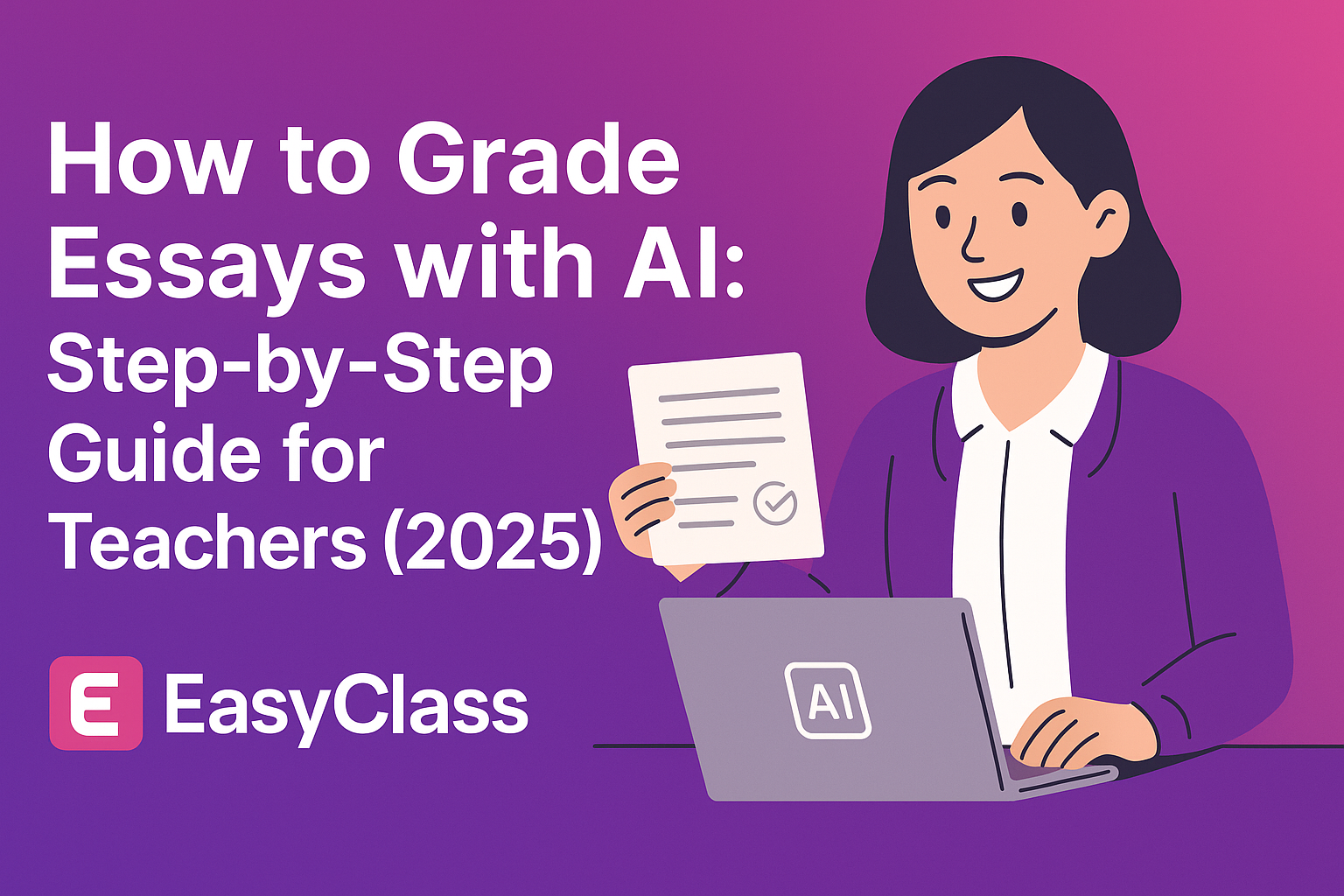
How to Grade Essays with AI: Step-by-Step Guide for Teachers (2025)
Grading essays is exhausting. You know the routine—stacks of papers, hours hunched over your desk, the same feedback comments written over and over, all while trying to maintain consistent standards across dozens of student submissions.
Then there's AI essay grading—a technology that could transform those 3-hour grading sessions into 30-minute review sessions.
In this complete guide, you'll learn exactly how to use AI to grade essays, from setup to final feedback. Whether you teach elementary, middle school, high school, or college—this guide will show you how to save hours every week while providing better feedback to your students.
Let's dive in.
What is AI Essay Grading?
AI essay grading uses artificial intelligence to evaluate student writing assignments and provide detailed feedback based on your rubric.
Think of it like spell-check for grading—but instead of just catching typos, AI essay graders:
- Analyze grammar, structure, and coherence
- Evaluate arguments and thesis statements
- Check evidence and supporting details
- Assess organization and flow
- Compare essays against your custom rubric
- Generate specific, actionable feedback
Here's what AI essay grading is NOT:
❌ A replacement for teachers
❌ Perfect or infallible
❌ Able to replace human judgment
❌ Good at grading creative or highly nuanced work without review
What AI essay grading IS:
✅ A time-saving assistant
✅ A first-pass grading tool
✅ Consistent and objective
✅ Good at catching technical errors
✅ Excellent for structured writing (essays, research papers, reading responses)
How Does AI Essay Grading Work?
AI essay graders use natural language processing (NLP) and machine learning to evaluate written work. Here's the simplified process:
- You upload your rubric - Define what you're grading (thesis, evidence, organization, grammar)
- Students submit essays - Upload to the AI grading platform (docx, pdf, Google Docs)
- AI analyzes the text - Checks grammar, structure, argument strength, evidence quality
- AI compares to rubric - Evaluates essay against your specific criteria
- AI generates feedback - Creates detailed comments and suggested scores
- You review and adjust - Edit feedback, adjust scores, add personal notes
- Send to students - Export feedback to Google Classroom or share directly
Key point: You're still in control. AI provides the first pass, you provide the final judgment.
Benefits of AI Essay Grading (Save 5+ Hours Per Week)
1. Massive Time Savings
Teachers using AI grading tools report saving 5-6 hours of grading time per week. Some platforms claim even higher time savings—CoGrader reports helping teachers provide quality feedback in 80% less time, while some AI essay graders can save teachers up to 11 hours weekly.
Before AI grading:
- 3+ hours grading a class set of essays
- 6-7 minutes per essay
- Exhausting, repetitive work
After AI grading:
- 30 minutes reviewing AI feedback
- 1-2 minutes per essay (just review and adjust)
- Saves 2.5+ hours per assignment
2. More Consistent Feedback
Human graders get tired. The 28th essay gets less detailed feedback than the 1st essay.
AI graders don't get tired. Every student gets the same level of detailed feedback, graded against the same rubric with the same standards.
3. Faster Turnaround for Students
Before AI: Students waited 1-2 weeks for feedback (because grading takes so long)
After AI: Students get feedback in 1-2 days (because grading is fast now)
Faster feedback = better learning. Students remember what they wrote and can actually improve.
4. More Detailed Feedback
AI graders can provide more specific feedback than teachers can manually:
- Highlights specific sentences that need improvement
- Explains WHY something doesn't work
- Suggests concrete revisions
- References rubric criteria
This level of detail would take 15+ minutes per essay manually. AI does it in seconds.
5. Removes Unconscious Bias
AI grading is objective. It doesn't:
- Grade differently based on handwriting quality
- Give better grades to favorite students
- Get influenced by previous essays
- Grade harsher when tired or frustrated
The rubric is applied consistently to every student.
6. Lets You Focus on Teaching
When grading takes 30 minutes instead of 3 hours, you get your weekend back. You can spend time on:
- Creative lesson planning
- One-on-one student support
- Actually enjoying your evening
- Not burning out
Studies show that teachers work over 52-54 hours per week, well over the contracted 40, between classroom instruction, lesson planning, grading, parent communication, and other responsibilities. AI grading helps reduce that workload.
7. Encourages More Writing Assignments
Many teachers avoid assigning writing because grading is so time-consuming. With AI grading, you can assign more writing without drowning in grading.
More practice = better writers.
Step-by-Step: How to Use AI to Grade Essays (Using EasyClass)
Here's exactly how to grade essays with AI, from setup to final feedback. I'll use EasyClass as the example, but the process is similar for most AI grading tools.
Step 1: Create Your Account (2 minutes)
- Go to EasyClass.ai
- Click "Start Free Trial"
- Sign up with email or Google account
- No credit card required for trial
Step 2: Set Up Your Rubric (5 minutes)
The rubric is critical—this is how AI knows what to grade.
Option A: Create a Custom Rubric
- Click "AI Grader" in the dashboard
- Click "Create New Rubric"
- Add your criteria:
- Thesis/Focus (0-4 points)
- Evidence/Support (0-4 points)
- Organization (0-4 points)
- Grammar/Mechanics (0-4 points)
- Add descriptions for each score level
- Save rubric
Example 4th Grade Reading Response Rubric:
| Criteria | 4 Points | 3 Points | 2 Points | 1 Point |
|---|---|---|---|---|
| Understanding | Shows deep understanding of the text with specific examples | Shows good understanding with some examples | Shows basic understanding, few examples | Shows little understanding |
| Evidence | Uses 3+ specific quotes/examples from text | Uses 2 quotes/examples | Uses 1 example | No evidence from text |
| Organization | Clear beginning, middle, end with transitions | Has structure but transitions could be better | Some structure, missing parts | No clear structure |
| Writing Quality | Few or no errors, varied sentences | Some errors, mostly correct | Many errors that distract | Many errors, hard to understand |
Option B: Let AI Create Your Rubric
- Click "Generate Rubric with AI"
- Enter assignment details:
- Grade level: 4th grade
- Assignment type: Reading response
- Focus areas: Comprehension, evidence, organization
- AI generates a rubric
- Review and edit as needed
- Save rubric
Pro Tip: Save rubrics you use frequently so you don't have to recreate them each time.
Step 3: Upload Student Essays (2 minutes)
Batch Upload (Recommended):
- Collect all student essays in one folder
- Click "Upload Essays" in AI Grader
- Drag and drop all files at once
- EasyClass accepts:
- Google Docs
- Microsoft Word (.docx, .doc)
- PDFs
- Scanned handwritten work (.jpeg, .png)
Individual Upload:
- Click "Add Essay"
- Upload one file at a time
- Repeat for each student
From Google Classroom:
- Click "Import from Google Classroom"
- Select your class and assignment
- All submissions import automatically
Step 4: Select Your Rubric (30 seconds)
- Choose the rubric you created in Step 2
- Or select from EasyClass rubric library (pre-made rubrics available)
- Confirm assignment details
- Click "Start Grading"
Step 5: Let AI Grade (3-5 minutes for 30 essays)
This is the magic part. You literally just wait.
AI is analyzing all essays simultaneously:
- Checking grammar and mechanics
- Evaluating thesis statements
- Assessing evidence quality
- Reviewing organization
- Comparing to your rubric criteria
- Generating specific feedback
Progress bar shows:
- Number of essays graded
- Estimated time remaining
- Current essay being analyzed
For 28-30 essays, this takes 3-5 minutes total.
Step 6: Review AI Feedback (15-20 minutes for 30 essays)
This is where you add the human touch.
For each essay:
- Read AI's suggested score (usually accurate)
- Read AI's feedback (usually specific and helpful)
- Skim the actual essay (verify AI's assessment)
- Edit feedback as needed:
- Add personal encouragement
- Note improvement from previous essays
- Highlight specific strengths
- Adjust tone to be more positive
- Adjust score if necessary
- Add optional voice note (personal touch students love)
What to look for when reviewing:
✅ Keep AI feedback when:
- It's specific and actionable
- References the rubric correctly
- Identifies real issues
- Provides helpful suggestions
✏️ Edit AI feedback when:
- It's too harsh or negative
- It misses student context (ESL, IEP)
- It's too generic
- Tone doesn't match your voice
❌ Reject AI feedback when:
- It's completely wrong
- It misunderstood the essay
- It doesn't align with rubric
Pro Tip: Start by reviewing 3-5 essays carefully to calibrate the AI. After that, you'll know what to watch for and can review faster.
Step 7: Export Feedback to Students (2 minutes)
Option A: Google Classroom
- Click "Export to Google Classroom"
- Select your class
- Choose assignment
- Click "Publish Grades and Feedback"
- Done! Students see grades and comments in Google Classroom
Option B: Download Reports
- Click "Download All Feedback"
- Choose format:
- PDF (one per student)
- CSV (spreadsheet with all scores)
- Google Docs (for each student)
- Share via email or print
Option C: Individual Student Access
- Generate student links
- Students log in to see their feedback
- Can view highlighted comments on their essay
- Can see rubric scores
Real Example: Grading a 4th Grade Reading Response
Let me show you exactly what AI grading looks like with a real example.
The Assignment:
After reading Charlotte's Web, students wrote a 1-page response answering: "How did Wilbur change from the beginning to the end of the story?"
The Rubric:
- Understanding (4 points)
- Evidence from text (4 points)
- Organization (4 points)
- Writing quality (4 points)
- Total: 16 points
Student Essay Sample:
"Wilbur changed a lot in the story. At the beginning he was scared and lonely. He didn't have any friends and he was sad. Then Charlotte became his friend and she helped him. At the end Wilbur was brave and happy. He learned about friendship. Charlotte's words in her web made him famous. He also learned that friends are important and he wasn't lonely anymore."
AI Feedback (Generated in 30 seconds):
Overall Score: 12/16 (75%)
Understanding: 3/4
"Good understanding of Wilbur's character development. You identified that he changed from scared and lonely to brave and happy. To earn full points, explain more specifically HOW Charlotte helped him change."
Evidence: 2/4
"You mentioned Charlotte's web and her friendship, but didn't include specific examples from the story. Try adding: Which words did Charlotte write? What specific things did Charlotte do to help Wilbur?"
Organization: 4/4
"Excellent structure! You have a clear beginning (Wilbur at the start), middle (Charlotte's help), and end (how Wilbur changed). Good use of transition words like 'at the beginning' and 'at the end.'"
Writing Quality: 3/4
"Your writing is clear and easy to read. A few sentences could be combined for variety. Example: Instead of 'He didn't have any friends. He was sad,' try 'He didn't have any friends, which made him sad.'"
Teacher Review and Edits (took 1 minute):
I kept most of the AI feedback but added my personal note:
"Great job explaining how Wilbur changed! I can tell you really understood his journey. For your next essay, challenge yourself to include 2-3 specific quotes from the book. I love how you noticed that friendship was the big theme!"
Final score: I kept 12/16 (AI was accurate)
Total time: 1 minute to review, edit slightly, and add personal encouragement
If I graded manually: Would have taken 6-7 minutes
Common Mistakes to Avoid When Using AI Grading
Mistake #1: Trusting AI 100% Without Review
Why it's wrong: AI makes mistakes. It might misunderstand context, miss sarcasm, or misread the essay's purpose.
Do this instead: Always review AI feedback before sending to students. You're the final decision-maker.
Mistake #2: Using Generic Rubrics
Why it's wrong: AI is only as good as your rubric. Generic rubrics = generic feedback.
Do this instead: Create detailed, specific rubrics for each assignment type. The more specific your rubric, the better AI's feedback.
Mistake #3: Not Adjusting for Student Context
Why it's wrong: AI doesn't know that Emma is ESL or that Marcus has dysgraphia. It grades all students the same.
Do this instead: Edit feedback to account for IEPs, 504 plans, ESL status, and individual student needs.
Mistake #4: Using AI for Every Assignment
Why it's wrong: Some assignments need full human grading: creative writing, personal narratives, poetry, reflections.
Do this instead: Use AI for structured writing (essays, research papers, reading responses). Grade creative work manually.
Mistake #5: Skipping the Rubric
Why it's wrong: Without a rubric, AI guesses what you want. Results are inconsistent.
Do this instead: Always create or select a rubric before grading. Even a simple 3-criteria rubric is better than none.
Mistake #6: Making Feedback Too Negative
Why it's wrong: AI can be blunt. "Your thesis is weak" sounds harsh to a young student.
Do this instead: Soften AI feedback before sending:
- "Your thesis needs more detail" → "Let's work on making your thesis even stronger"
- "You didn't use evidence" → "Next time, add 2-3 examples from the text"
Mistake #7: Not Explaining AI to Students
Why it's wrong: Students deserve transparency. They should know AI helped with grading.
Do this instead: Tell students: "I use AI to help me grade your essays faster and give you more detailed feedback. I always review and edit the feedback before you see it, and I make all final decisions about your grade."
Mistake #8: Uploading Poorly Scanned Handwritten Work
Why it's wrong: AI struggles with blurry images, light pencil, or messy handwriting.
Do this instead:
- Use a scanning app (not just phone camera)
- Ensure good lighting
- Use dark ink
- For very messy handwriting, AI might not work well
Frequently Asked Questions About AI Essay Grading
Is AI grading accurate?
Research from a 2024 study presented at the American Educational Research Association found that AI matched the human score exactly about 40% of the time, with most discrepancies being within one point. The researcher noted that ChatGPT is "roughly speaking, probably as good as an average busy teacher" for essay scoring.
However, the study also found that AI tends to cluster grades in the middle range (scores of 2-5), whereas humans are more likely to award the highest (6) and lowest (1) scores.
Important: AI is not perfect. You should review 100% of AI feedback before sending to students.
What types of essays work best with AI grading?
Great for AI grading:
- Five-paragraph essays
- Research papers
- Reading responses
- Argumentative essays
- Informative essays
- Literary analysis
- Compare/contrast essays
- Book reports
Not great for AI grading (without heavy review):
- Creative writing
- Poetry
- Personal narratives
- Highly nuanced or abstract topics
- Essays requiring deep cultural knowledge
Can students tell their work was graded by AI?
If you use custom rubrics and edit the feedback to match your voice, students typically cannot tell. The feedback should sound like you, not a robot.
However, we recommend being transparent with students about using AI as a grading assistant.
Does AI grading work for elementary students?
Yes! AI grading can work well for elementary students. Key tips:
- Use age-appropriate rubrics
- Edit feedback to be encouraging
- Focus on 2-3 key areas, not every mistake
- Add personal encouragement
What about handwritten essays?
Most AI grading tools (including EasyClass) can grade scanned handwritten work. Tips:
- Use a scanner or scanning app (not just phone camera)
- Dark ink works better than pencil
- Neat handwriting works better (but not required)
- Very messy handwriting may need manual grading
How much does AI essay grading cost?
EasyClass: $6.99/month or $39.99/year (includes AI grading plus all other features)
Other tools vary:
- CoGrader: Starts around $10/month
- EssayGrader: Various plans available
- Gradescope: Higher pricing for higher education
Most platforms offer free trials or limited free versions.
Does AI grading replace teachers?
Absolutely not. AI handles the repetitive, time-consuming first pass. You still:
- Create the rubric
- Review all feedback
- Adjust scores and comments
- Add personal encouragement
- Make final decisions
- Teach writing strategies
Think of AI as a teaching assistant, not a replacement.
What about student privacy?
Reputable AI grading tools are FERPA compliant and encrypt student data. Always check a tool's privacy policy before uploading student work.
Tips:
- Use tools built for education (not generic AI like ChatGPT)
- Check for FERPA/COPPA compliance
- Don't upload student names if possible (use IDs)
- Choose tools with strong data security
Can AI detect AI-generated essays?
Some AI grading tools include AI detection features, but no tool is 100% accurate. If you suspect a student used AI to write their essay:
- Look for their typical writing voice
- Check for sudden improvement
- Ask follow-up questions
- Have them explain their essay verbally
How long does AI grading actually take?
For AI to grade 30 essays: 3-5 minutes
For you to review 30 essays: 15-20 minutes
Total time: 20-25 minutes vs 3+ hours manual grading
Time saved: 2.5+ hours per assignment
What if AI gets it wrong?
You're always the final decision-maker. If AI:
- Misunderstands an essay → Change the score and feedback
- Misses context → Add clarifying notes
- Is too harsh → Soften the tone
- Gives wrong feedback → Replace it entirely
Never send AI feedback you disagree with.
The Research Behind AI Essay Grading
Recent research shows that transformer-based models like GPT-3 have demonstrated exceptional capabilities in both scoring and feedback generation for automated essay grading.
A 2024 study found that ChatGPT excels in fundamental language mechanics, demonstrating superior performance in areas like grammar, spelling, sentence structure, relevance, and supporting evidence. However, thematic consistency remains an area where human evaluators outperform AI.
Research suggests that the accuracy of AI scoring can be increased by evaluating different combinations of prompts, question wordings, and providing clear grading rubrics.
The bottom line: AI grading tools are effective for formative assessments and providing detailed feedback on structured writing assignments. They work best when paired with clear rubrics and human review.
Best Practices for AI Essay Grading
- Always use a detailed rubric - The more specific your rubric, the better AI performs
- Review every piece of feedback - Never send AI feedback without review
- Edit for tone and personalization - Make the feedback sound like you
- Account for student context - Consider ESL status, IEPs, 504 plans
- Be transparent with students - Tell them you use AI as a grading assistant
- Start with formative assessments - Test AI grading on low-stakes assignments first
- Keep improving your rubrics - Learn from AI's mistakes and refine your rubrics
- Add personal notes - Include encouragement and recognize improvement
- Use for appropriate assignment types - Stick to structured writing
- Maintain final authority - You make all final grading decisions
Getting Started with AI Essay Grading
Ready to try AI essay grading? Here's your action plan:
- Start with a free trial - Try EasyClass or another AI grading tool
- Choose one assignment type - Start with something structured (like a five-paragraph essay)
- Create a detailed rubric - Spend time making it specific
- Grade a small batch first - Try 5-10 essays to calibrate
- Review carefully - Take notes on what AI does well and what needs adjustment
- Refine your rubric - Make improvements based on AI's performance
- Scale up gradually - Once comfortable, increase the number of essays
- Gather student feedback - Ask students if the feedback is helpful
Conclusion: Is AI Essay Grading Worth It?
For most teachers, the answer is yes—with important caveats.
AI essay grading can save you hours every week, provide more consistent feedback, and help you assign more writing. But it's not magic, and it's not perfect.
The key is to use AI as a tool, not a replacement. Think of it as having a teaching assistant who does the first pass on grading, allowing you to focus on the final review and adding that crucial personal touch.
When used thoughtfully, with clear rubrics and careful human review, AI essay grading can transform your workload and give you back the time you need to actually teach—and to have a life outside the classroom.
Ready to get started? Try EasyClass AI Grading Free
Have questions about AI essay grading? Contact the EasyClass team for support.