

Features
Everything you make for class, in one place
Ask in plain words. Get back worksheets, quizzes, slides, display boards and classroom apps you can use tomorrow, plus rubric grading and seating charts for the rest of the week.
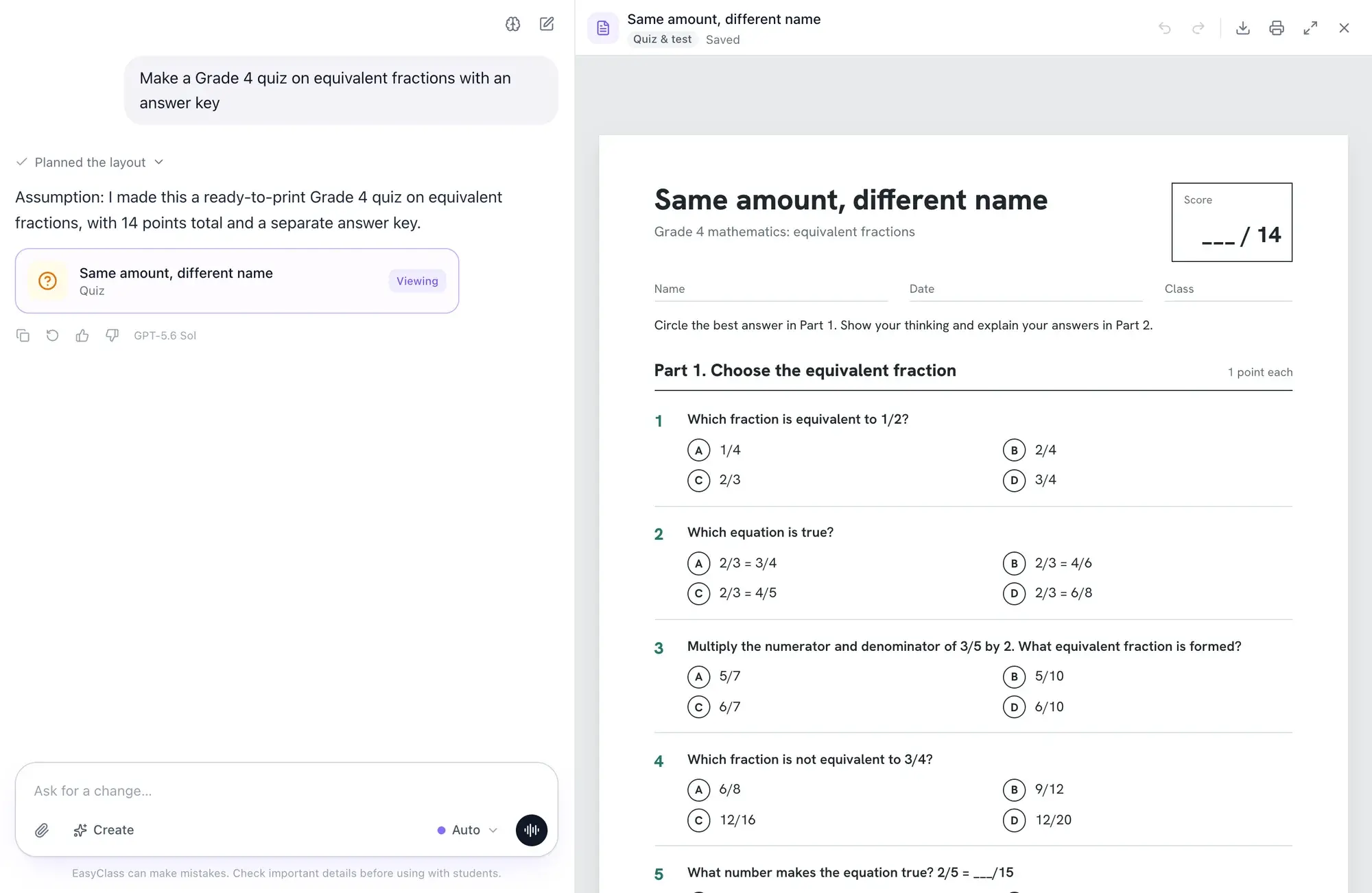
Any AI model
Use the AI you already like.
Claude, GPT, Gemini and more sit in one menu. Leave it on Auto and EasyClass picks a model for each request, or choose one yourself.
- Auto picks a model for writing, images and math
- Switch models in the middle of a chat
- Your documents stay put, whichever model wrote them
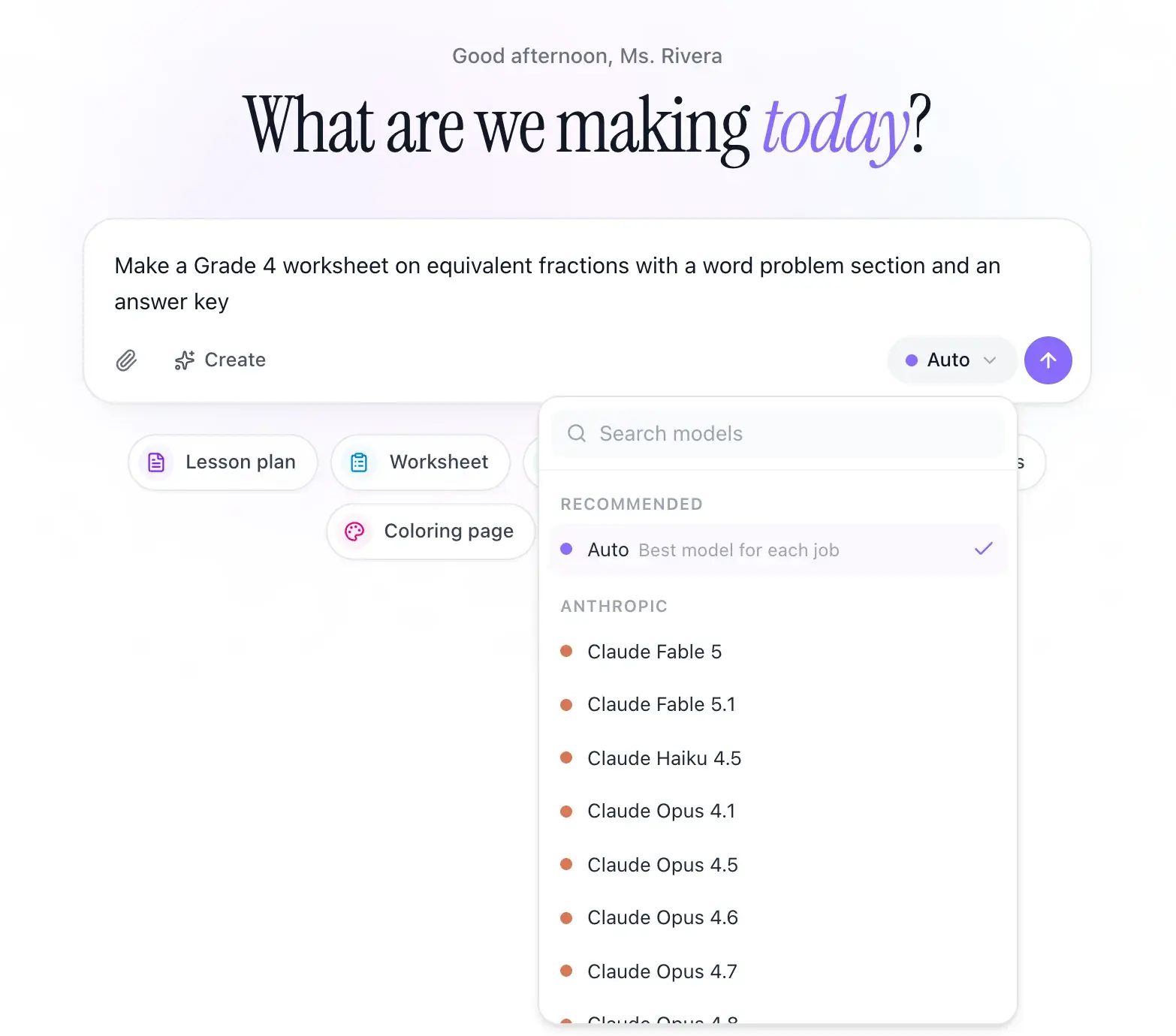
Worksheets, quizzes and lesson plans
Ready to print, not ready to fix.
Ask for a worksheet, quiz, lesson plan, reading passage or coloring page. It comes back laid out for paper, with an answer key when you need one, and lands in a library sorted by type.
- Print or download as a PDF
- Filter your library by worksheet, quiz, slides and more
- Open any document to keep working on it
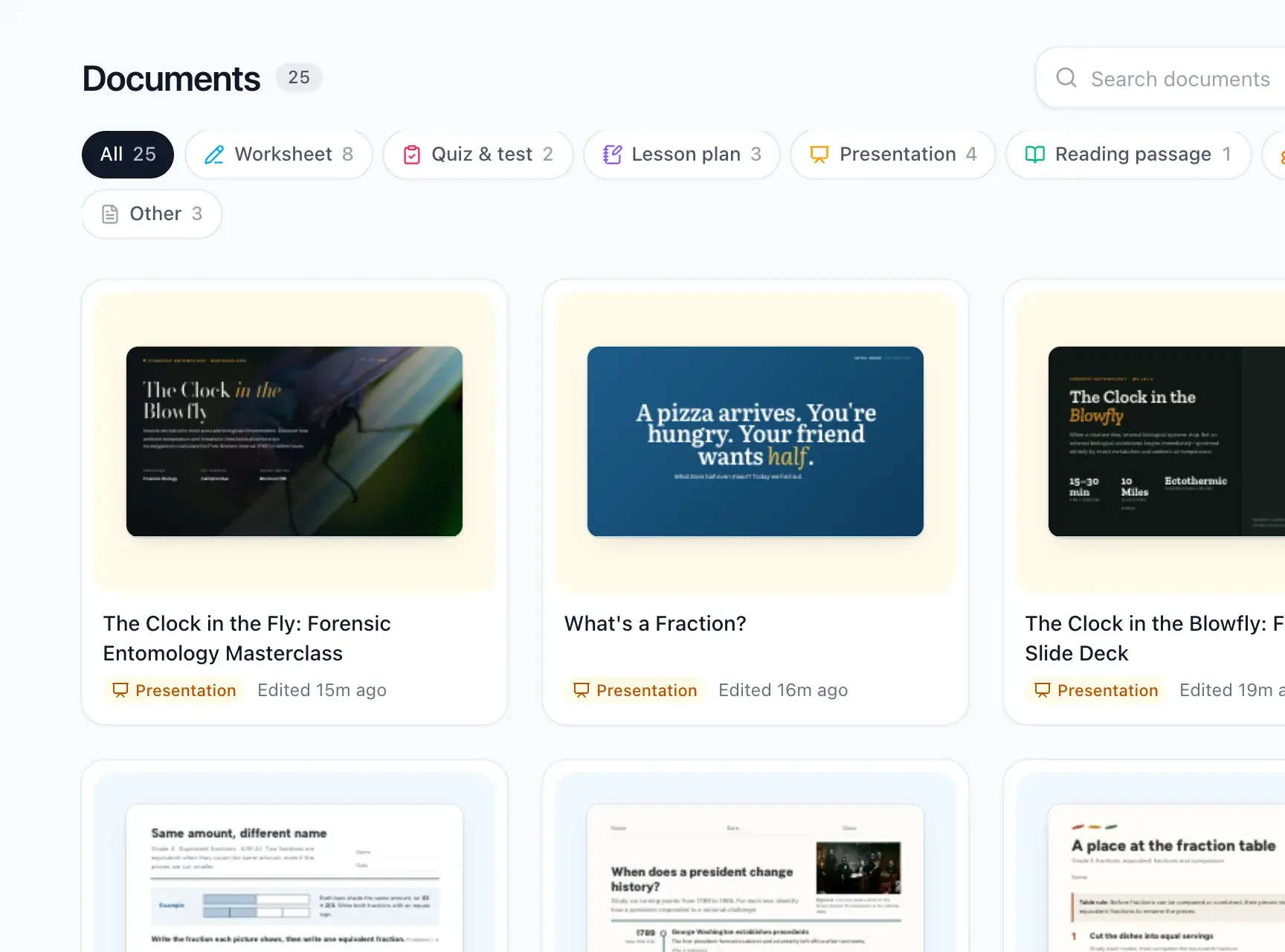
Slides
A deck worth putting on the projector.
Describe the lesson and get slides with real photos, clear type and a layout that fits the content. Present straight from EasyClass when the bell rings.
- Full-screen present mode
- Photos and diagrams chosen for the topic
- Ask for changes in plain words
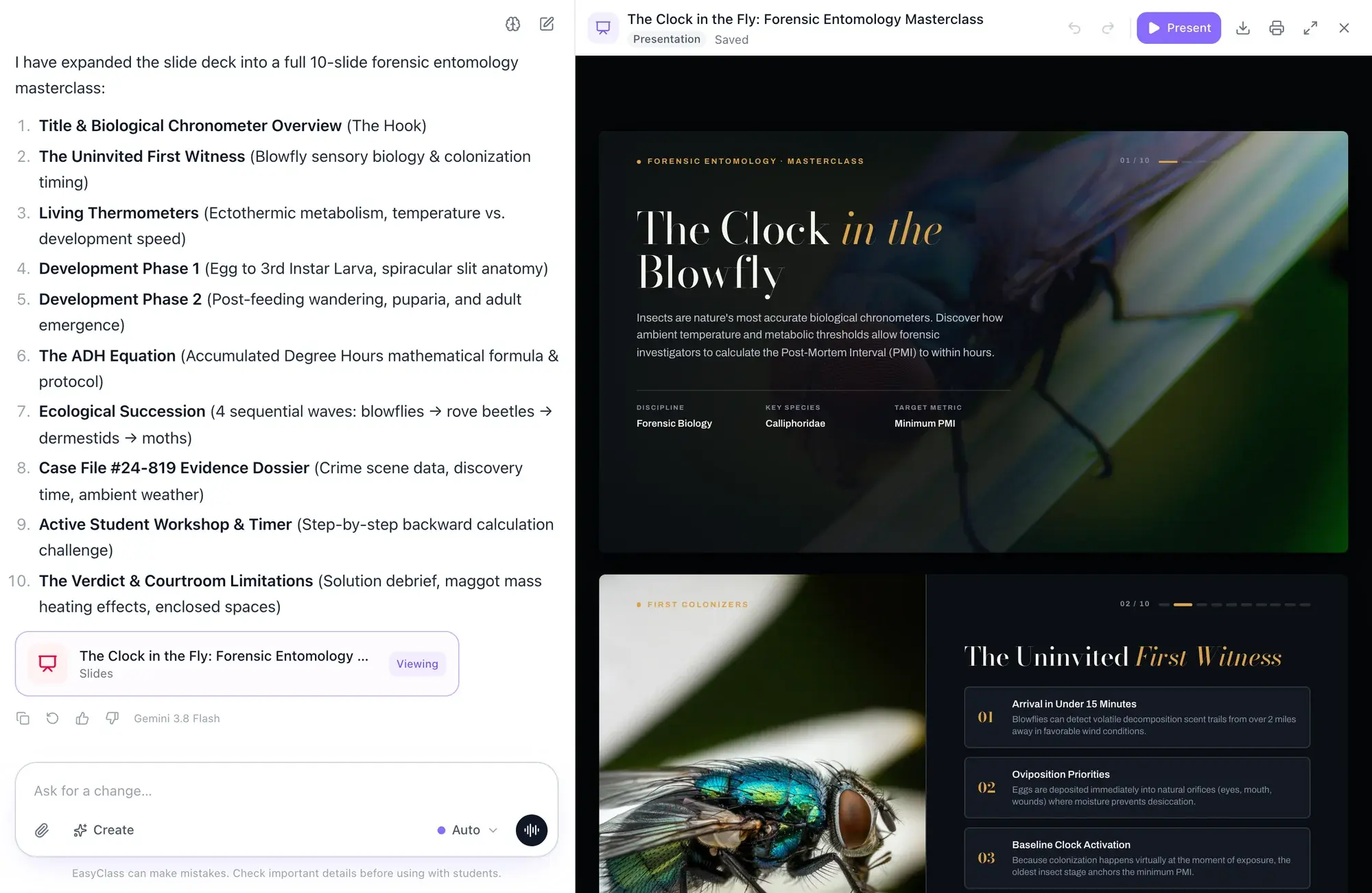
Editing
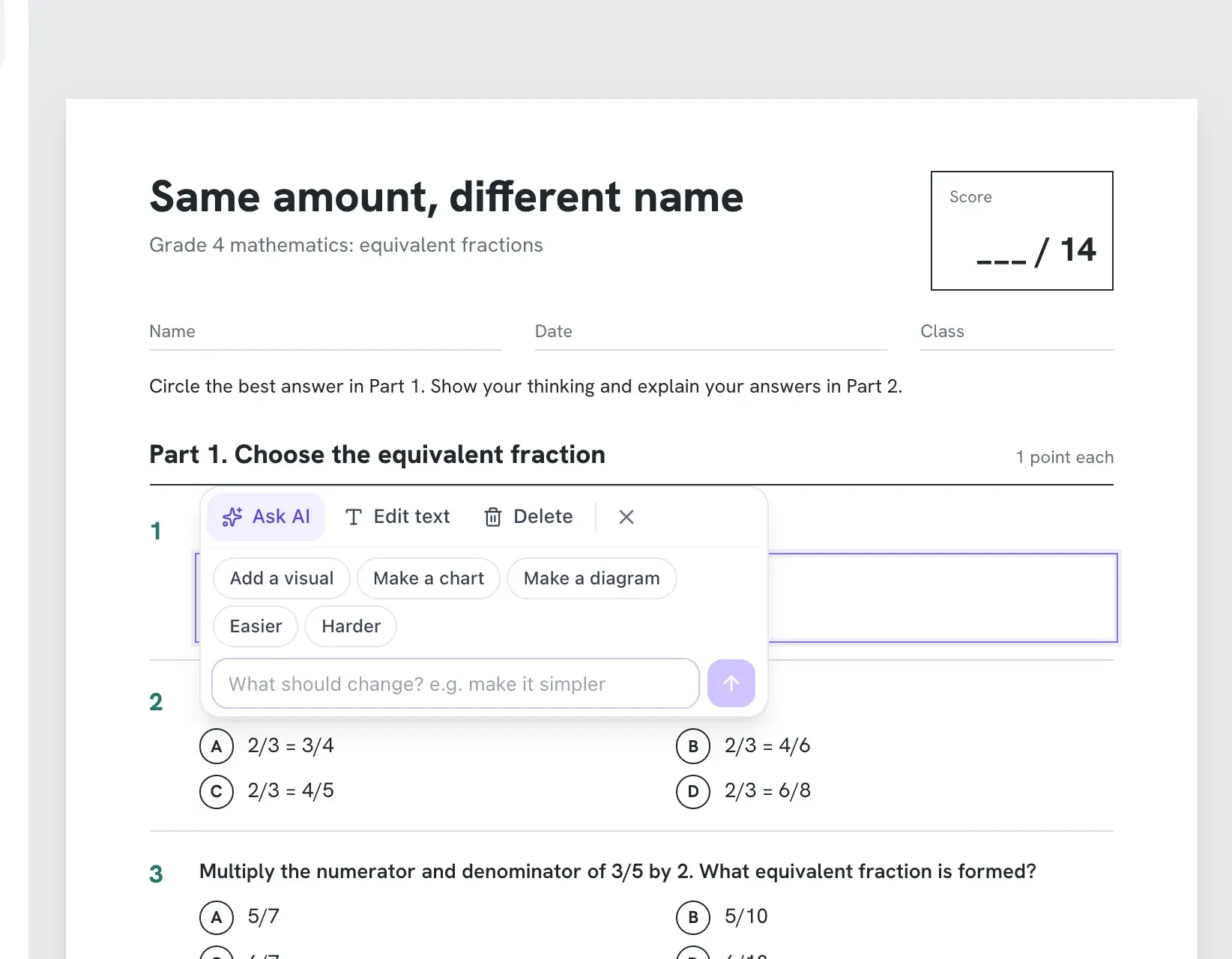
Point at a part and say what to change.
Click any question, paragraph or picture and a toolbar appears. Make it easier, make it harder, add a visual, or type your own change. Everything else stays where it was.
- One-click easier and harder versions
- Add a chart, diagram or photo to any part
- Undo anything
Rubric grading
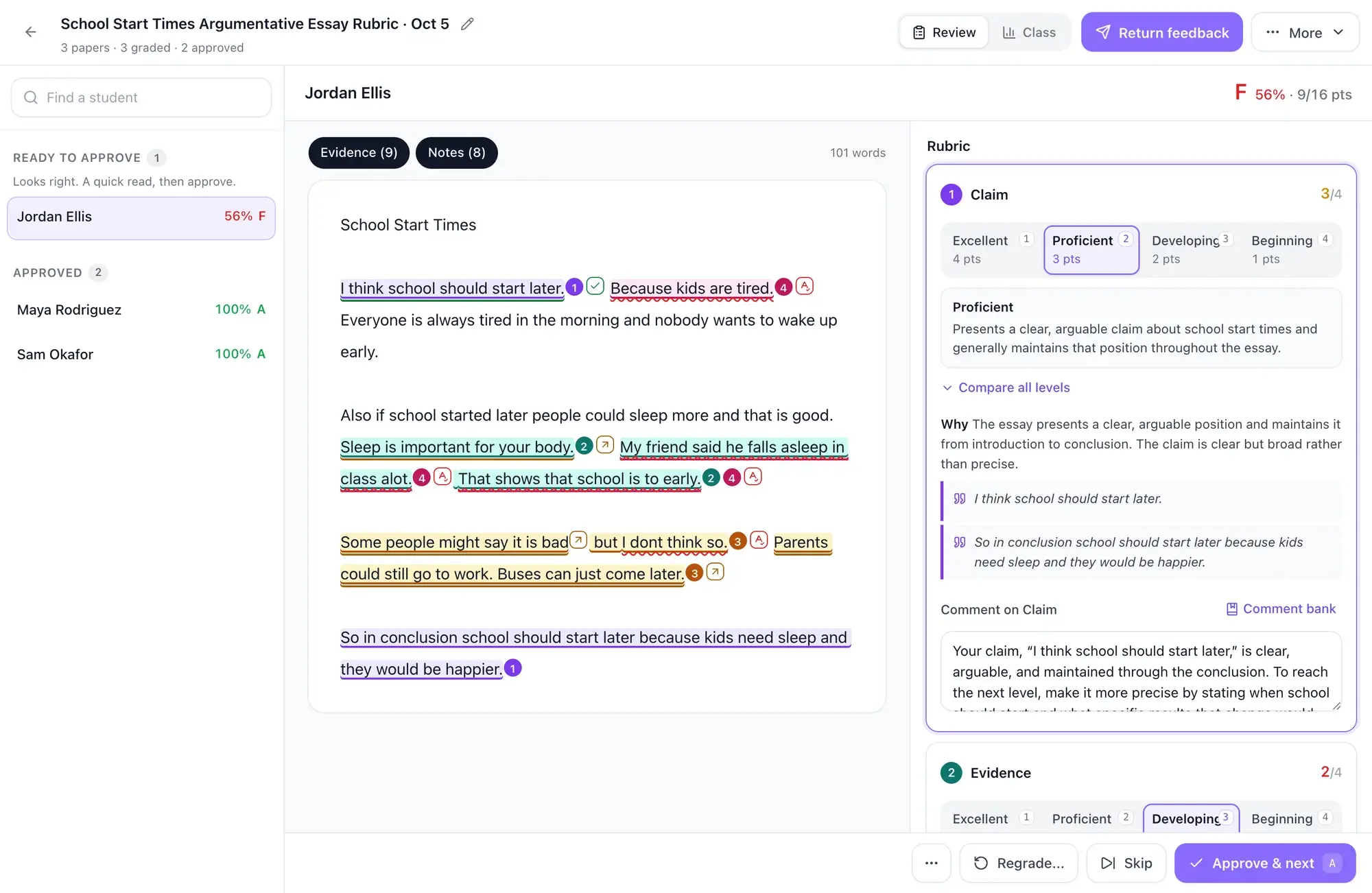
Grade with your rubric, then check every score.
Upload the papers and pick your rubric. EasyClass scores each criterion, highlights the sentences behind each score and drafts a comment. Nothing goes back to students until you approve it.
- Evidence highlighted in the student’s own writing
- Edit any score or comment, or pull from your comment bank
- Approve and return feedback for the whole class
Seating charts
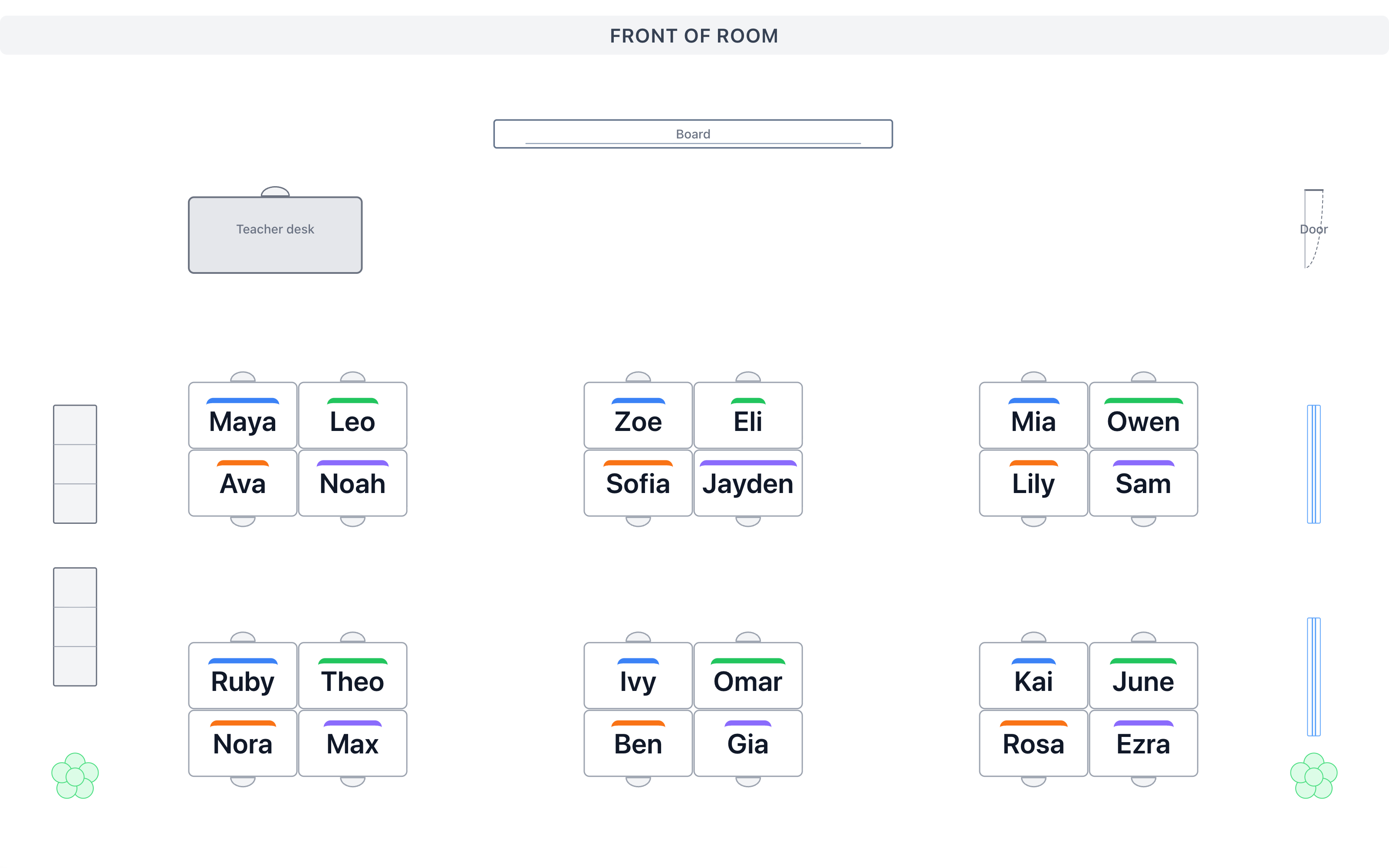
Move kids around without the sticky notes.
Lay out the room the way it really is, then drag names into seats or shuffle with your rules. Print a copy for the sub or put it on the board.
- Desks, pods, round tables and the teacher desk
- Shuffle with rules for who sits where
- Print or present full screen
Display boards
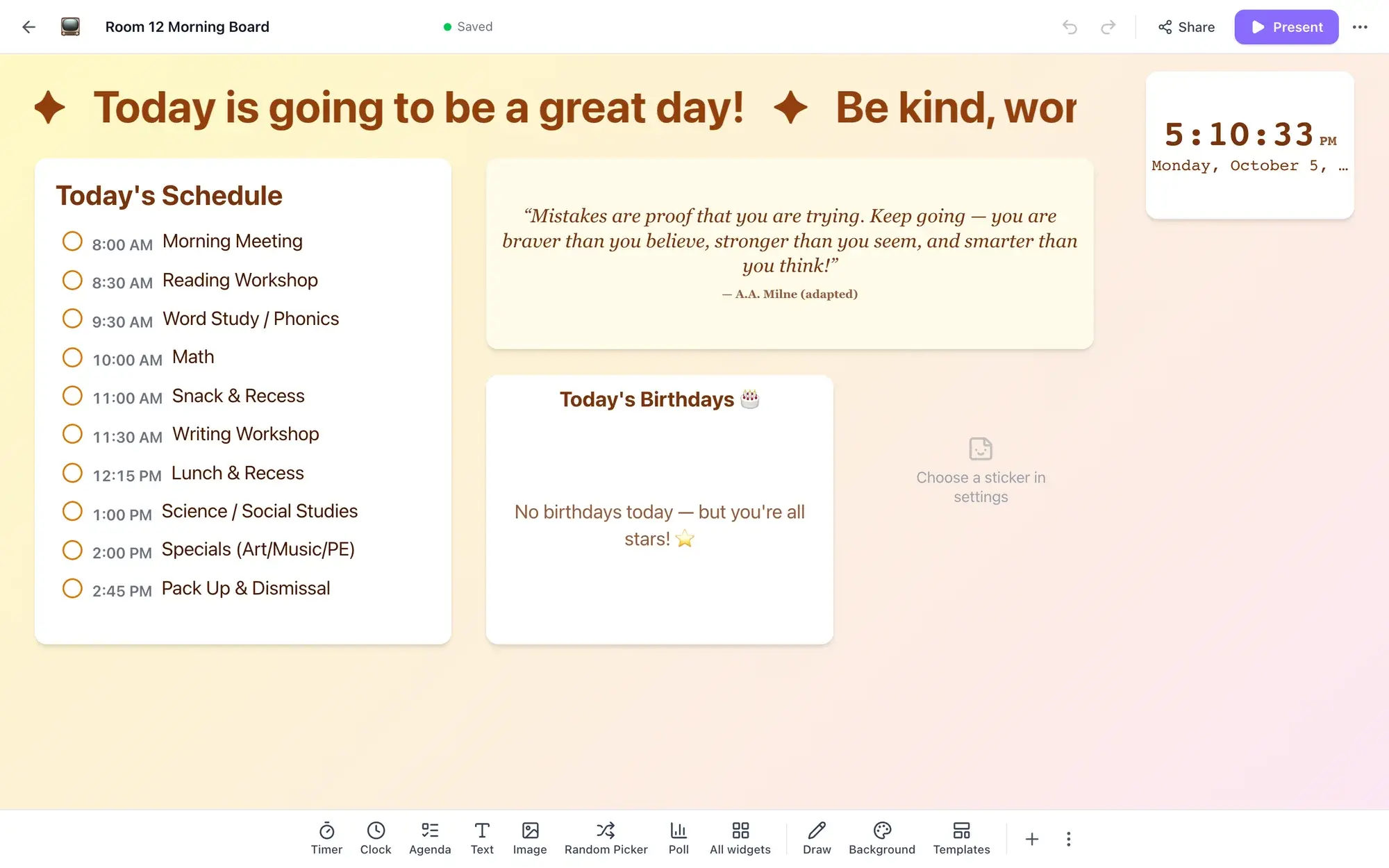
The board behind you, already set up.
Build a morning board with the schedule, a clock, a quote and birthdays, or a review game with a timer, scoreboard and random picker. Present it on the classroom screen.
- Timers, clocks, polls and a noise meter
- Students answer polls by scanning a QR code
- Start from a template or a blank board
Apps
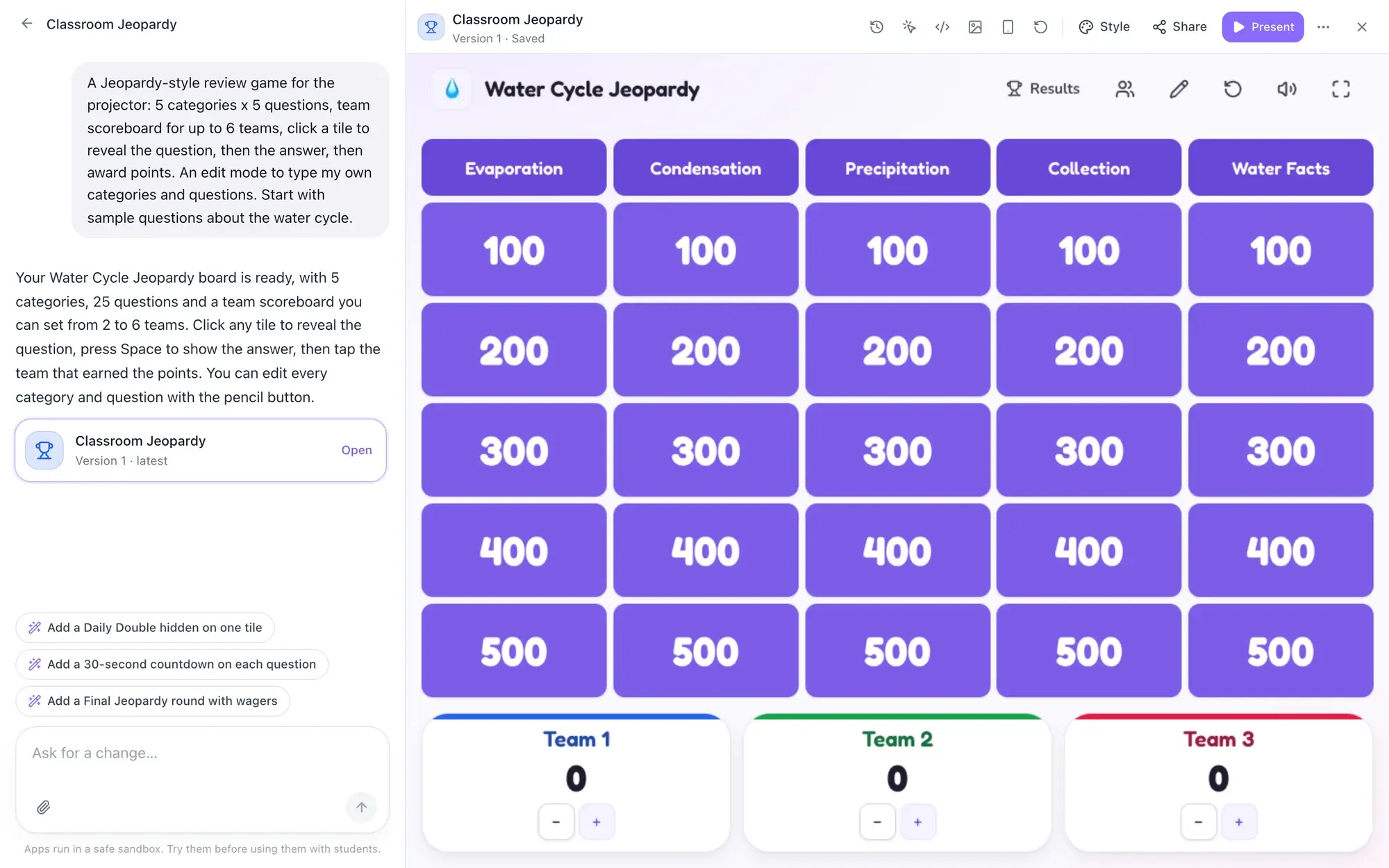
Describe a classroom app. Use it a minute later.
Ask for a name picker wheel, a countdown, a review game or a vocabulary matcher, and watch it get built. Keep asking for changes, put it on the projector, or send students a link. No code, no student accounts.
- Built from one sentence, changed in plain words
- Share with students by link, no sign-in
- Use or remix apps other teachers made
Memory
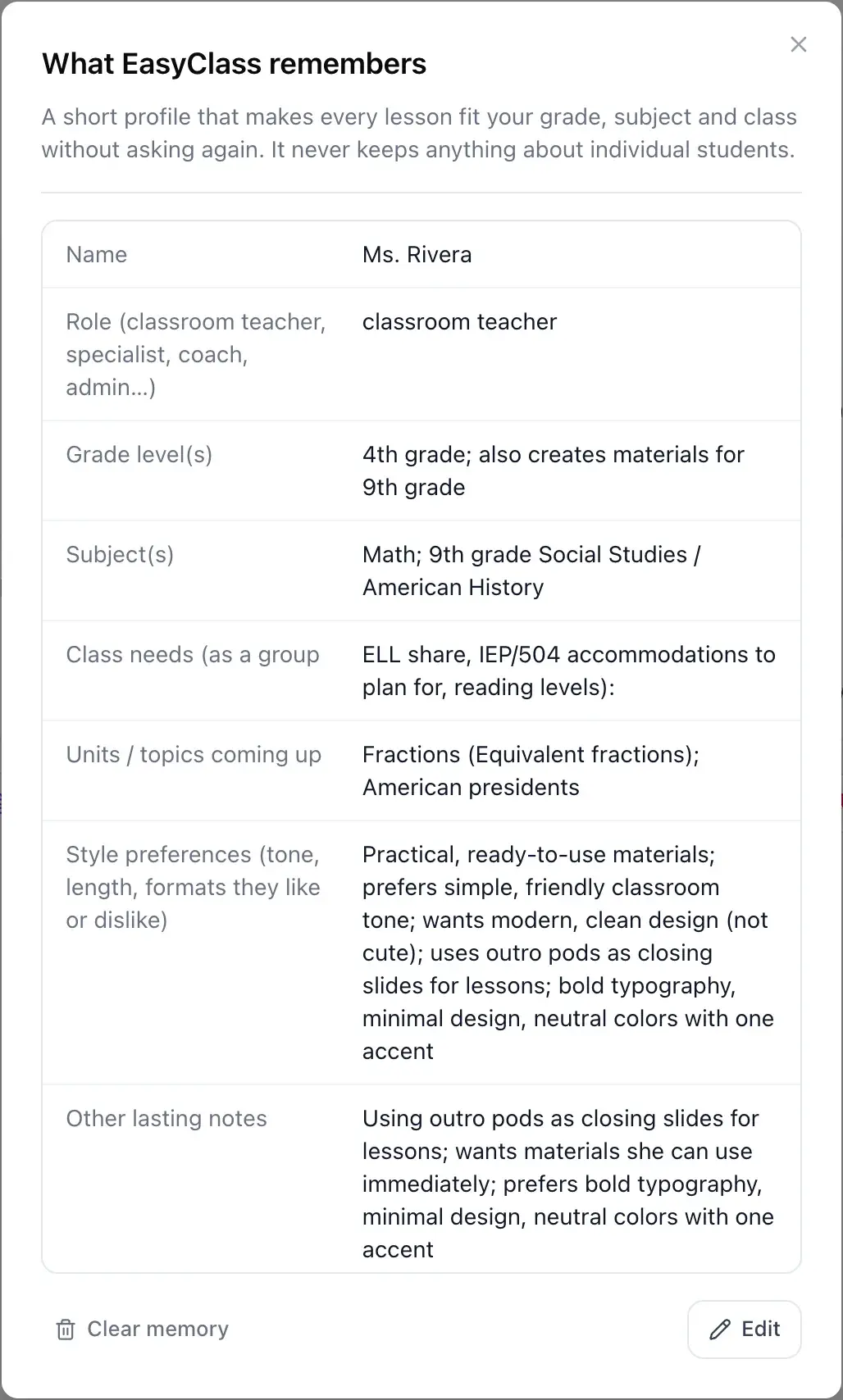
It remembers your class, so you stop repeating yourself.
EasyClass keeps a short profile: your grade, subjects, what your class needs and the style you like. Every new document starts from it. You can read it, edit it or clear it any time.
- Grade level, subjects and units coming up
- Class needs like ELL support or IEP accommodations
- Never stores individual student details
And the small things that save a period
Print and PDF
Every document prints cleanly and downloads as a PDF.
Present mode
Put slides or a board on the projector in one click.
Comment bank
Save the feedback you give most and reuse it while grading.
Return feedback
Send approved scores and comments back to the whole class at once.
Classroom widgets
Timers, a random name picker, a scoreboard and a noise meter.
Undo everything
Step back through any change, whoever made it.
