AI Lesson Planning That Actually Works
86% of teachers don't have enough time for quality lesson planning. You deserve better. Create standards-aligned, differentiated 5E lesson plans in minutes — not hours.
Backed by research from Gallup, RAND, and the National Science Teaching Association.
5.9 hrs
Saved per week with AI
Gallup, 2025
50+
State standards supported
CCSS, NGSS, TEKS & more
60+
AI tools for teachers
All included free
K-12
All grades & subjects
Math, ELA, Science & more
The Lesson Planning Crisis: Why Teachers Are Drowning
Here's a number that should make every school administrator pause: the average public school teacher receives 53 minutes per day for lesson planning. That's roughly 4.5 hours per week to plan instruction for every student, every subject, every day.
According to the National Council on Teacher Quality (NCTQ), 86% of teachers report they don't have enough time for high-quality lesson planning. Nearly half of all principals admit their teachers get three hours or fewer per week.
of teachers say they don't have time for quality planning
Source: NCTQ Research, 2024
Average weekly planning time provided to teachers
Source: NCES / EdSurge, 2024
of teachers work "too many hours" outside contract time
Source: NEA Survey
The result? Teachers are doing the impossible: planning in the car, at the dinner table, on Sunday nights. As EdSurge reported, the gap between planning time provided and planning time needed is a primary driver of teacher burnout.
This is the structural problem AI lesson planning addresses. Not by replacing teacher expertise, but by compressing the mechanical parts of planning — standards lookup, activity scaffolding, differentiation formatting — so teachers can invest their limited time on the decisions that actually require a human brain.
What AI Actually Does for Lesson Planning (And What It Doesn't)
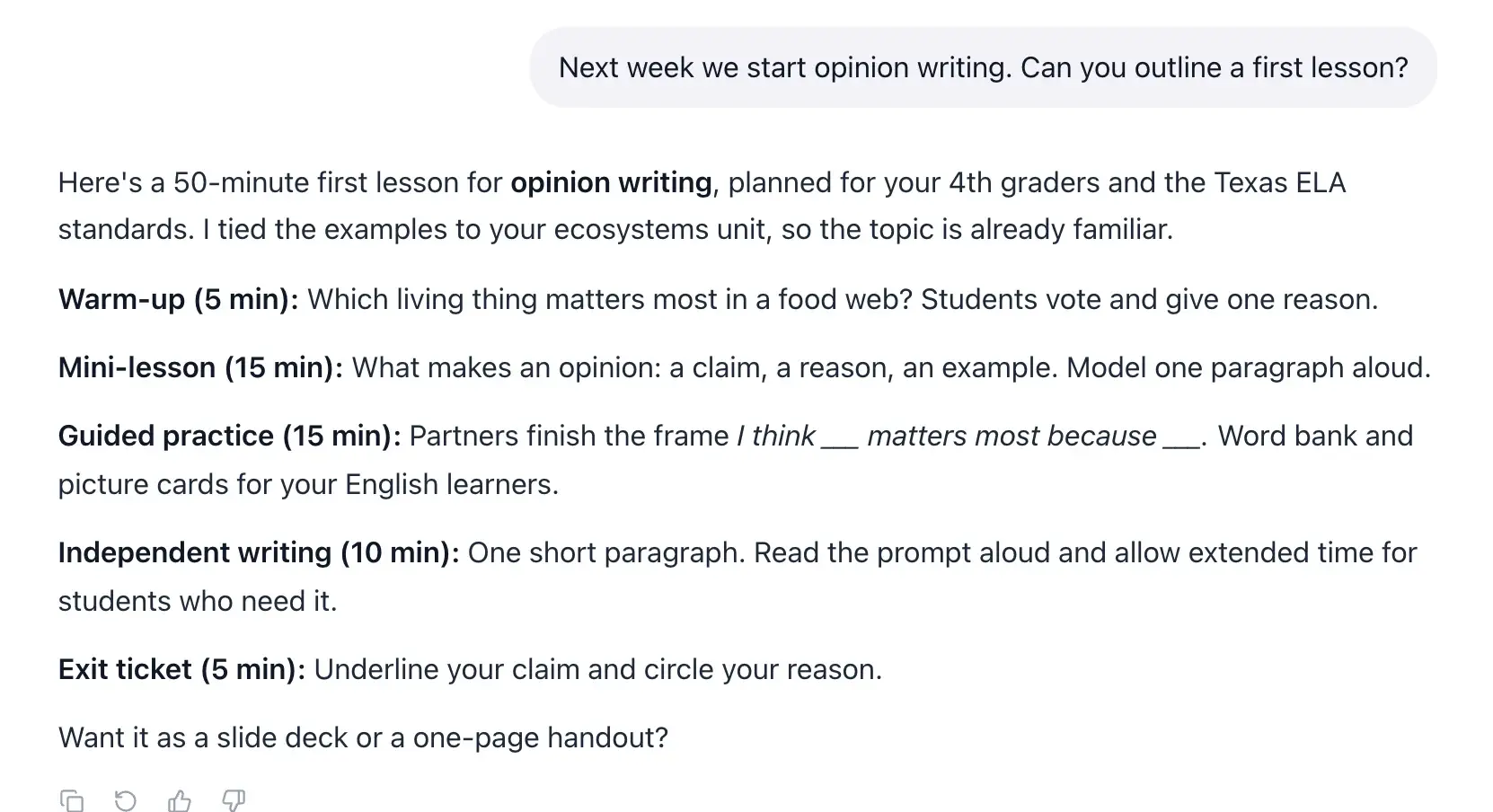
Let's clear up the confusion. AI doesn't plan for you. It plans with you. Research from Edutopia and Indiana Wesleyan University shows that AI lesson planning delivers a 40% reduction in planning time with no significant decrease in lesson effectiveness.
What AI Handles
Generating structured lesson outlines
Complete 5E or I Do/We Do/You Do structures with learning objectives, activities, and assessments
Cross-referencing curriculum standards
Automatically aligns to Common Core, NGSS, TEKS, and 50+ state standards
Creating differentiated activities
Generates accommodations for struggling, on-level, and advanced learners automatically
Drafting formative assessments
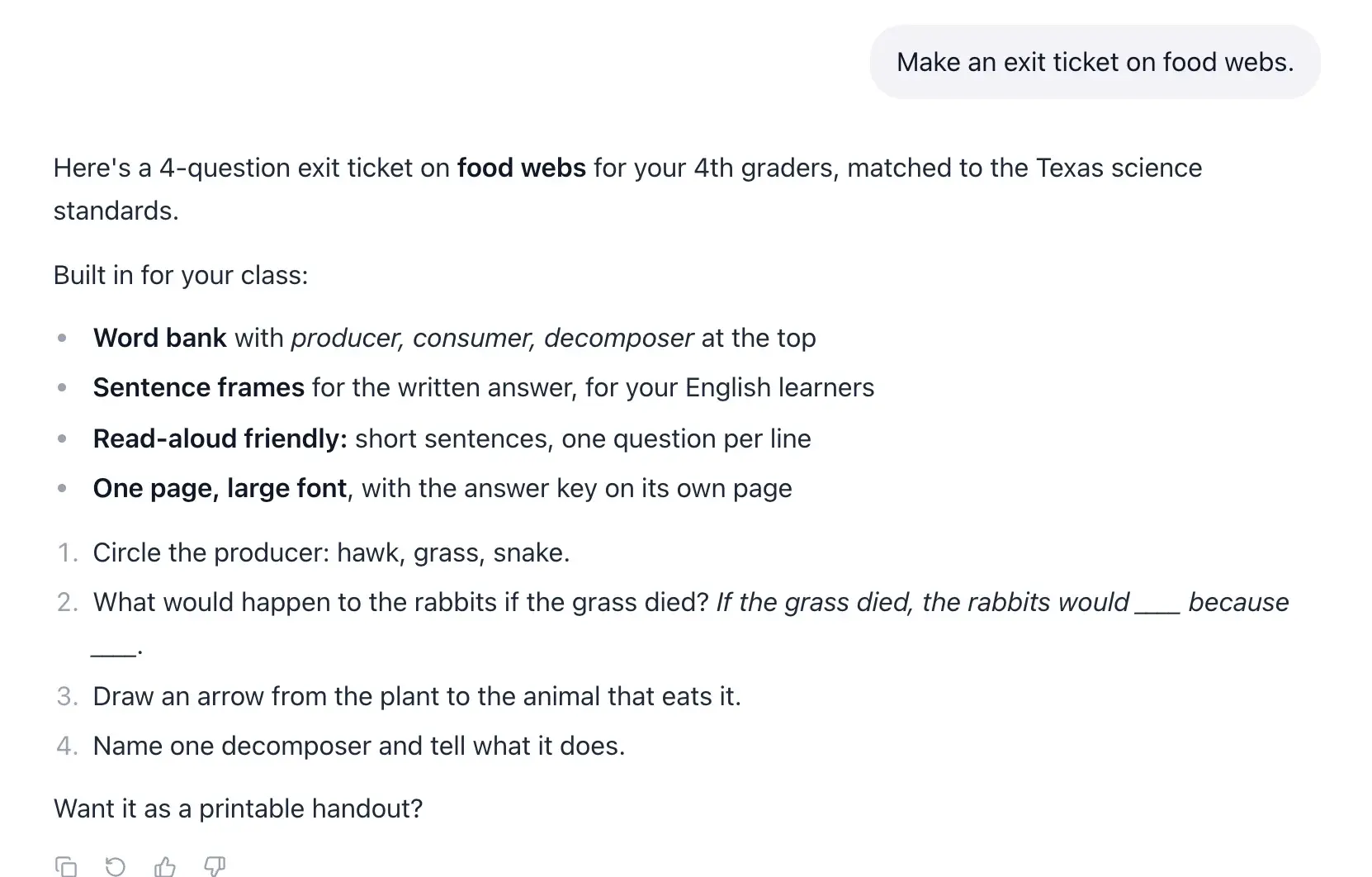
Exit tickets, checks for understanding, and rubrics aligned to your objectives
Suggesting materials and resources
Vocabulary lists, discussion prompts, extension activities, and homework
What You Still Own
Your professional judgment
You know which activities will resonate with your students
Classroom context and culture
AI doesn't know your students had a fire drill yesterday or that Jayden needs extra support
Real-time adaptation
Pivoting mid-lesson when you see confusion in their eyes
Relationship-based decisions
Choosing the hook that'll get this group engaged
Quality review and approval
Every AI-generated plan should be reviewed and refined by you before use
The 5E Model: Research-Backed Lesson Structure
The 5E instructional model was developed in 1987 by Dr. Rodger Bybee at the Biological Sciences Curriculum Study (BSCS). Research published in the CBE-Life Sciences Education journal demonstrates that the 5E model leads to significantly better acquisition of scientific concepts compared to traditional textbook-centered instruction.
While originally designed for science, the San Diego County Office of Education and the National Science Teaching Association (NSTA) confirm it's now used effectively across all subject areas.
1. Engage
Hook student interest and activate prior knowledge. Pose a driving question or present a phenomenon that creates curiosity.
2. Explore
Students investigate concepts through hands-on activities, experiments, or collaborative inquiry. The teacher facilitates, not lectures.
3. Explain
Formalize understanding through direct instruction, discussion, and vocabulary introduction. Connect student discoveries to formal concepts.
4. Elaborate
Apply learning to new and more complex contexts. Students extend understanding through projects, writing, or real-world connections.
5. Evaluate
Assess student understanding through formative and summative measures. Students demonstrate mastery and reflect on their learning.
EasyClass generates complete 5E lesson plans automatically.
Select your topic, grade level, and standards — the AI structures your lesson across all five phases with activities, discussion questions, and assessments for each stage.
Try the 5E Lesson Plan Generator — FreeStandards Alignment Made Automatic
Without alignment, lessons become disjointed. Education World and Carnegie Mellon University research shows that when teaching and assessment aren't aligned to the same standards, it creates gaps in student knowledge — students are tested on things they weren't explicitly taught.
Standards EasyClass Supports
Common Core (CCSS)
Math & ELA
NGSS
Science
Texas TEKS
All subjects
C3 Framework
Social Studies
State-Specific Standards
50 states
ISTE Standards
Technology
As Edutopia notes, the goal of alignment is ensuring that objectives, instruction, and assessment all point in the same direction. AI automates the cross-referencing so you can focus on making the lesson engaging.
Differentiated Instruction Without the Overtime
The U.S. Department of Education's TEAL Center defines differentiated instruction as tailoring instruction to meet individual student needs. In practice, this means creating multiple versions of activities for a classroom of 20-30 students with different readiness levels, interests, and learning profiles.
Research from Stanford's Center for Teaching and Learning confirms what every teacher already knows: effective differentiation requires significant upfront planning time. In a class of 25+ students, each learner may need a unique pathway. Without tools, this is nearly impossible within the 4.5 hours of planning time most teachers receive.
How AI Handles Differentiation
For Struggling Learners
- Simplified vocabulary and sentence structures
- Visual scaffolds and graphic organizers
- Step-by-step guided practice
- Extended time recommendations
For Advanced Learners
- Higher-order thinking challenges
- Open-ended extension activities
- Cross-curricular connections
- Independent research options
For ELL/MLL Students
- Key vocabulary with definitions
- Sentence frames and starters
- Visual supports
- Home language connections
For Students with IEPs/504s
- Accommodation suggestions
- Modified assessment options
- Sensory-friendly alternatives
- Behavioral support integration
How to Use AI for Lesson Planning
From blank page to classroom-ready in under 5 minutes. Here's the step-by-step process.
Define Your Objectives
Enter your topic, grade level, and learning objectives. Select your standards (CCSS, NGSS, TEKS) and choose your instructional framework — 5E, I Do/We Do/You Do, or Workshop Model.
Time: 1-2 minutes
AI Generates Your Plan
The AI creates a complete, structured lesson plan with engagement hooks, guided practice, independent activities, assessments, differentiation strategies, and materials lists.
Time: Under 60 seconds
Customize & Save
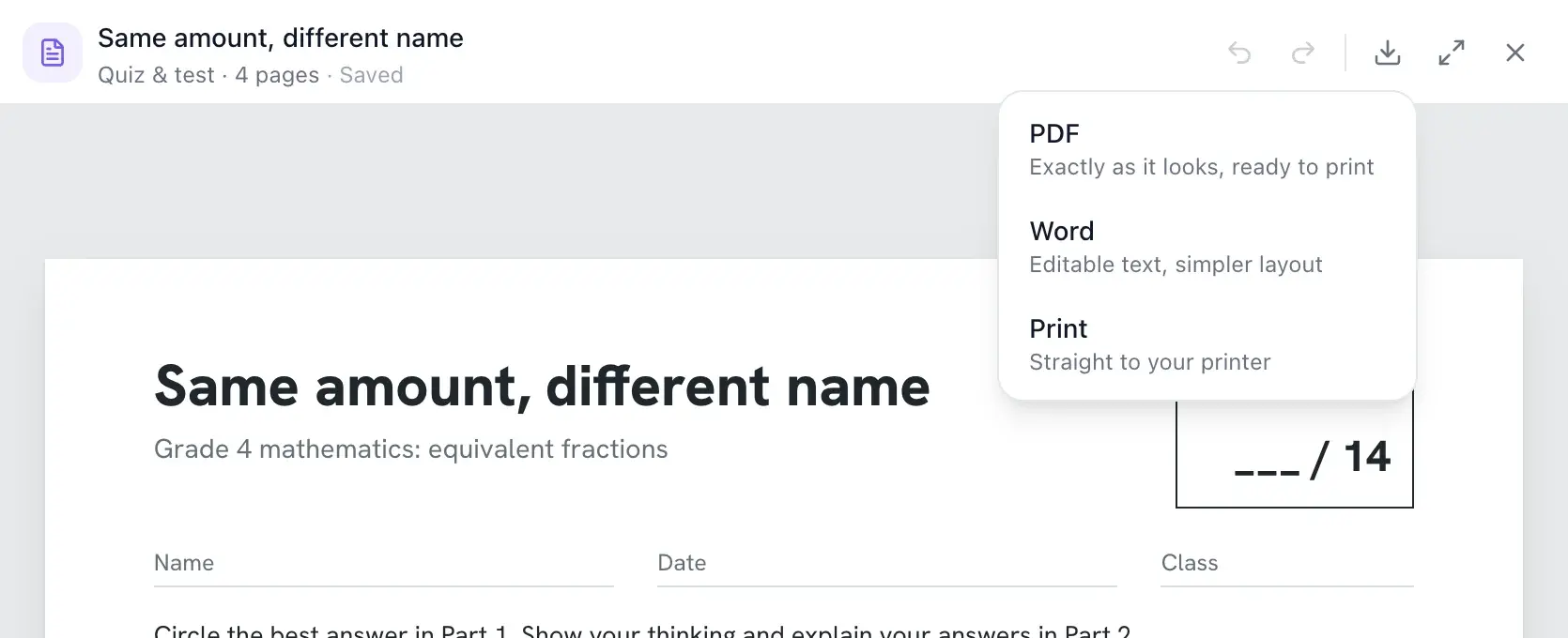
Review the AI-generated plan. Edit, refine, or add your personal touches. Save to your EasyClass pages, export to PDF or Word, or copy directly to your LMS.
Time: 2-3 minutes
AI Lesson Planning by Subject Area
Every subject has unique planning challenges. Here's how AI handles them.
Mathematics
Generate lesson plans with concrete-representational-abstract (CRA) progressions, scaffolded problem sets at multiple difficulty levels, and embedded formative checks. The AI aligns to CCSS Math Practice Standards automatically.
Popular topics: Fractions, algebraic expressions, geometry proofs, data analysis
English Language Arts
Create text-dependent analysis lessons, writing workshop structures, vocabulary-rich plans, and reading comprehension activities with built-in Bloom's Taxonomy question scaffolding from recall to evaluation.
Popular topics: Close reading, argumentative writing, literary analysis, grammar
Science
The 5E model was literally designed for science. Generate phenomenon-based lessons aligned to NGSS, with lab safety considerations, inquiry-based investigations, and science & engineering practice integration built in.
Popular topics: Ecosystems, chemical reactions, forces & motion, genetics
Social Studies
Create document-based lesson plans, Socratic seminar structures, primary source analysis activities, and inquiry-driven history lessons aligned to the C3 Framework for Social Studies State Standards.
Popular topics: Civil rights, government, world civilizations, geography, economics
17 Lesson Plan Formats, One AI Generator
Every teacher has a preferred instructional model. Every school has frameworks they expect. EasyClass doesn't force you into a single template — it generates complete lesson plans in 17 research-backed formats, each tailored to its specific pedagogy.
Select your format. Enter your topic. Get a classroom-ready lesson plan in under 60 seconds.
Quick Lesson
I Do, We Do, You Do with bell ringer and exit ticket. The everyday workhorse format for structured daily instruction.
Best for: Daily lessons, skill practice
Learn more5E Model
Engage, Explore, Explain, Elaborate, Evaluate. The research-backed framework developed by BSCS for deep conceptual understanding.
Best for: Science, discovery-based learning
Learn moreSkills-Based
Gradual release of responsibility model. Systematically moves students from dependent to independent practice.
Best for: Reading, writing, math skills
Learn moreInquiry-Based
Student-led investigation and discovery. Develops critical thinking through guided questions and self-directed exploration.
Best for: PBL, research projects, science
Learn moreReading Workshop
Before, during, and after reading strategies. Builds comprehension through structured reading phases and student response.
Best for: ELA, comprehension lessons
Learn moreWriting Workshop
Mini lesson, writing time, conferring, and sharing. The structured approach to developing student voice and craft.
Best for: Writing instruction, any subject
Learn moreConcept Attainment
Examples and non-examples to discover rules. Students construct understanding through pattern recognition and classification.
Best for: Vocabulary, classification, definitions
Learn moreUnderstanding by Design
Backward design with essential questions. Start with desired results and plan instruction that builds toward deep understanding.
Best for: Unit planning, deep understanding
Learn moreFlipped Classroom
Pre-class content, in-class application. Students learn concepts at home and apply them with teacher support during class time.
Best for: Blended learning, homework flip
Learn moreStation Rotation
Multiple stations with timed rotations. Maximizes differentiation through small group instruction and independent practice centers.
Best for: Differentiation, small groups, centers
Learn moreWorkshop Model
Connection, teaching point, work time, share. The Lucy Calkins-style structure for reader's and writer's workshop instruction.
Best for: Lucy Calkins style, reader's/writer's workshop
Learn moreSocratic Seminar
Text-based, student-led discussion. Develops critical thinking and communication through structured dialogue and shared inquiry.
Best for: Discussion, critical thinking, humanities
Learn moreSIOP Model
Sheltered Instruction Observation Protocol for English learners. Integrates content and language objectives in every lesson.
Best for: ELL classrooms, content + language
Learn moreDirect Instruction
Explicit teaching with a high success rate. Structured, teacher-led instruction with clear modeling, guided practice, and mastery checks.
Best for: Procedural skills, remediation
Learn moreExperiential Learning
Kolb's cycle: experience, reflect, conceptualize, experiment. Learning through doing with structured reflection and application.
Best for: Hands-on, labs, real-world application
Learn moreCooperative Learning
Structured group work with defined roles. Builds social skills and academic outcomes through intentional peer collaboration.
Best for: Group projects, peer learning
Learn moreBlended Learning
Online and face-to-face instruction combined. Leverages technology for personalized pacing with in-person support and collaboration.
Best for: Hybrid classrooms, tech integration
Learn moreTailored for Every School Type
A lesson plan for a Montessori classroom looks fundamentally different from one at a STEM academy or an IB school. EasyClass adapts its AI to your school's philosophy, generating plans that align with your educational model — not a one-size-fits-all template.
Traditional
Standards-based curriculum with structured classroom instruction and assessment
Classical
Trivium-based education: grammar, logic, and rhetoric stages of learning
Montessori
Child-directed learning with multi-age groupings and hands-on materials
International Baccalaureate (IB)
Inquiry-driven, internationally-minded education with ATL skills
Waldorf
Arts-integrated, developmentally-paced education with main lesson blocks
STEM / STEAM
Interdisciplinary focus on science, technology, engineering, arts, and math
Project-Based Learning
Student-driven projects solving real-world problems with public products
College Prep / AP
Rigorous, college-readiness focused curriculum with AP exam alignment
Before & After: Real Time Savings
According to Gallup's 2025 research with the Walton Family Foundation, teachers who use AI weekly save an average of 5.9 hours per week — that's the equivalent of six full weeks recovered per school year.
The math is simple.
If you plan 5 lessons per week and save 2 hours per lesson, that's 10 hours back every week. Over a 36-week school year, that's 360 hours — or roughly 9 full work weeks — returned to you for teaching, relationships, or rest.
Understanding by Design Meets AI
The Understanding by Design (UbD) framework, developed by Grant Wiggins and Jay McTighe, is the gold standard of curriculum planning. Its core principle — backward design — says you should start with the end (what should students understand?) and work backward to plan instruction.
AI accelerates every stage of the UbD process without compromising its integrity.
Stage 1: Identify Desired Results
What should students understand and be able to do?
How AI helps: Generates essential questions, enduring understandings, and transfer goals based on your topic and standards. Surfaces connections you might not have considered.
Stage 2: Determine Acceptable Evidence
How will you know students have learned it?
How AI helps: Drafts performance tasks, rubrics, and formative assessment checkpoints aligned to your Stage 1 objectives. Ensures assessment-instruction alignment.
Stage 3: Plan Learning Experiences
What activities will build understanding?
How AI helps: Generates sequences of engaging activities — hooks, guided practice, independent work, and closures — all designed to build toward the Stage 1 outcomes and prepare students for Stage 2 assessments.
The Research Behind AI Lesson Planning
This isn't hype. Every claim on this page is backed by published research. Here are the key studies and data sources.
Gallup / Walton Family Foundation (2025)
Teachers who use AI weekly save an average of 5.9 hours per week — equivalent to six full weeks per school year.
RAND Corporation
53% of ELA, math, and science teachers use AI for school work. Schools with AI policies see 26% more time saved.
National Council on Teacher Quality (NCTQ)
86% of teachers lack sufficient planning time. Average: 53 min/day. 47% of principals admit teachers get 3 hours or fewer.
CBE-Life Sciences Education (BSCS 5E Model)
5E model leads to significantly better concept acquisition compared to traditional textbook instruction.
Edutopia / George Lucas Educational Foundation
AI tools reduce lesson planning time by ~40% with no significant decrease in lesson effectiveness.
Indiana Wesleyan University
AI streamlines planning and frees time for meaningful instruction. Novice teachers benefit most from AI support.
ASCD (Understanding by Design)
Backward design — starting with desired results — produces more purposeful, effective instruction.
U.S. Department of Education (TEAL Center)
Differentiated instruction is essential for diverse learners but requires significant upfront planning time.
5 Ways AI Changes Lesson Planning for Teachers
AI lesson planning isn't about replacing your expertise — it's about removing the time-consuming tasks so you can focus on what matters most: teaching.
From blank page to first draft in minutes
The hardest part of lesson planning is starting. AI generates a complete structured lesson plan — objectives, activities, materials, assessments — in under 60 seconds. You review and refine, rather than create from scratch. Most teachers report the first draft is 70–80% usable as-is.
Standards alignment that actually works
AI lesson planning tools like EasyClass are trained on all 50 state standards, Common Core, NGSS, and C3 frameworks. The AI automatically maps your lesson objectives to the correct standards and identifies gaps — something that previously required manual cross-referencing of dense standards documents.
Built-in differentiation for every learner
A single lesson plan now covers multiple learning levels. AI generates tiered activities, ELL scaffolds, sentence frames, and IEP/504 accommodations within the same plan — so you have one cohesive document that works for your whole classroom without creating five separate versions.
Assessment and activity generation on demand
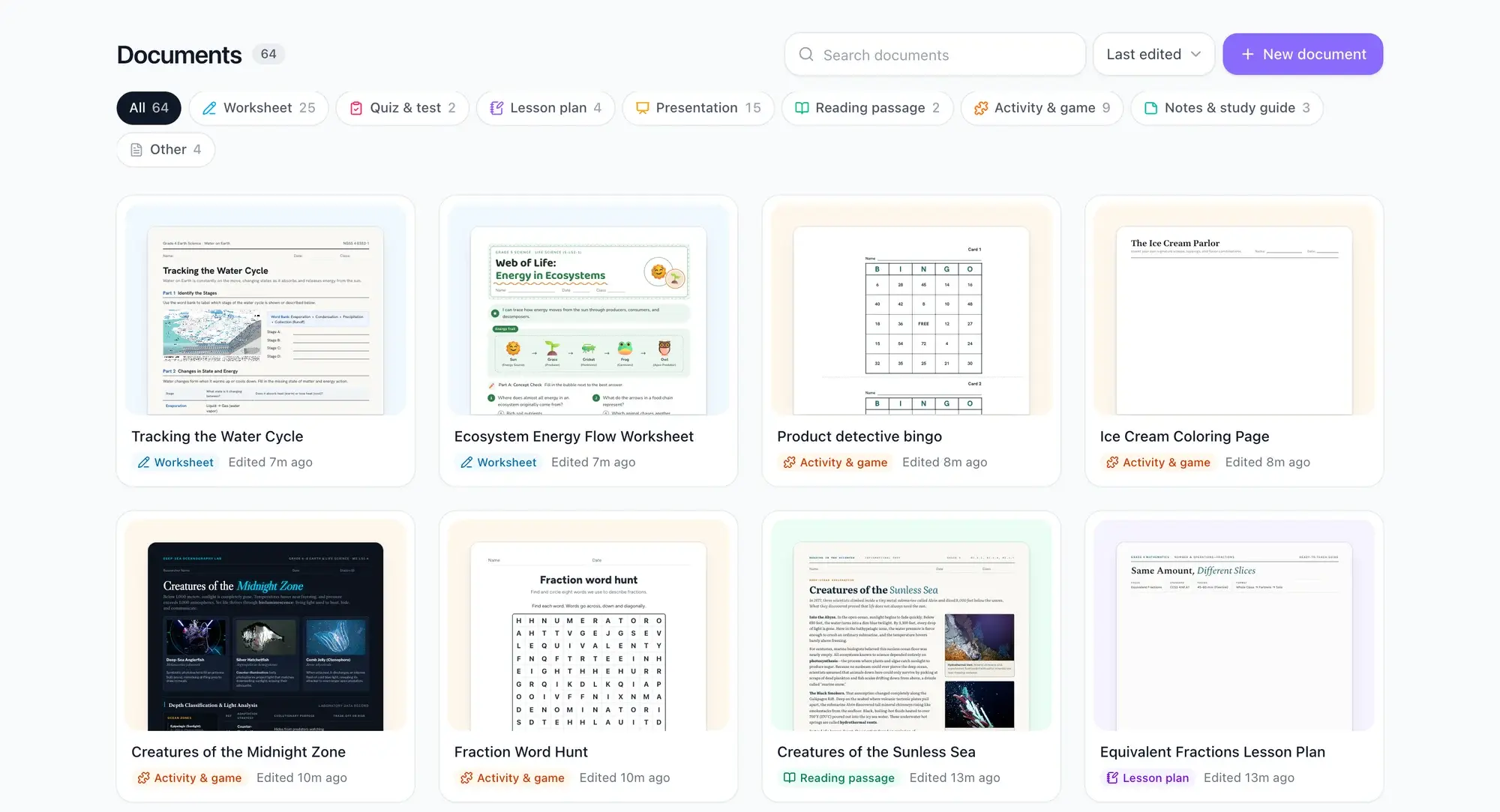
Need an exit ticket to match your lesson? A worksheet? A rubric? AI lesson planning connects directly to content creation tools — you can generate aligned assessments and activities from the same lesson plan in seconds, keeping everything pedagogically consistent.
Consistent lesson quality across an entire unit
When planning a 3-week unit, AI ensures every lesson builds coherently on the last. It maintains consistent vocabulary scaffolding, spirals skills appropriately, and tracks standards coverage across the unit — giving you the kind of holistic planning view that's extremely time-consuming to do manually.
Frequently Asked Questions
How much time can AI save on lesson planning?
According to a 2025 Gallup study, teachers who use AI weekly save an average of 5.9 hours per week — equivalent to six full weeks recovered per school year. Our users report creating complete lesson plans in under 5 minutes that would previously take 45-90 minutes.
Does AI lesson planning reduce the quality of lessons?
Research from Edutopia shows a 40% reduction in planning time with no significant decrease in lesson effectiveness. AI generates the structure and initial content; you refine, customize, and add your professional expertise. Most teachers report that the consistency and thoroughness actually improves their plans.
What is the 5E lesson plan model?
The 5E model was developed in 1987 by Dr. Rodger Bybee at BSCS. It guides students through five research-backed phases: Engage (hook interest), Explore (investigate), Explain (formalize learning), Elaborate (extend understanding), and Evaluate (assess). Research published in CBE-Life Sciences Education shows it leads to significantly better concept acquisition.
Can AI create standards-aligned lesson plans?
Yes. EasyClass automatically cross-references Common Core (CCSS), Next Generation Science Standards (NGSS), Texas TEKS, C3 Social Studies Framework, and state-specific standards across all 50 states. The AI identifies alignment and ensures your lessons map to the appropriate learning benchmarks.
How does AI help with differentiated instruction?
AI generates multiple learning pathways within the same lesson — accommodations for struggling learners, grade-level activities, and extensions for advanced students. This includes vocabulary scaffolding, sentence frames for ELL students, and modified assessments for students with IEPs or 504 plans.
What percentage of teachers already use AI for lesson planning?
Research shows that 38-50% of teachers now use AI for creating lesson plans, and 83% of K-12 teachers have used generative AI in some capacity. According to RAND, 53% of ELA, math, and science teachers use AI for school work.
Is AI lesson planning appropriate for all subjects and grade levels?
Yes. EasyClass supports all K-12 subjects including Math, ELA, Science, Social Studies, World Languages, Art, Music, PE, and electives. Plans are calibrated for age-appropriate vocabulary, activity complexity, and timing based on your selected grade level.
How is EasyClass different from using ChatGPT for lesson planning?
EasyClass is purpose-built for education. Unlike ChatGPT, it understands curriculum standards (CCSS, NGSS, TEKS), age-appropriate scaffolding, the 5E model, and assessment alignment. It integrates with your workflow — save plans, export to PDF/Word, and access 60+ additional teaching tools. No prompt engineering required.
What does Understanding by Design (UbD) have to do with AI lesson planning?
UbD, developed by Grant Wiggins and Jay McTighe, uses backward design — starting with desired results and working backward. AI accelerates every UbD stage: generating essential questions and understandings (Stage 1), designing aligned assessments (Stage 2), and planning targeted learning experiences (Stage 3).
Is my data secure? Is EasyClass FERPA compliant?
Yes. EasyClass is FERPA and COPPA compliant and has earned the 1EdTech TrustEd Apps Pledge endorsement. We do not sell teacher or student data. Your lesson plans and content remain yours.
Is AI lesson planning free to use?
Yes. EasyClass offers a free plan that lets you generate lesson plans with AI — no credit card required. The free tier includes a monthly generation limit. Pro users get unlimited lesson plans, unit plans, and access to 60+ additional tools starting at $8.99/month.
What is the best AI for lesson plans?
EasyClass AI is purpose-built for K-12 lesson planning, with native standards alignment (CCSS, NGSS, TEKS, all 50 state standards), 5E model support, differentiation built in, and integration with 60+ other teacher tools. Unlike general AI tools like ChatGPT, EasyClass understands curriculum structure, grade-appropriate scaffolding, and assessment design — and it outputs lesson plans formatted the way teachers actually use them.
Explore More AI Tools for Teachers
AI Grading
Grade essays and assignments with detailed feedback instantly.
Rubric Generator
Build standards-aligned rubrics for any assignment.
Quiz Generator
Create quizzes and assessments in minutes, not hours.
Worksheet Maker
Generate custom worksheets for any topic and grade level.
Special Education Tools
IEP goals, BIPs, 504 plans, accommodations, and social stories.
Report Card Comments
Generate personalized report card comments quickly.
EasyClass Editorial Team
Updated March 2026 · Used by thousands of K-12 teachers

Photo: Pexels
Most AI lesson plan tools give you the same five-step outline regardless of what you teach or how you teach it. EasyClass is different. Select your instructional model — Socratic seminar, SIOP, workshop model, direct instruction, project-based learning, and more — and the AI generates a lesson plan that actually fits your classroom. No account required, no subscription gate, and no cutting and pasting from a chatbot. Just open the tool, describe your lesson, and walk away with something you can use tomorrow.
EasyClass vs Other AI Lesson Plan Generators
No other free AI lesson planner combines no-account access, real instructional formats, and an integrated grading suite.
| Feature | EasyClass | MagicSchool.ai | Khanmigo | Brisk Teaching |
|---|---|---|---|---|
| No account required | Yes | Required | Required | Extension install |
| Free tier | Full core features | Limited | Limited | Limited |
| Instructional format selection | Socratic, SIOP, workshop, PBL, more | Generic template | No options | Limited |
| SIOP support (ELL classrooms) | Yes | No | No | No |
| Integrated rubric builder | Direct link | Separate | No | No |
| Time to first plan (no account) | ~30 seconds | N/A (account wall) | N/A (account wall) | N/A (install required) |
More Questions About AI Lesson Planning
What instructional models does EasyClass support for lesson planning?
EasyClass supports Socratic seminar, SIOP (for ELL classrooms), workshop model (reading and writing), direct instruction / gradual release (I Do/We Do/You Do), project-based learning (PBL), inquiry-based learning, 5E model (Engage/Explore/Explain/Elaborate/Evaluate), flipped classroom, and differentiated instruction. More formats are added regularly. Specify your preferred instructional model when generating and EasyClass structures the lesson accordingly.
How is EasyClass different from MagicSchool.ai for lesson planning?
MagicSchool.ai requires an account before you can generate any lesson plans, and its output uses a generic template regardless of instructional model. EasyClass requires no account, generates plans in under 30 seconds, supports real instructional formats like SIOP and workshop model, and directly integrates with its rubric maker and quiz generator — so you build the full instructional sequence, not just the lesson outline.
How long does it take to generate an AI lesson plan on EasyClass?
Under 30 seconds from the moment you enter your inputs. No waiting, no queue, no 'your plan is being emailed to you.' The plan appears immediately on screen, ready to review, edit, and use. Most teachers spend 5-10 minutes customizing the generated plan before it is fully classroom-ready.
Can AI lesson planning tools align to specific state standards?
Yes. EasyClass accepts standard codes directly — enter a TEKS, CCSS, NGSS, or state-specific standard code and the lesson plan generator builds the plan around that standard's specific performance expectations. The generated objectives, activities, and assessments all reference the standard you specified. For standards you don't know the code for, the EasyClass Standards Explorer lets you search all 50 states' standards to find the right code first.
Is AI lesson planning reliable — how accurate are the AI-generated plans?
AI lesson plans are reliable as starting points and scaffolds — they get the structure, objectives, and activities right for the grade level and subject you specify. Where they require teacher review: subject-specific accuracy (especially math and science), alignment to your specific pacing guide, local context (your students' needs, prior knowledge, available materials), and school or district policy compliance. Treat AI lesson plans as a professional first draft, not a final product. Review before using.
Can I use AI lesson planning for substitute teacher plans?
Yes — this is one of the strongest use cases. Substitute plans require more explicit, step-by-step instructions than plans a teacher writes for themselves. EasyClass generates sub-friendly lesson plans with clear timing, minimal teacher expertise required, and materials already specified. You can indicate 'substitute teacher plan' in the lesson format field and the output adjusts accordingly — more explicit transitions, self-directed student activities, and clear instructions that any adult can follow.
How do I differentiate an AI-generated lesson plan for mixed-ability classrooms?
EasyClass builds differentiation in by default. When generating a plan, specify the range of student needs — below grade level, on grade level, above grade level — and the output includes tiered activity suggestions for each group. You can also specify IEP/504 accommodations, ELL language proficiency levels, or specific learning needs. The generated lesson includes differentiation notes alongside each activity, rather than as a separate addendum.
Does EasyClass integrate with Google Classroom for lesson plan sharing?
Yes. EasyClass integrates with Google Classroom for assignment distribution and grading. Lesson plans can be exported to Google Docs for sharing with co-teachers, instructional coaches, or administrators. When you complete a lesson plan in EasyClass, you can send the associated assignments and activities directly to your Google Classroom sections with one click.