

Differentiation
Differentiate worksheets with AI, one part at a time
EasyClass is an AI differentiation tool for teachers: click any question, passage or picture on a worksheet and make it easier, harder, more visual or rewritten for your ELL and IEP students. Only the part you picked changes. The rest of the page stays exactly where it was.
Free plan · No credit card · Works in any browser
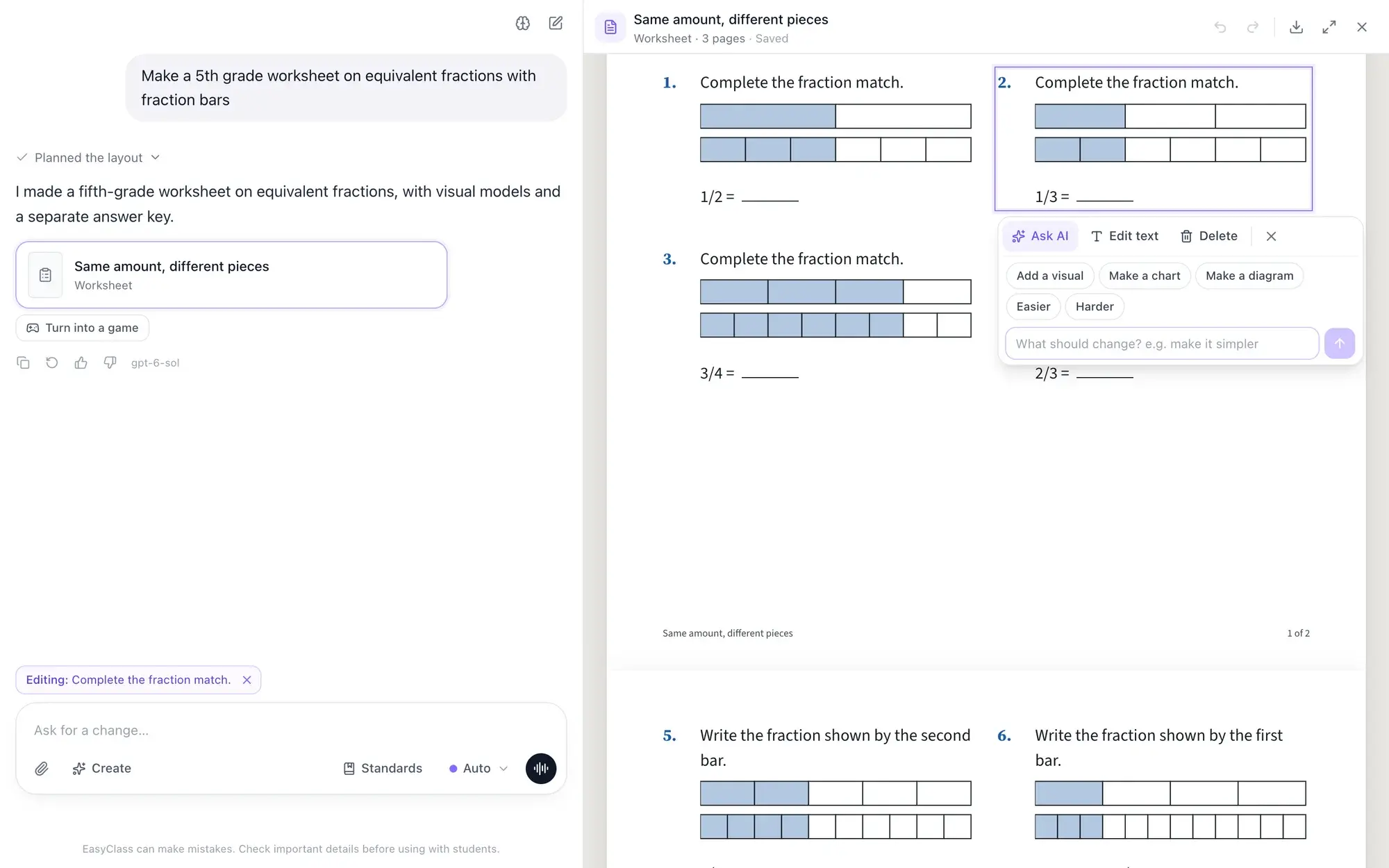
- Pick a partOne question, one passage, or several with Shift-click
- Quick picksEasier, Harder, Add a visual, Make a chart, Make a diagram
- Your wordsType any change, like "add a word bank"
- UndoStep back through every change, yours or the AI’s
One class, many levels, one prep period
Most classes hold a wide range of readers. Some students need shorter sentences and a word bank. Some need smaller steps. A few finished ten minutes ago and want something harder.
Making three versions of every worksheet by hand eats your evenings. A separate leveling tool means copying the result back and fixing the layout. EasyClass lets you change the exact question or passage that needs it, right on the worksheet.
How to differentiate a worksheet with AI
Make or open a worksheet
Ask the AI worksheet generator for one, like "a grade 4 fractions quiz with 8 questions," or open one you already made. It appears on the canvas beside the chat.
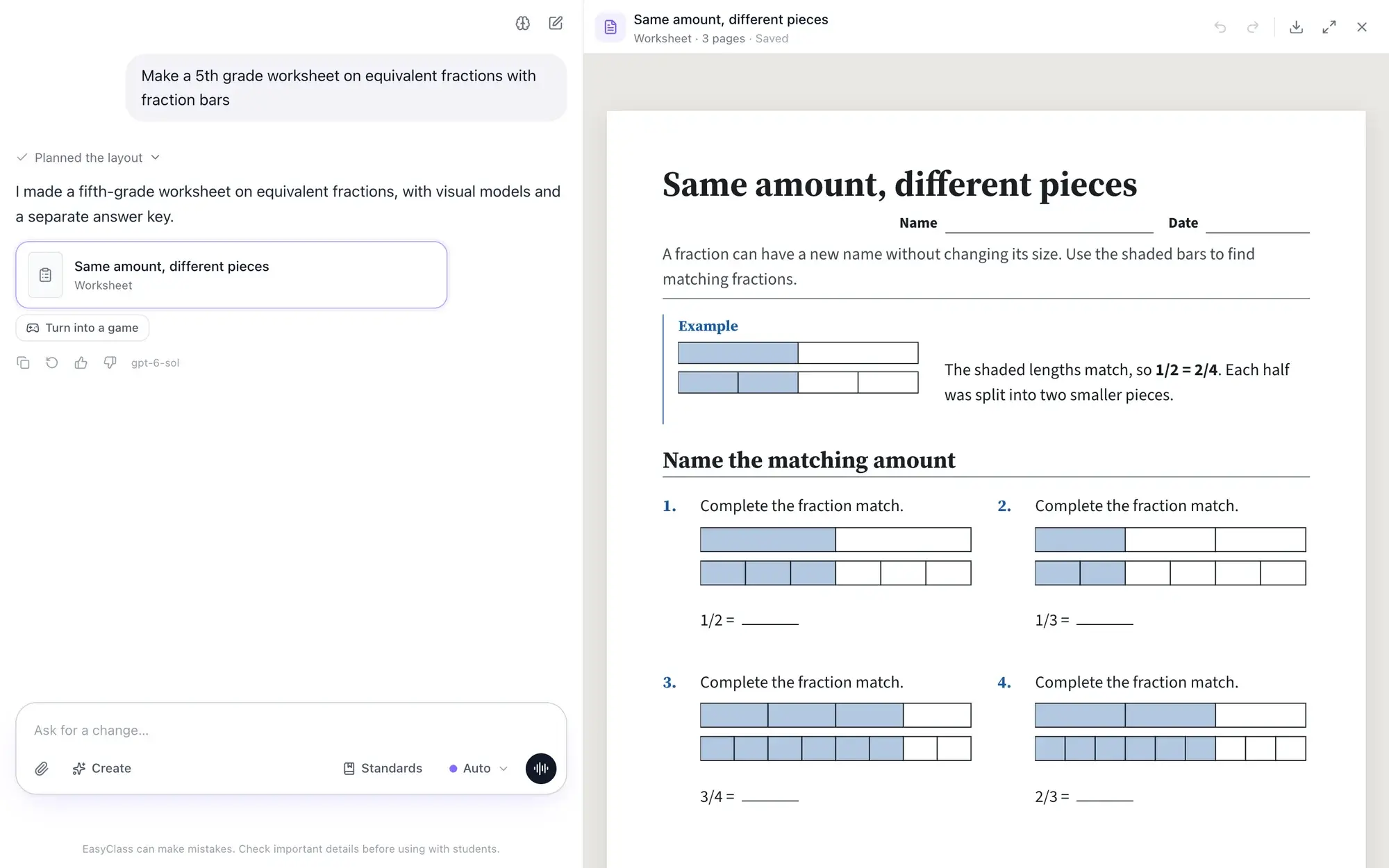
Click the part you want to change
Click a question, a paragraph, a picture or a whole section. A toolbar appears with Ask AI, Edit text and Delete. Hold Shift to pick more than one part.
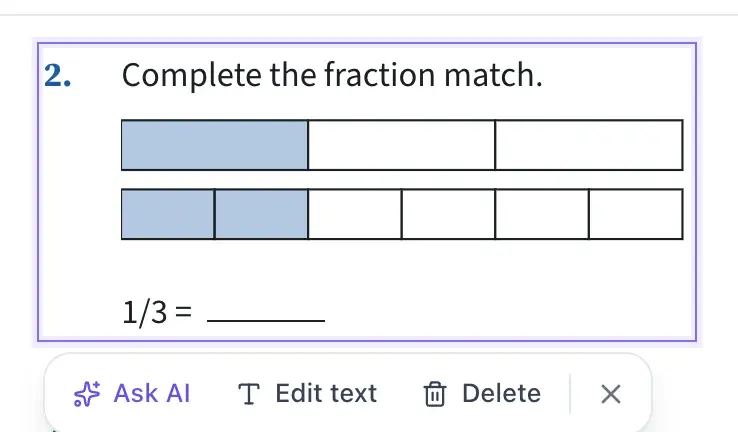
Pick a change or type your own
Open Ask AI and tap Easier, Harder or Add a visual, or type what you want in your own words. Only the parts you picked are rewritten. Don’t like it? Press Undo.
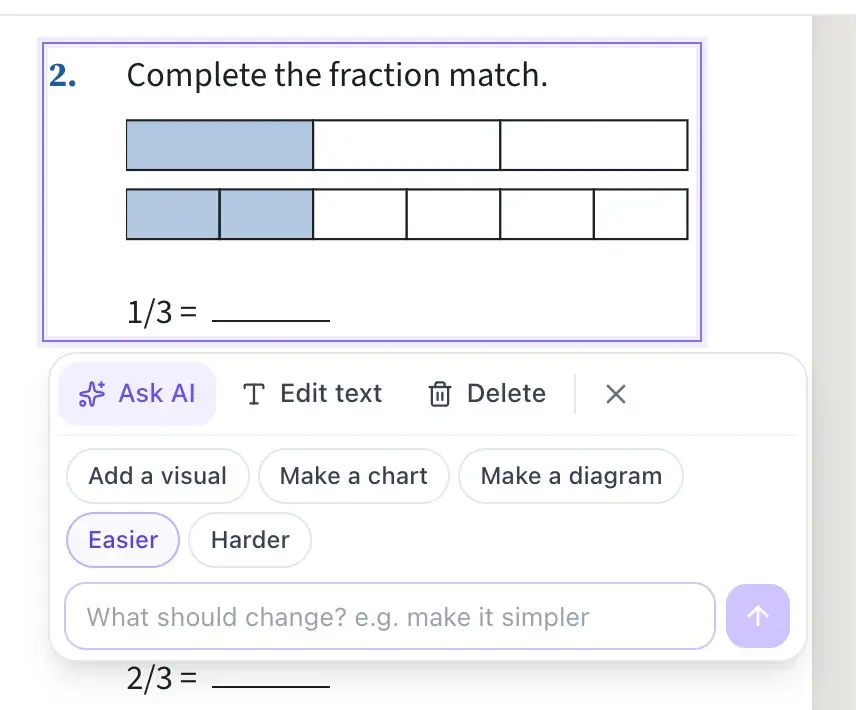
Before and after
One worksheet, three kinds of learners
Pick the part, tap a change or type what your students need, and only that part is rewritten in place. These are examples. The AI writes fresh text each time.
Before
Evaporation occurs when solar energy heats bodies of water, transforming liquid water into vapor.
Ask AI
Typed: “Easier for English learners, add a word bank.”
After
The sun heats water in lakes. The water turns into a gas. The gas goes up into the air.
Word bank- sun
- heat
- gas
- air
Before
Maria has 3/4 of a pizza and eats 1/3 of it. How much of the whole pizza did she eat?
Ask AI
Typed: “Split this into numbered steps with space to write.”
After
- Draw 3/4 of a pizza.
- Shade 1/3 of that part.
- How much of the whole pizza is shaded?
Each step gets its own answer line.
Before
What is 2/3 + 1/6?
Ask AI
- Easier
- Harder
- Add a visual
After
Sam says 2/3 + 1/6 = 3/9. Find his mistake, solve it, and write a word problem this sum answers.
Same topic, same spot on the page, more thinking.
Point and edit
Change one question without touching the rest
Most AI differentiation tools re-level a whole text you paste in. EasyClass works on the worksheet itself, one part at a time. Pick question 3 and only question 3 changes. The numbering, the layout, the other questions and the answer lines stay put.
- Select one part, or several with Shift-click
- Undo and redo every change, yours or the AI’s
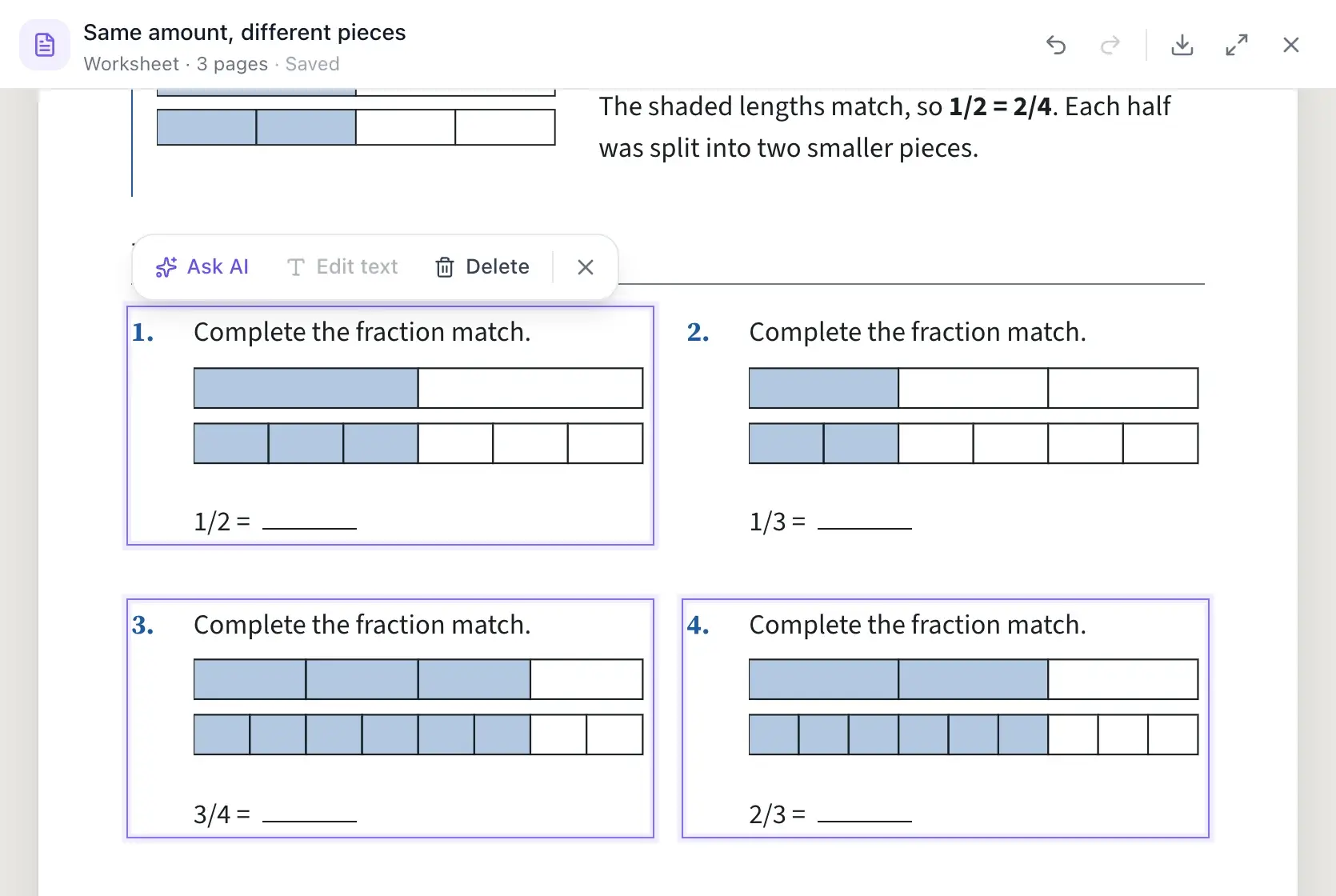
Easier and harder
Make a worksheet easier or harder, part by part
Easier rewrites the part you picked for students who are struggling, with the same content and layout. Harder does the opposite for advanced students, on the same topic. Use them on one question for a scaffolded worksheet, or on a section for a challenge version.
- Easier: simpler words, shorter sentences, smaller steps
- Harder: deeper questions, less scaffolding
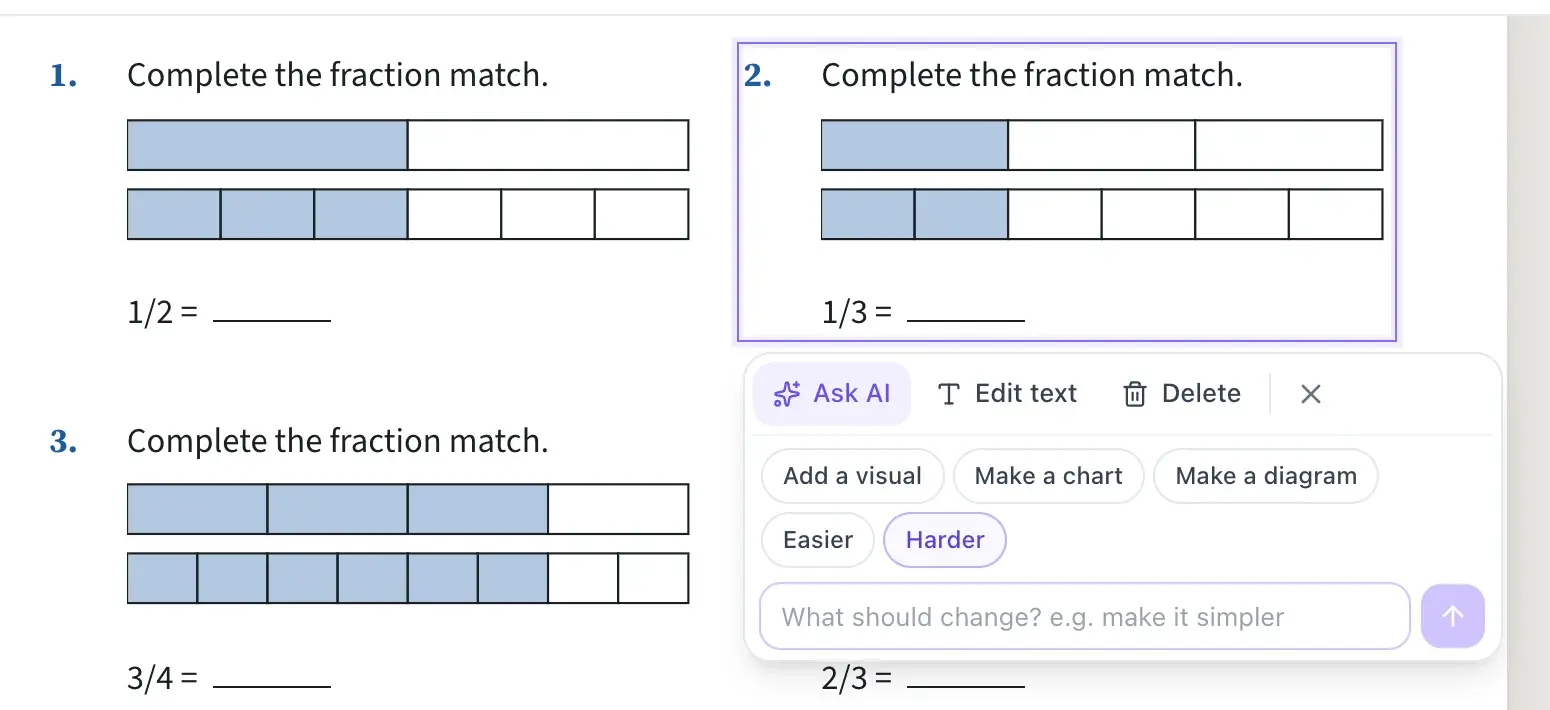
Reading level
Change the reading level of a passage
Select a reading passage and type the level you want, like "Rewrite this at a 2nd-grade reading level, keep the key terms." Only that passage changes, so the questions under it stay the same. To level the whole document, ask in the chat: "Make the whole worksheet a 3rd-grade reading level" or "Translate it into Spanish." EasyClass rewrites the open document, and Undo brings the original back. This replaces our old text leveler and text rewriter.
- Level one passage, or the whole document
- Translate a part or the whole page from the chat
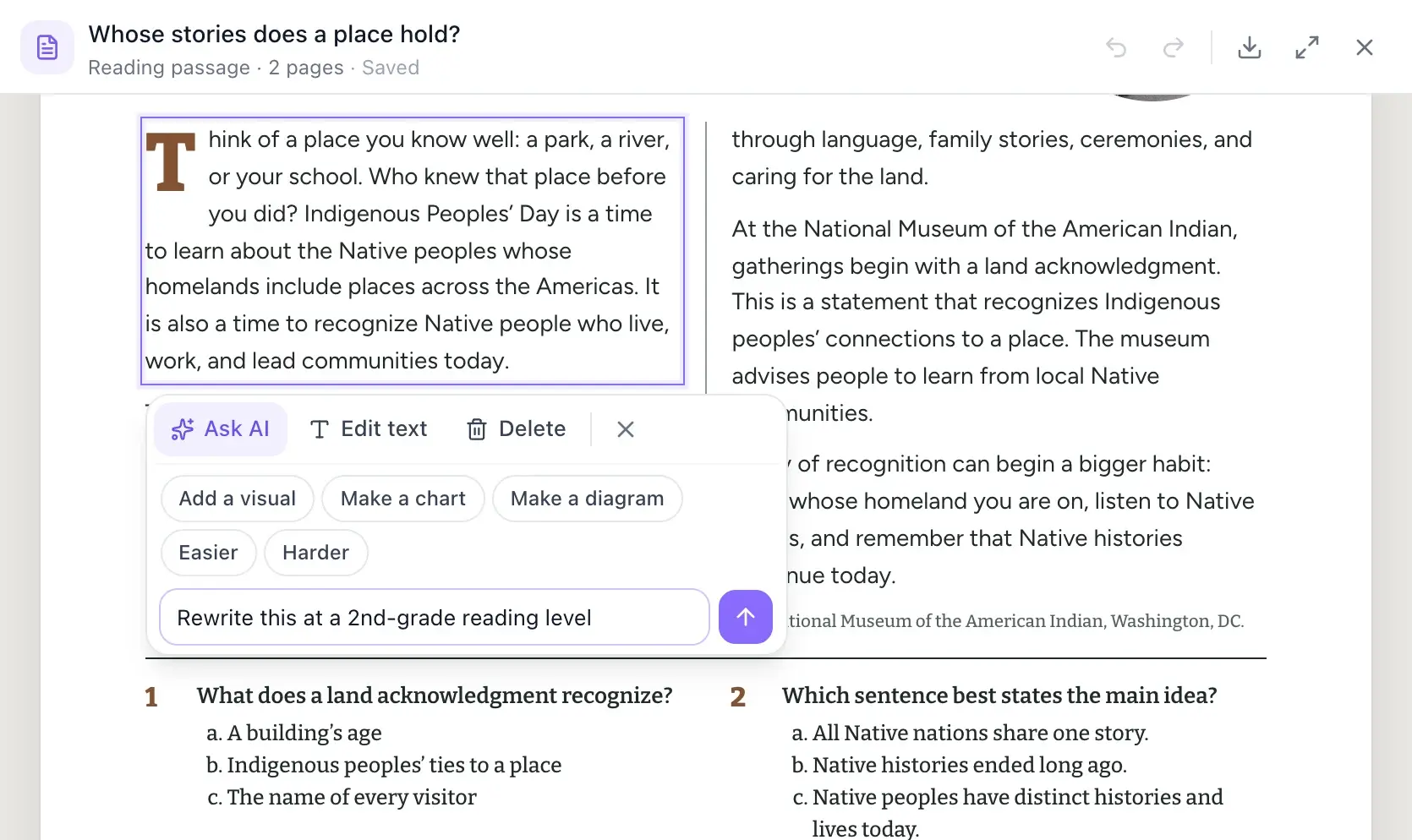
ELL and IEP
Modify worksheets for ELL students and IEP accommodations
Type the support your students need right into the toolbar: "Add a word bank," "Add sentence starters," "Split this into numbered steps," or "Give the key words in Spanish too." Tell EasyClass once that your class has English learners or IEP accommodations, and memory keeps that class profile so new worksheets start with those needs in mind. It keeps needs for the class as a group, never student names or records.
- Word banks, sentence starters, chunked steps, bilingual key words
- No student names or IEP documents stored
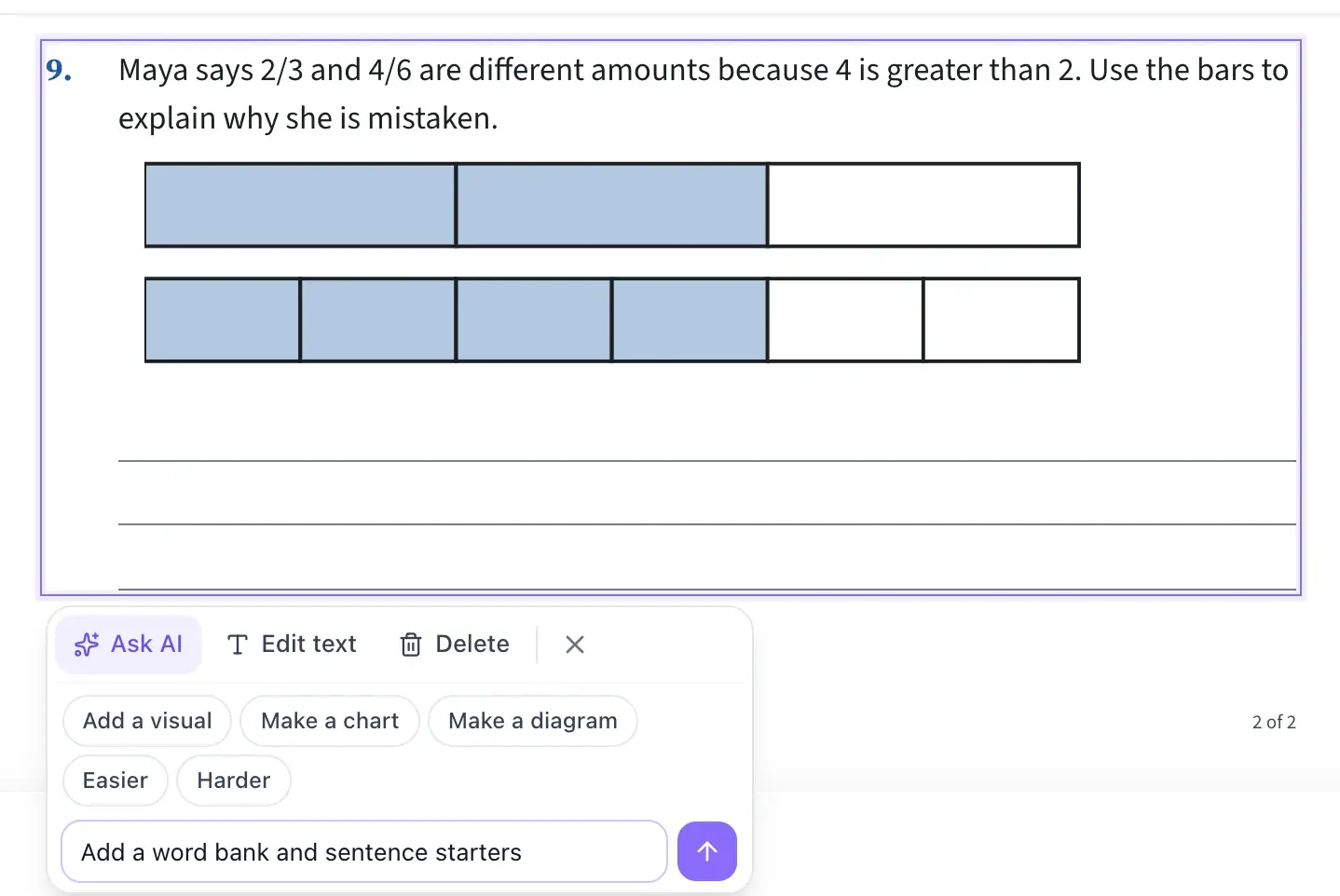
Visuals
Add visuals to a worksheet: a diagram, chart or photo
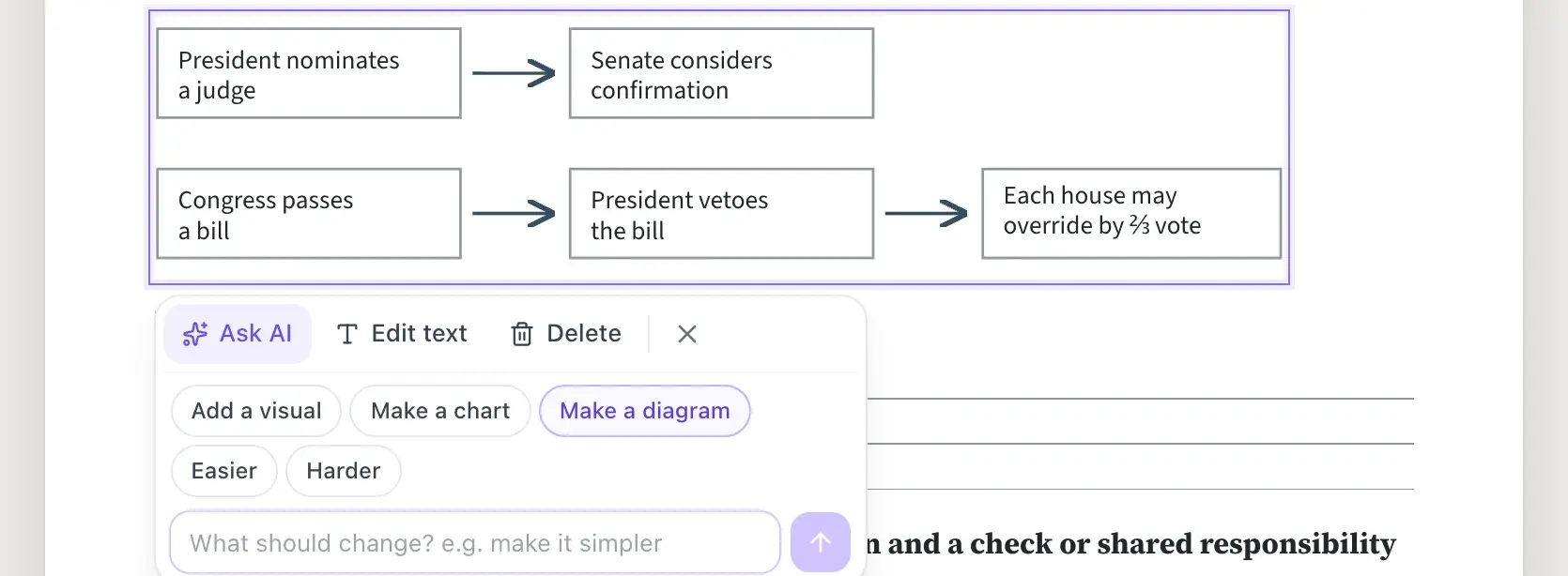
Add a visual picks what teaches the part best, from a number line or fraction bar to a chart, diagram or photo, and keeps your text. Make a chart turns numbers into a chart. Make a diagram turns steps into a flowchart, cycle or timeline.
- Number lines, fraction bars, clocks and cycles
- Charts and diagrams from text you already have
Before and after: ELL, IEP and advanced learners
Examples of what one tap or one typed line can do. The AI writes fresh text each time, so yours will differ.
- ELL
A science passage for English learners
Before: "Evaporation occurs when solar energy heats bodies of water, transforming liquid water into vapor." Asked: "Easier for English learners, add a word bank." After: "The sun heats water in lakes. The water turns into a gas. The gas goes up into the air." Word bank: sun, heat, gas, air.
- IEP
A word problem in smaller steps
Before: "Maria has 3/4 of a pizza and eats 1/3 of it. How much of the whole pizza did she eat?" Asked: "Split this into numbered steps with space to write." After: "1. Draw 3/4 of a pizza. 2. Shade 1/3 of that part. 3. How much of the whole pizza is shaded?" Each step gets its own answer line.
- Advanced
The same question, harder
Before: "What is 2/3 + 1/6?" Tapped: Harder. After: "Sam says 2/3 + 1/6 = 3/9. Find his mistake, solve it, and write a word problem this sum answers." Same topic, same spot on the page, more thinking.
Differentiation ideas by grade band
Changes teachers often make, on the worksheet they already have.
K–2
- Add a picture to each sight-word sentence
- Make a counting question easier with a number line
3–5
- Level a science passage two ways for guided reading groups
- Add a fraction bar to a word problem
6–8
- Add sentence starters to a short-response question
- Give newcomers key vocabulary in their home language
9–12
- Rewrite a dense primary source excerpt at a lower reading level
- Chunk a multi-part lab question into numbered steps
How it’s different from a text leveler
Leveling tools handle one block of text. Differentiation usually happens on a whole worksheet.
| EasyClass | A typical leveling tool | |
|---|---|---|
| What you change | Any one part of the worksheet, several parts, or all of it | The whole block of text you paste in |
| Layout | Stays on the worksheet, ready to print | You copy the result back and fix the formatting |
| Kinds of change | Easier, harder, reading level, visuals, or anything you type | Mostly reading level |
| Your class | Remembers class needs like ELL and IEP supports | Starts from scratch each time |
You decide what changes, and nothing about your students is stored
The AI only rewrites what you selected or asked for, and you see every change before you print or download. Class needs are kept for the class as a whole, never as student names or records. Read our privacy policy and data processing agreement.
- Only the selected parts change
- Print, or download as PDF or Word
- No student names or IEP documents needed or stored
Questions teachers ask
Can I change the reading level of just one passage?
Yes. Click the passage, open Ask AI and type the level you want, such as "Rewrite this at a 3rd-grade reading level." Only that passage is rewritten. The questions, numbering and layout around it stay the same, so you change only the reading that is too hard.
Can I differentiate the whole worksheet at once?
Yes. Ask in the chat, for example "Make this whole worksheet easier" or "Translate it into Spanish," and EasyClass rewrites the open document. Undo brings back the original. To keep both versions, download the first one as a PDF or Word file before you ask for the change.
How do I make a version for my English learners?
Select the part and tap Easier, or type what helps, like "simpler words and a word bank" or "add the key words in Spanish." Add a visual puts a picture, diagram or chart beside the text. If you tell EasyClass your class includes English learners, memory keeps that in mind for new worksheets.
Does it help with IEP accommodations?
Yes, for the materials. You can ask for numbered steps, fewer questions per page, more space to write, sentence starters or a visual, one part at a time. EasyClass adapts the worksheet. It does not read, write or store anyone’s IEP, and it never needs a student’s name.
What if I don’t like the change?
Press Undo. The canvas keeps a history of every change in your session, the AI’s and yours, so you can step back and forward with Undo and Redo. You can also click Edit text and fix a word or two by hand.
Is differentiation free?
Yes, on the free plan. Each change you ask the AI for counts as one chat message, and the free plan includes 15 a month. Editing text by hand, deleting and undo never count. Pro has unlimited messages. See pricing for the details.
Works well with
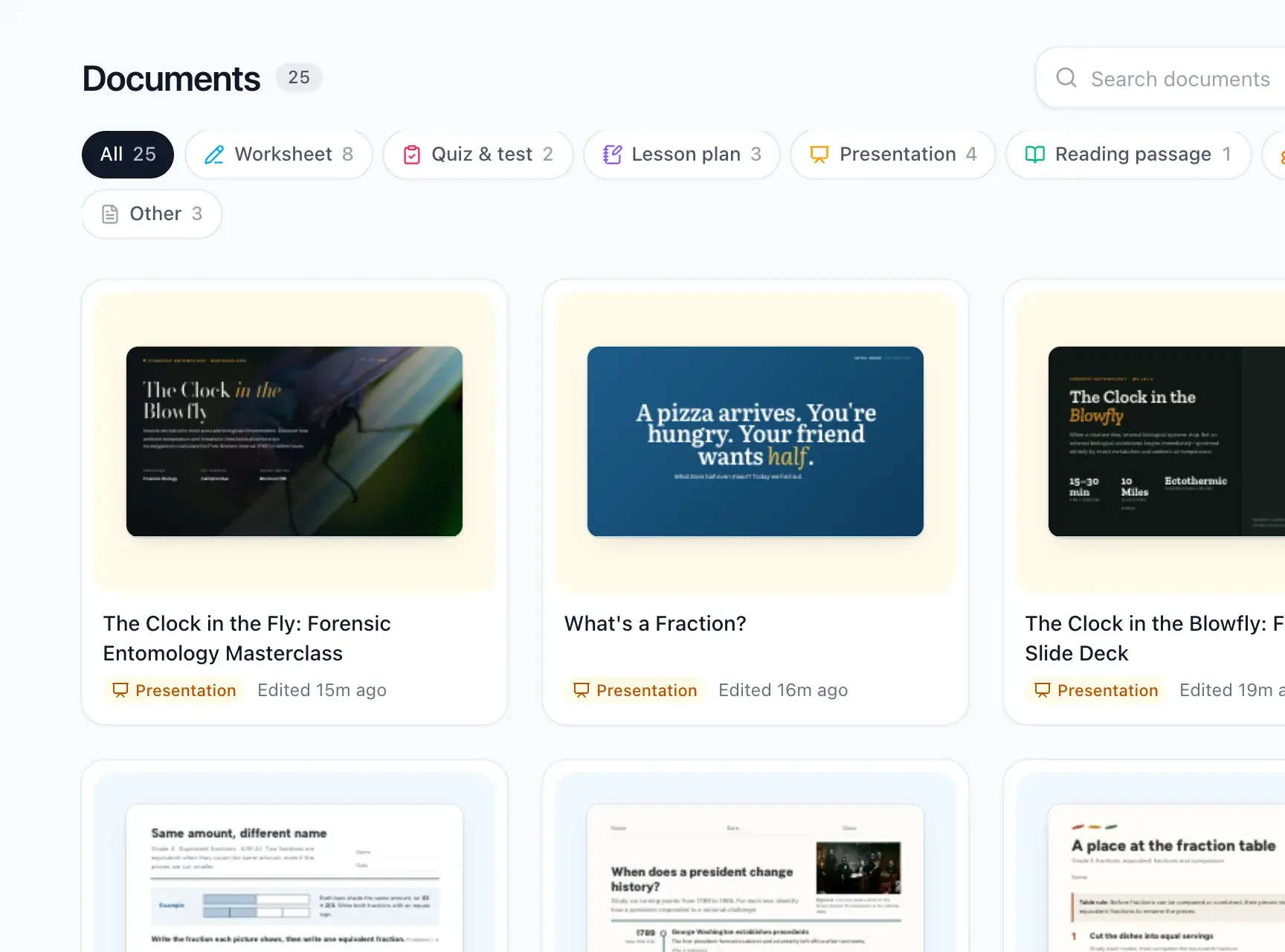 Worksheets and quizzesPrintable worksheets, quizzes, lesson plans and reading passages.
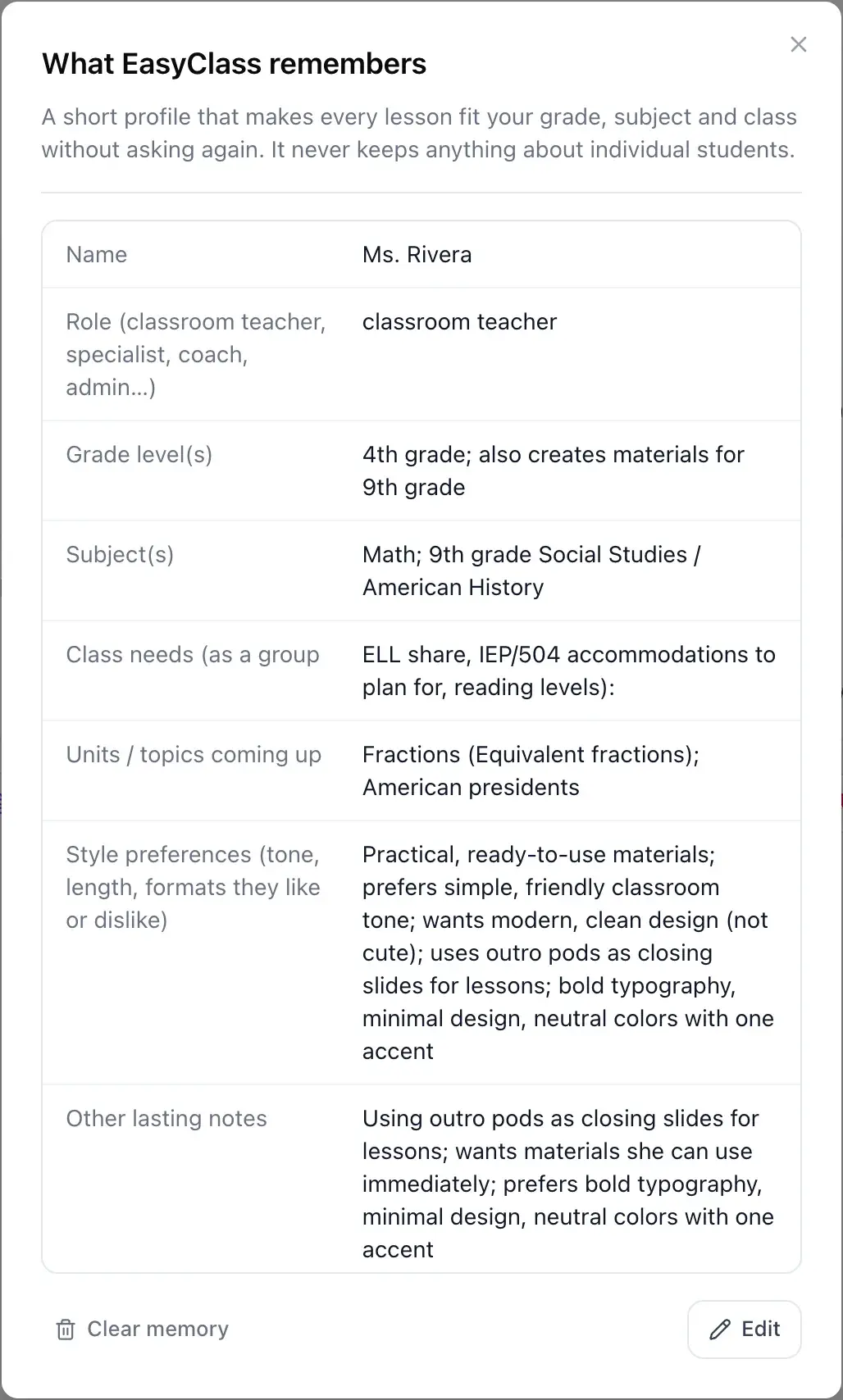 MemoryIt remembers your class, never your students’ details.
 SlidesLesson slide decks with pictures and diagrams, ready to present.
See all EasyClass featuresHow to differentiate instruction fast with AI (without burning out)
Updated

Make one worksheet work for every student
Click a part, say what to change, and print. Start free, no credit card needed.