

Memory
An AI that remembers your class, not your students
EasyClass Memory is a short, editable profile of your teaching: your grade, subjects, state, class needs and the style you like. Every new chat starts from it, so you stop repeating yourself, and it never keeps anything about individual students.
Free plan · No credit card · See, edit or clear it any time
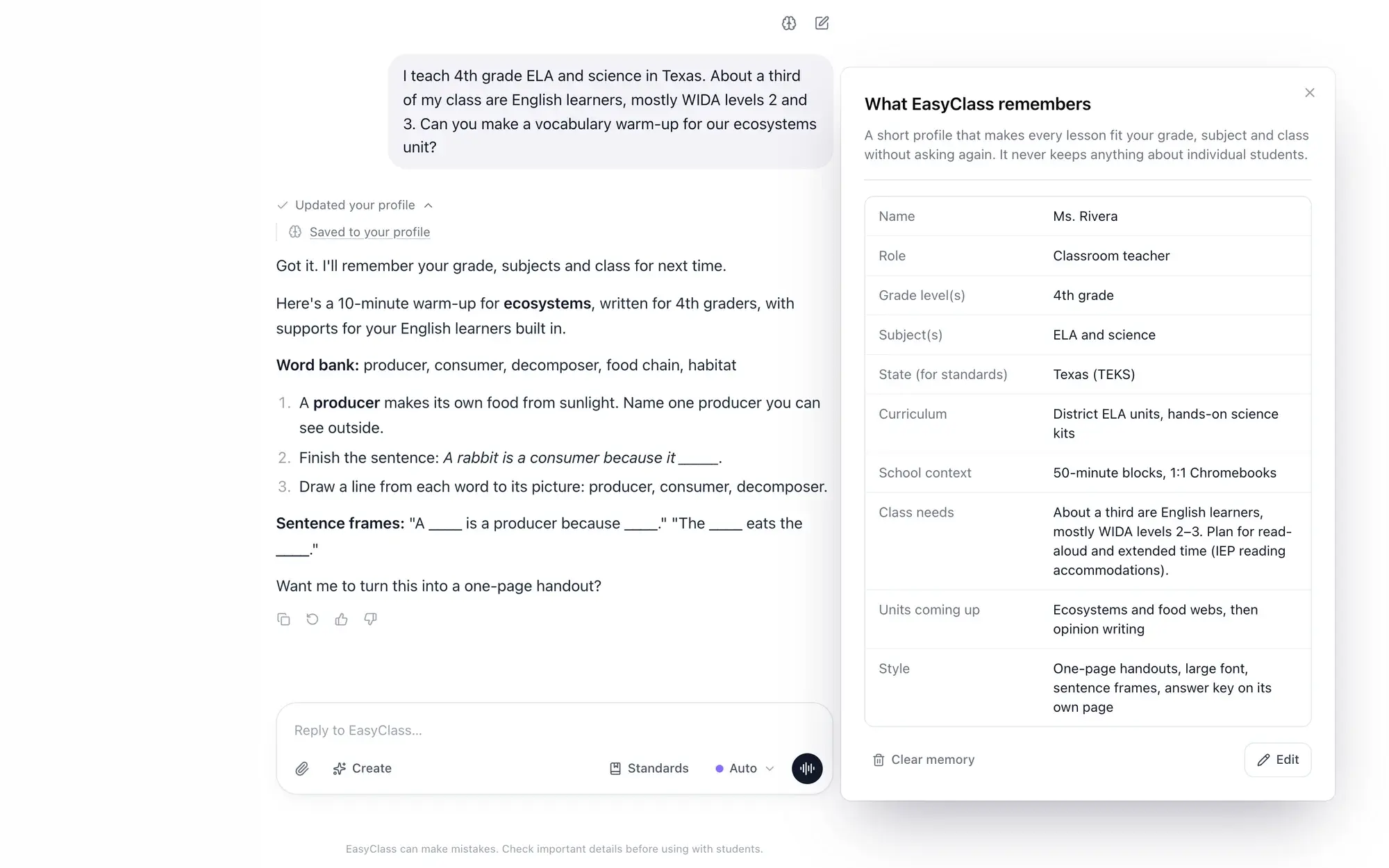
- 11 linesFrom grade level and subjects to class needs and style
- All chatsOne profile, read by every chat and by voice
- Yours to editRead it, change it or clear it in two clicks
- Class onlyNever names, grades or notes about a child
Stop typing "I teach 4th grade" into every chat
A general chatbot starts from zero each time. So you paste the same setup again: your grade, your state standards, that a third of your class is learning English, that you want one-page handouts with big fonts.
EasyClass keeps that setup for you. Tell it once and the next worksheet, quiz or slide deck already fits your room. It works like custom instructions for teachers, except you never have to write them. It writes the profile as you chat, and you stay in charge of every line.
How memory works
Tell it once
Mention it in any chat, like "I teach 4th grade science in Texas." Or open Memory and fill in the profile yourself.
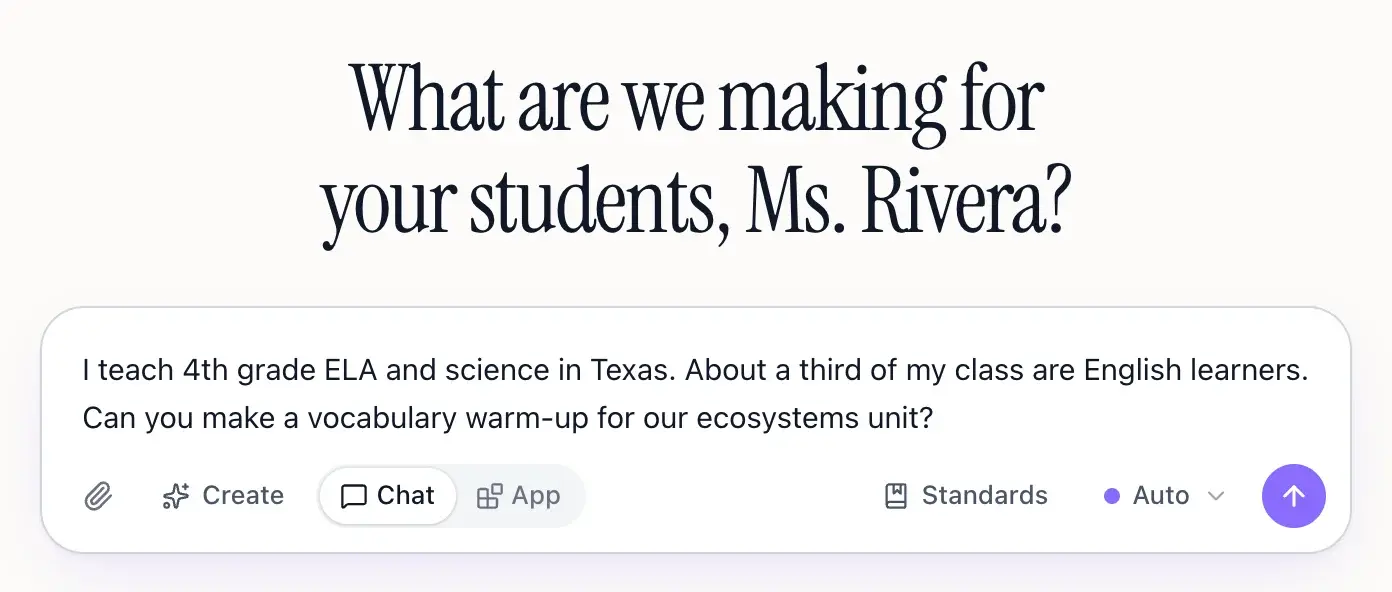
It saves to your profile
When EasyClass learns something lasting, a "Saved to your profile" line appears under the answer. Click it to see exactly what was saved.
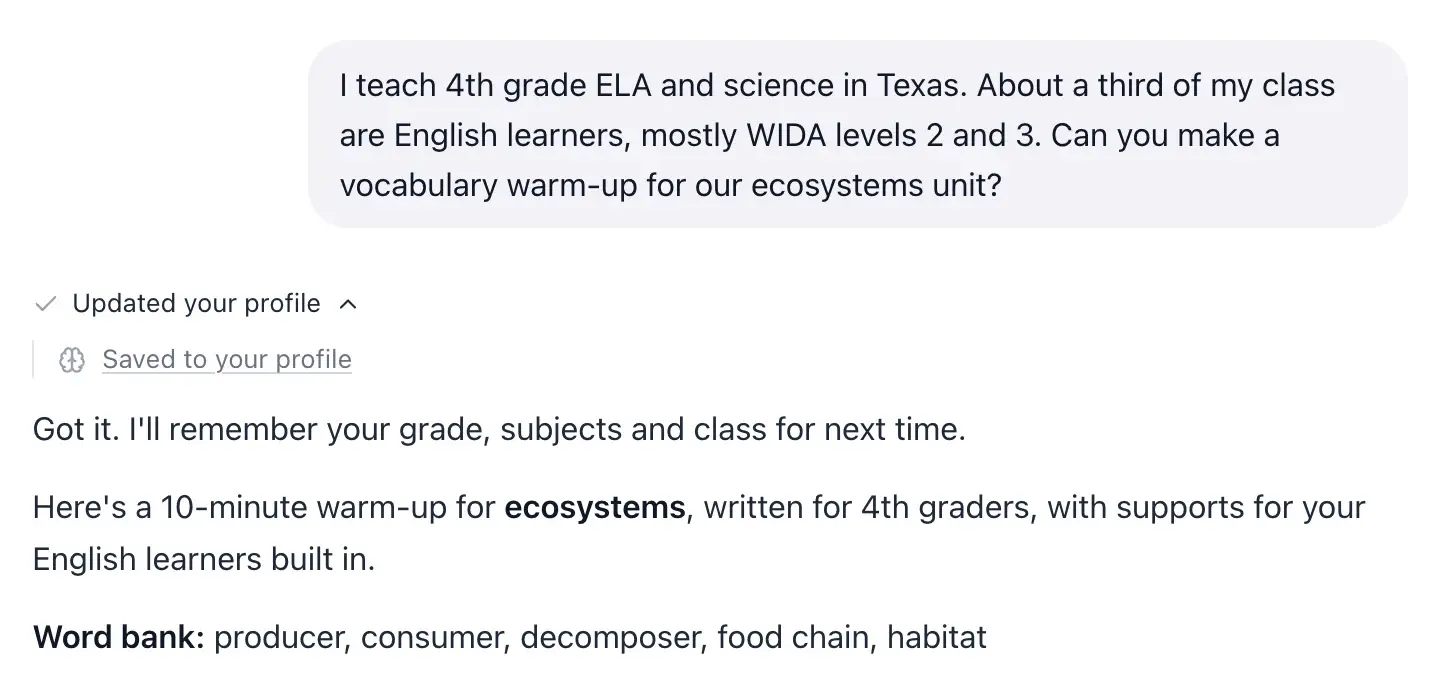
Every new chat starts from it
EasyClass reads your profile on every message, so grade level, standards and class needs are built in without asking again.
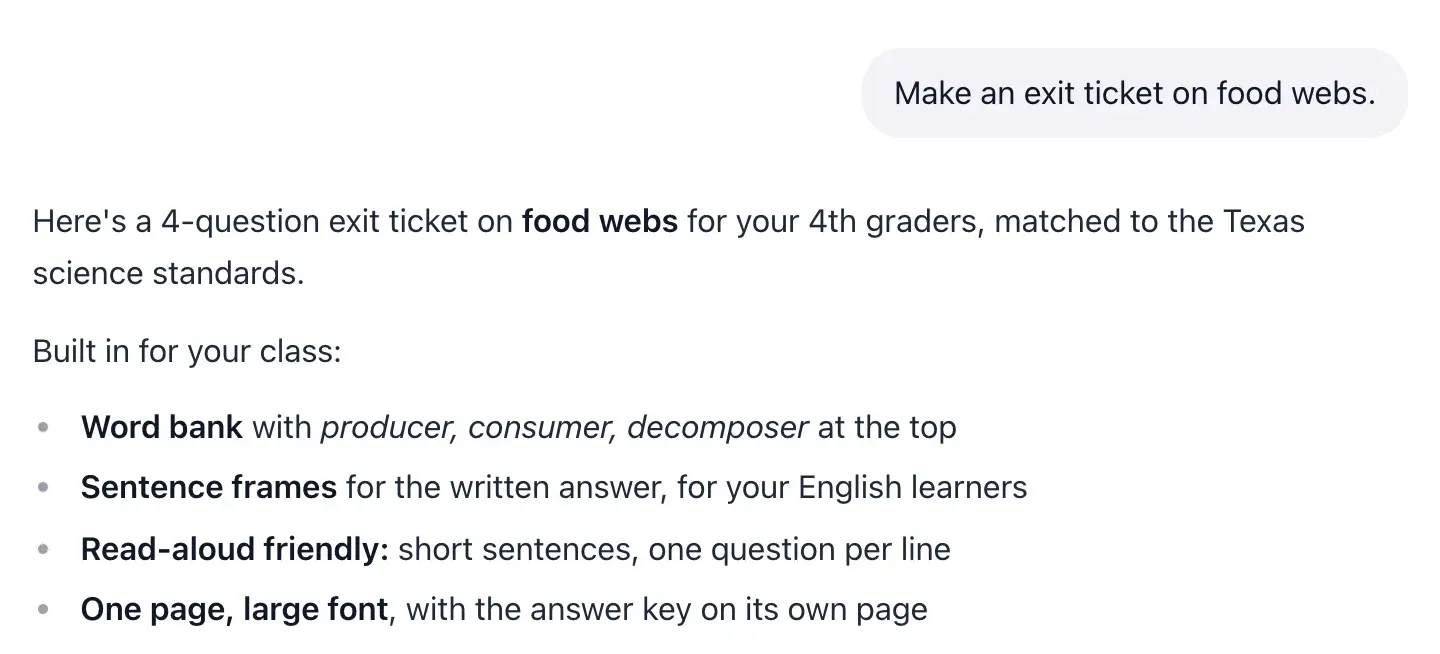
What each line does
Every line in your profile has a job
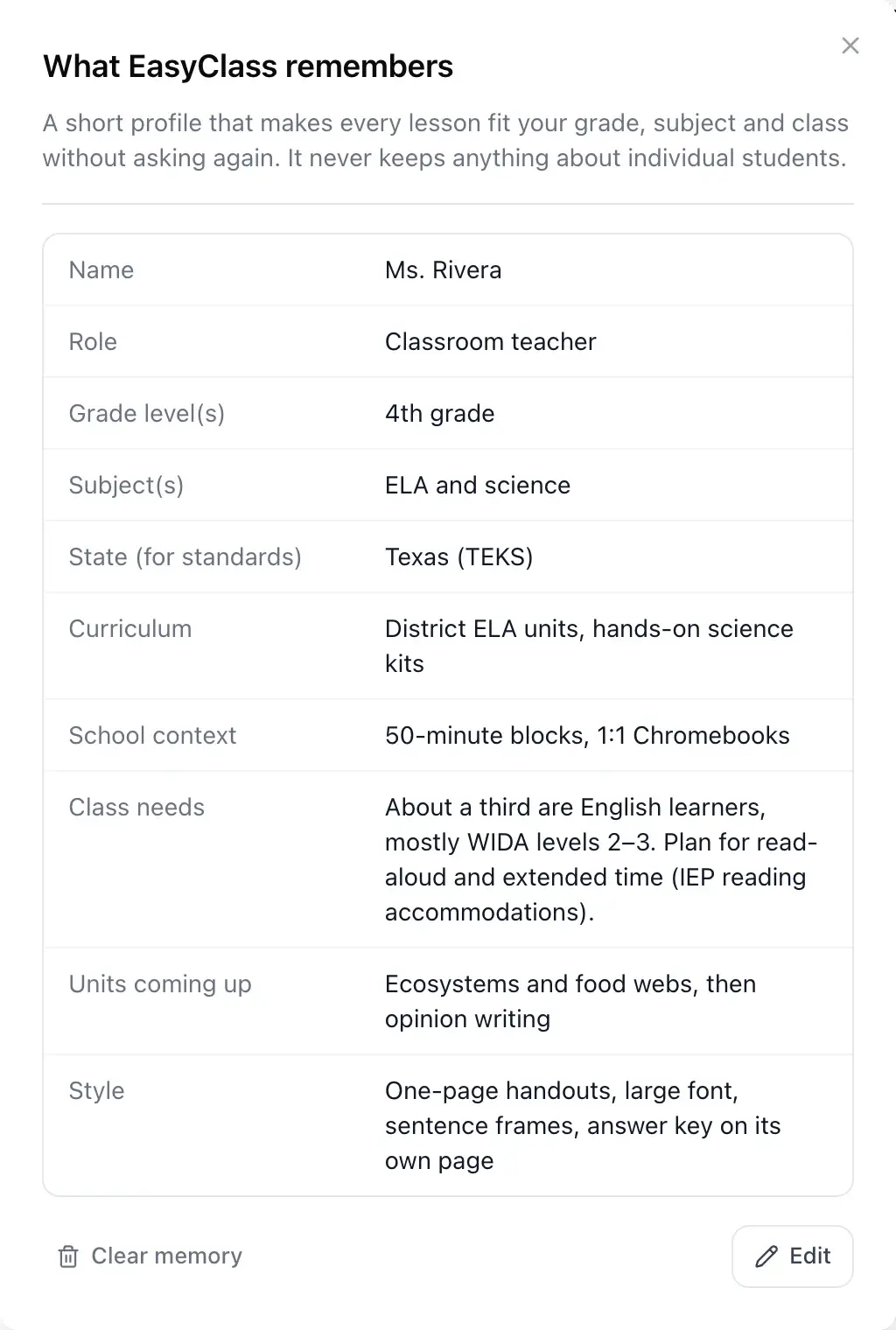
Here is a sample profile for a 4th grade teacher, and what EasyClass does with each line when it writes a worksheet, quiz or slide deck.
- Grade level4th gradeLevel
Sets the reading level, the vocabulary and the size of the numbers in every draft.
- SubjectsELA and scienceFocus
Keeps examples in the subjects you teach, and links reading to the science unit.
- StateTexas (TEKS)Standards
Points answers to your state’s standards, so you don’t have to name them each time.
- Class needsAbout a third are English learners. Plan for read-aloud and extended time.Supports
Builds in word banks, sentence frames and shorter, clearer questions from the start.
- Units coming upEcosystems, then opinion writingContext
Shapes the examples, the reading passages and the words students practice.
- StyleOne page, large font, answer key on its own pageFormat
Sets the length and layout you like, so you edit less after each draft.
Only class-level lines. No student names, grades or notes, ever.
Your profile
Personalized AI for teachers, in one short profile
Memory is a plain list you can read in ten seconds. It holds your name and role, grade levels, subjects, state or country for standards, the curriculum you use, your schedule and tech, the units coming up, and how you like things. Blank lines are filled from your account settings, and anything you write yourself wins.
- One profile shared across all your chats
- Grade, subjects and state set the level and the standards
- Kept short: 6,000 characters at most
Class needs
AI for ELL and IEP supports, planned for the whole class
Memory records what your class needs as a group, like "about a third are English learners" or "plan for read-aloud and extended time". EasyClass then builds those supports in from the start: simpler wording, visuals, sentence frames, fewer items per page. To adjust one worksheet for a group, use point-and-click differentiation.
- ELL share and reading levels, described for the group
- IEP and 504 accommodations to plan for, never who has them
- Formats you like or dislike, so you edit less
Better first drafts
An AI teaching assistant that knows your class
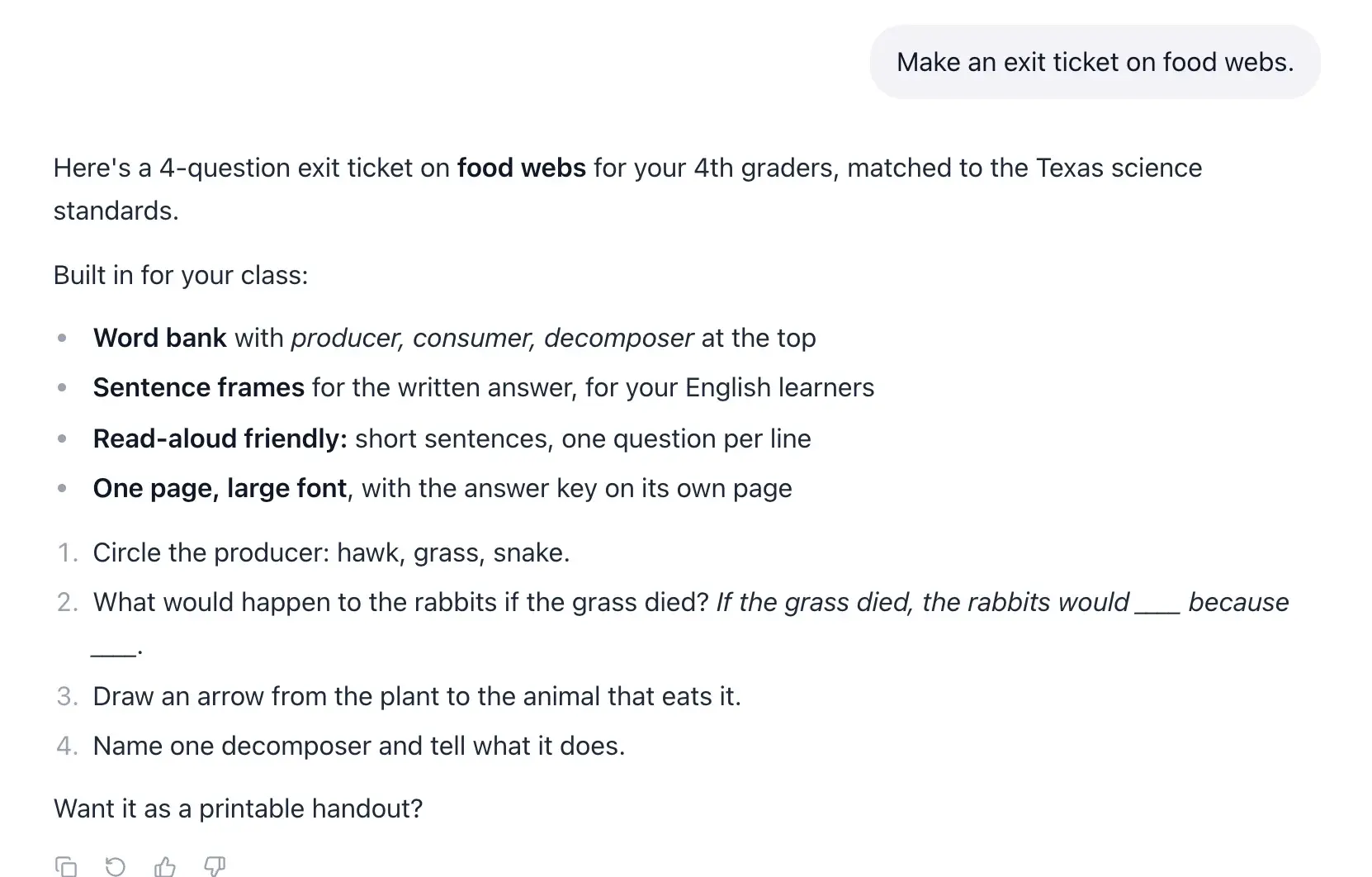
Ask for "a fractions exit ticket" and you get one for your grade, your standards and your class, not a generic one. That is the point of memory: the first draft from the AI worksheet generator is closer to what you would have made, so you spend your time teaching, not rewriting prompts.
- Upcoming units shape examples and vocabulary
- Your tone and length preferences carry over
- Voice mode reads the same profile
You stay in charge
See it, edit it or clear it any time
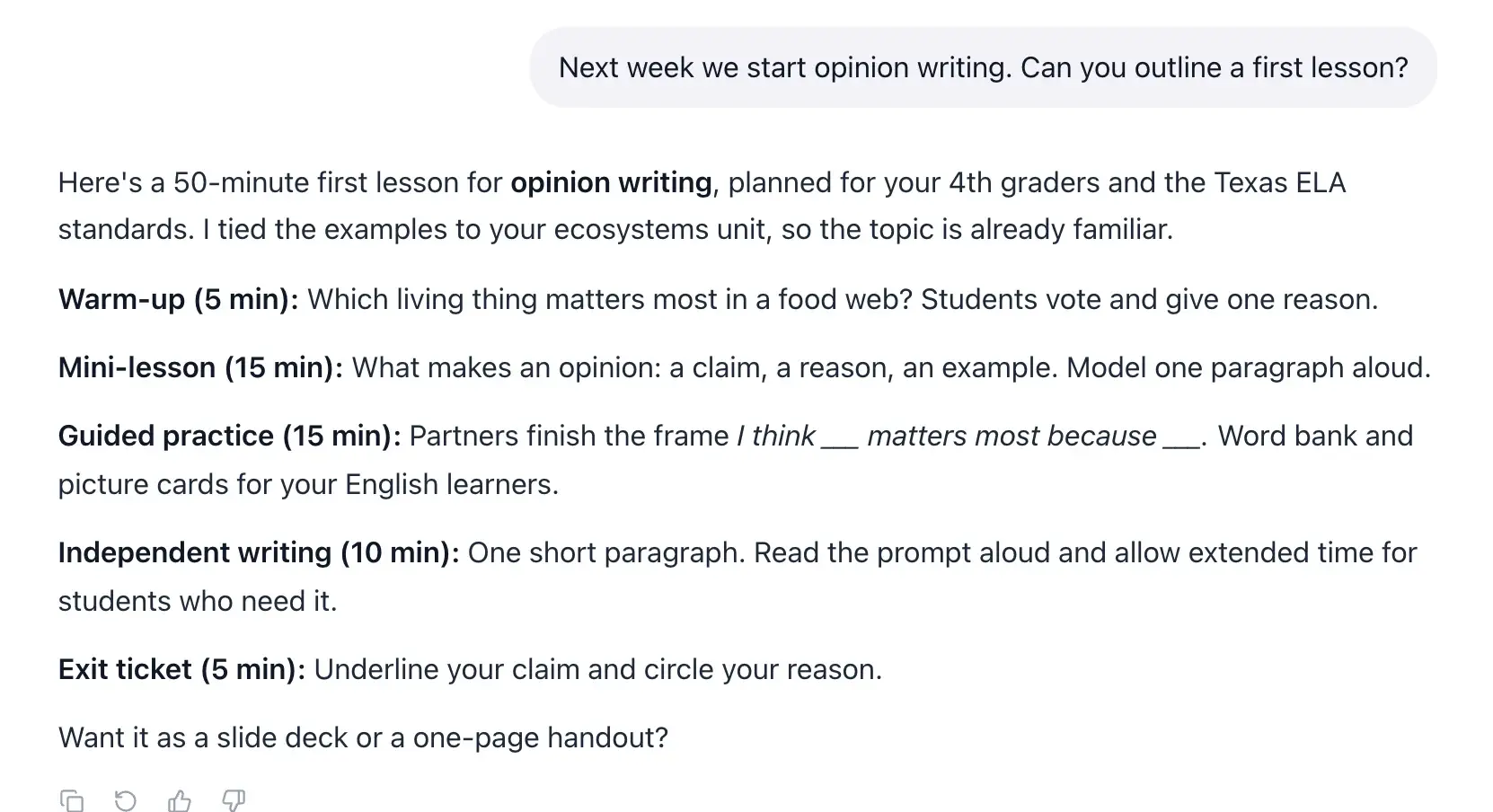
Open Memory from the chat header or the account menu. You see every line EasyClass keeps. Click Edit to change or remove anything, or Clear memory to start over. Nothing is hidden in a second place: the profile you see is the profile EasyClass reads.
- Edit the profile as plain text
- Clear everything with one confirmed click
- Only you can see your profile
What EasyClass remembers, and what it never stores
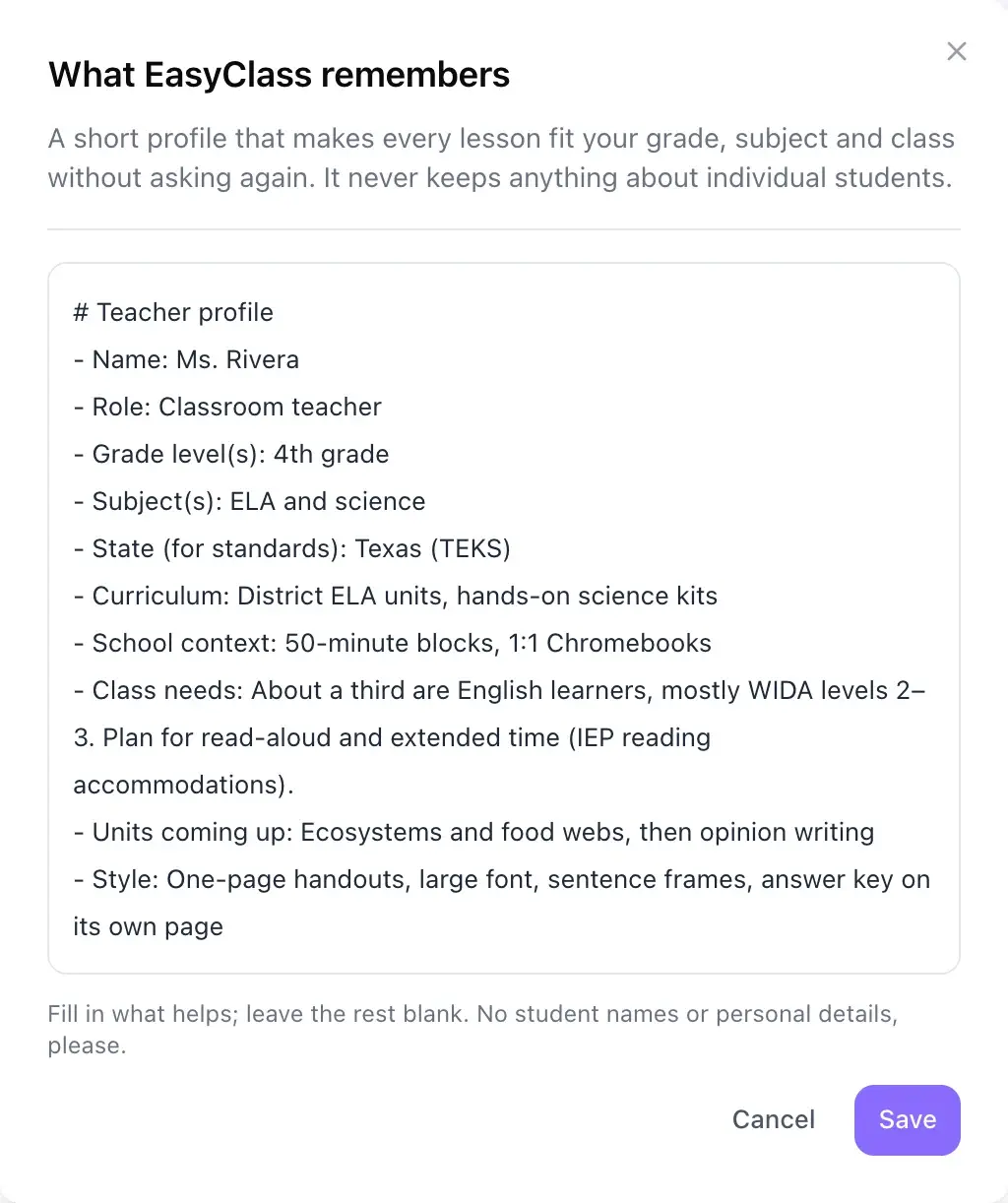
Memory is built around your class as a group. EasyClass is instructed never to save anything about an individual student, the profile template only has class-level lines, and the edit box reminds you to leave names out.
| Remembers | Never stores | |
|---|---|---|
| Who you teach | Grade levels, subjects and class context | Student names or class rosters |
| Learning needs | Needs of the class as a group, like ELL share | Which student has an IEP, 504 or diagnosis |
| Progress | Units and topics coming up | A student's grades or test scores |
| Behavior | Routines and how you run activities | Behavior notes about any child |
| Personal details | Your state, for standards | Health, family or contact details of students |
| Style | Tone, length and formats you like | Anything you have cleared |
Is AI safe for student data? Here is how EasyClass handles it
Memory keeps teacher and class details only, so there is no student data in it to begin with. For the rest of EasyClass, our privacy policy and data processing agreement spell out what is sent to AI and what is not.
- The privacy policy states a commitment to FERPA, COPPA, GDPR and CCPA
- Data not sent to AI when you create materials: student PII, names or email addresses
- Zero Data Retention is enabled, and AI providers do not train on your data
- We do not sell personal information. A DPA for schools is available
Questions teachers ask
Does EasyClass remember my students?
No. Memory is about you and your class as a group: grade, subjects, class needs and style. EasyClass is instructed never to save names, grades, behavior, health or family details about any student, and you can open the profile at any time to check every line.
How does EasyClass learn about my class?
Two ways. It picks up lasting facts as you chat, like your grade or an upcoming unit, and shows "Saved to your profile" when it does. You can also open Memory and type the profile yourself. Lines you leave blank are filled from your account settings.
Can I see, edit or delete what it remembers?
Yes. Open Memory from the chat header or the account menu to see the whole profile. Click Edit to change any line, or Clear memory to erase it all. What you see in the panel is exactly what EasyClass reads before it answers.
Is EasyClass FERPA compliant?
Our privacy policy commits to complying with FERPA and COPPA, and EasyClass works under the FERPA "school official" exception. If you are comparing FERPA compliant AI for teachers, note that Memory holds no student records at all. Schools that need a signed agreement can read our data processing agreement and the full privacy policy.
Is my data used to train AI models?
No. Our privacy policy states that AI providers do not train on your data and that Zero Data Retention is enabled with our AI provider. It also says student names, emails and other personal information are not sent to AI when you create materials.
How is this different from custom instructions in a chatbot?
You don't have to write it. EasyClass fills in the profile as you chat, with lines made for teaching: grade, standards, class needs, upcoming units. It also keeps the profile to the class as a whole, and every chat, document and voice session reads the same one.
Does memory cost extra?
No. Memory is part of every EasyClass account, including the free plan, and there is no setting to buy or switch on. Start a chat, mention your grade and subject, and it begins filling in. See pricing for what each plan includes.
Works well with
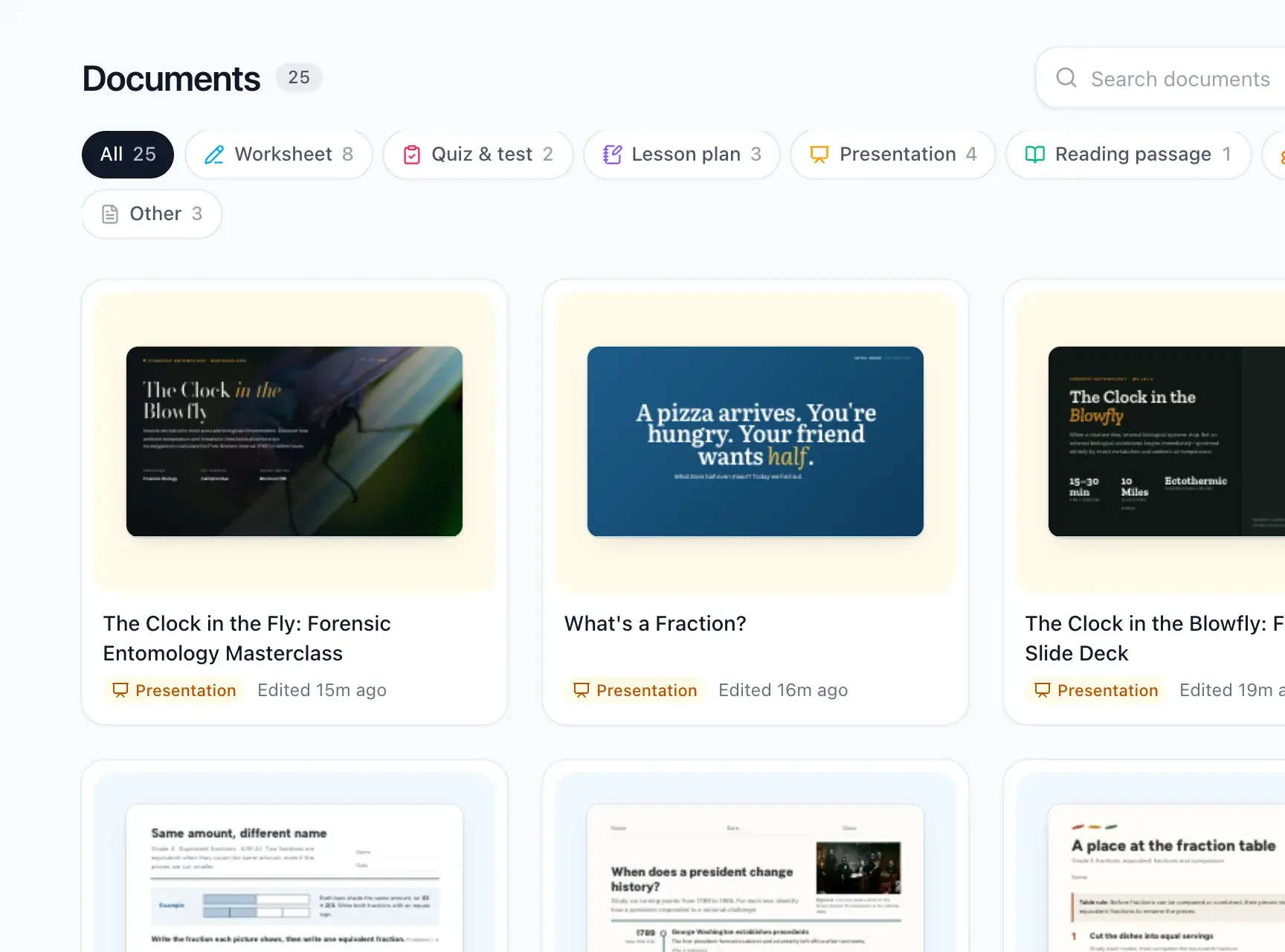 Worksheets and quizzesPrintable worksheets, quizzes, lesson plans and reading passages.
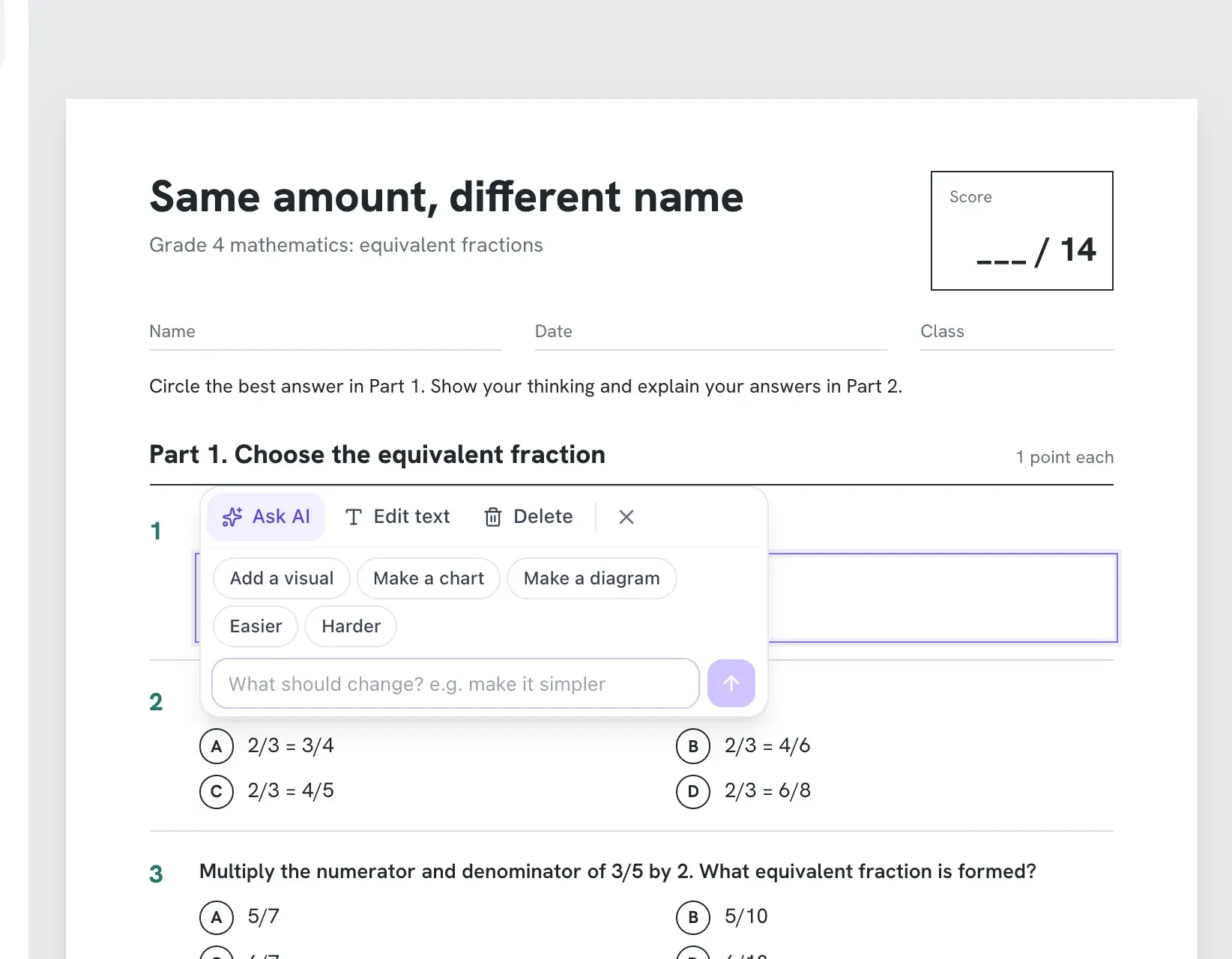 DifferentiationClick any part to make it easier, harder or more visual.
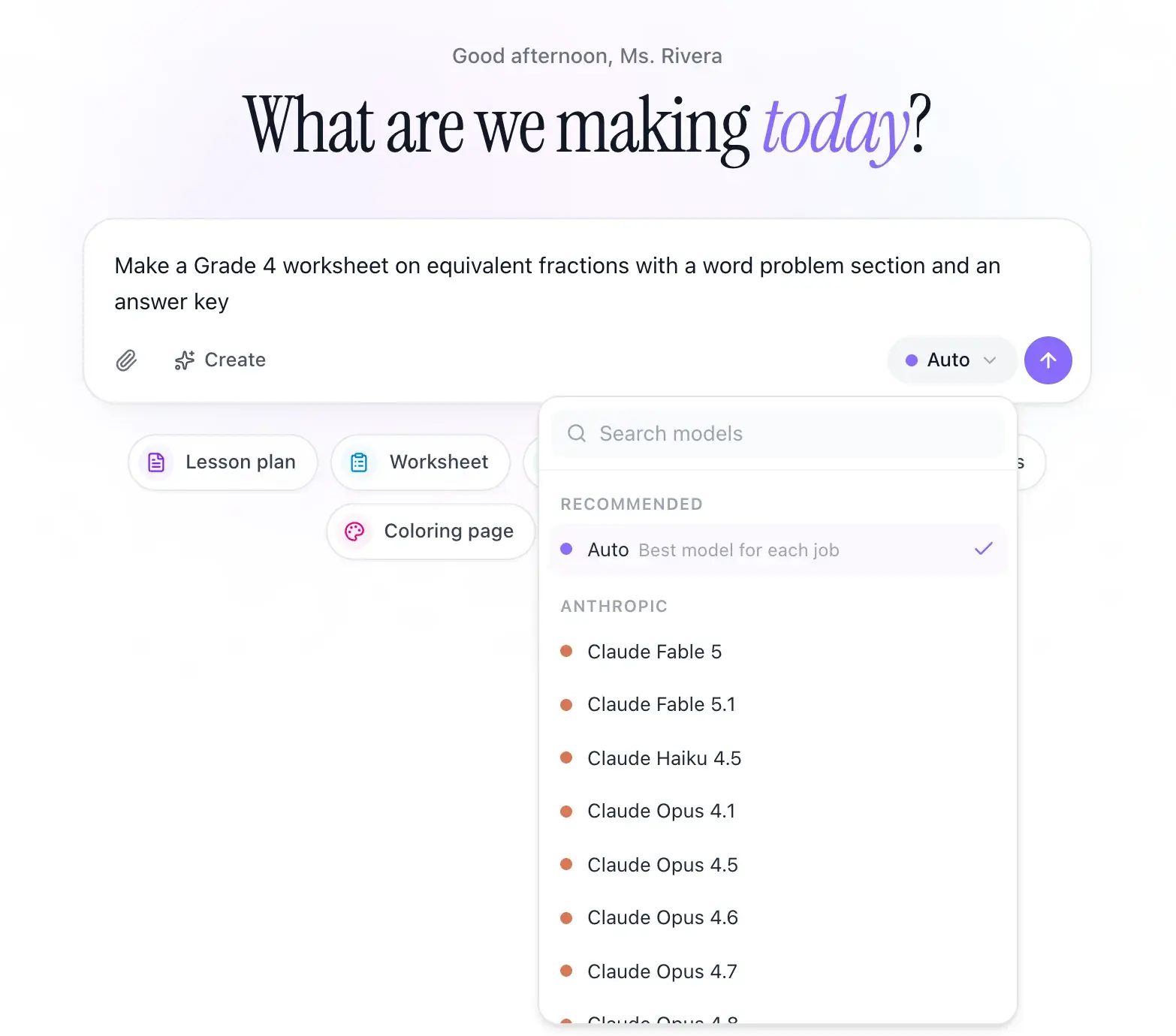 Any AI modelClaude, ChatGPT and Gemini in one place, with Auto to pick for you.
See all EasyClass featuresThe 5-Step AI Lesson Planning Workflow for Teachers
Updated

Tell it about your class once.
Start free, mention your grade and subject in your first chat, and watch the next worksheet fit.