

Classroom apps
Build classroom apps with AI, then share them with a link
EasyClass Apps lets any teacher build a small classroom app by describing it in plain words: a name picker wheel, a countdown, a review game. You watch it get built, change it by asking, put it on the projector or send students a link. No code, no hosting, no student accounts.
Free plan · No coding · Works in any browser
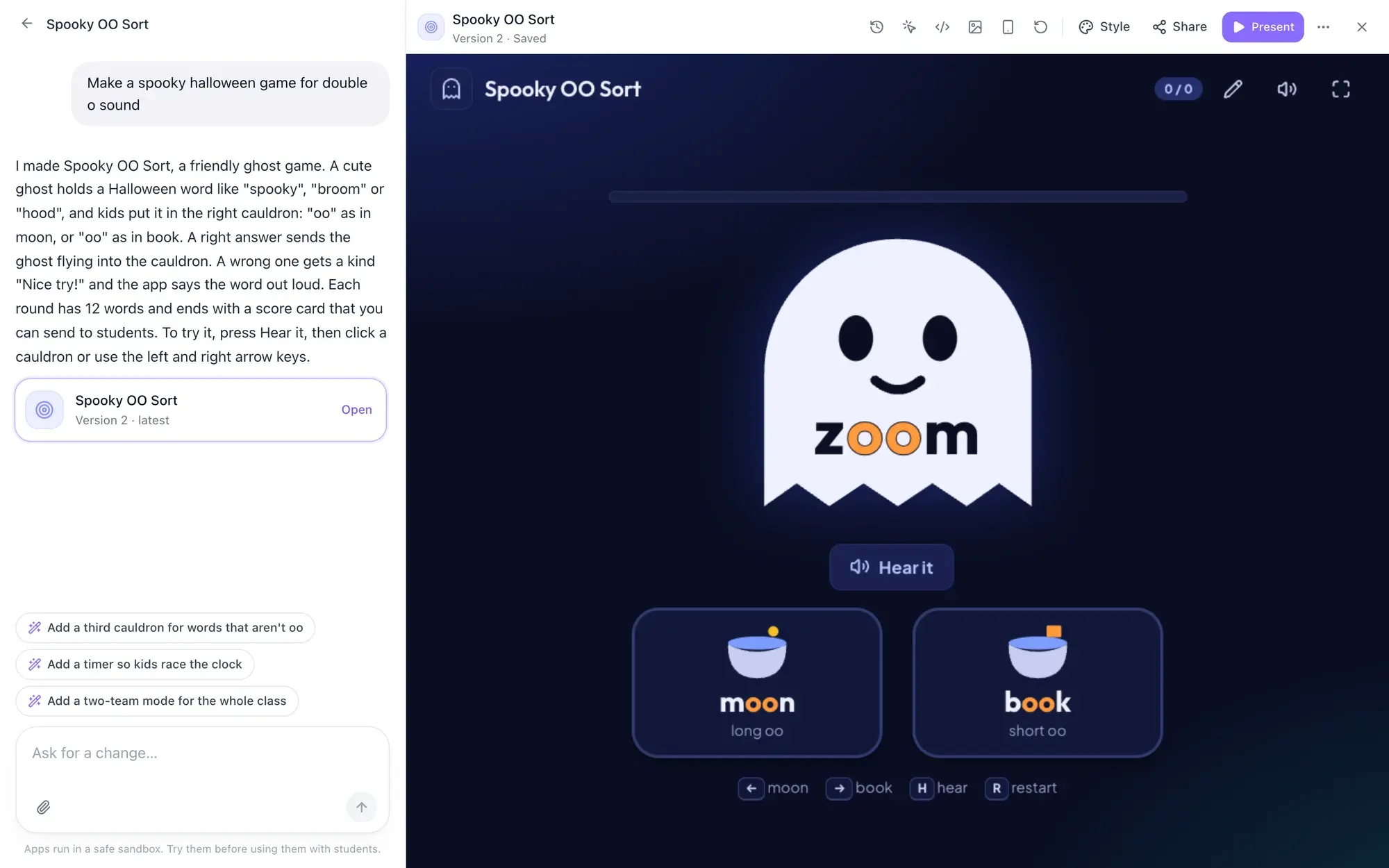
- Students sign inNever. They open your link
- Every changeSaved as a version you can restore
- Ready-made gamesQuiz Show, Flashcards, Check-in
- Gallery appsReviewed by our team first
Vibe coding for teachers, without the hosting or the worry
You know the tool you want: a wheel that skips kids who already had a turn, a timer big enough for the back row, a matching game with this week’s words.
A general AI chatbot can write that app, but then it’s yours to host, fix and share safely. EasyClass Apps does the whole job. You describe it, it gets built, tested and saved, and students open it from a link, right next to your worksheets, slides and boards.
How to build a classroom app with AI
Three steps, all in one chat. You never see code unless you want to.
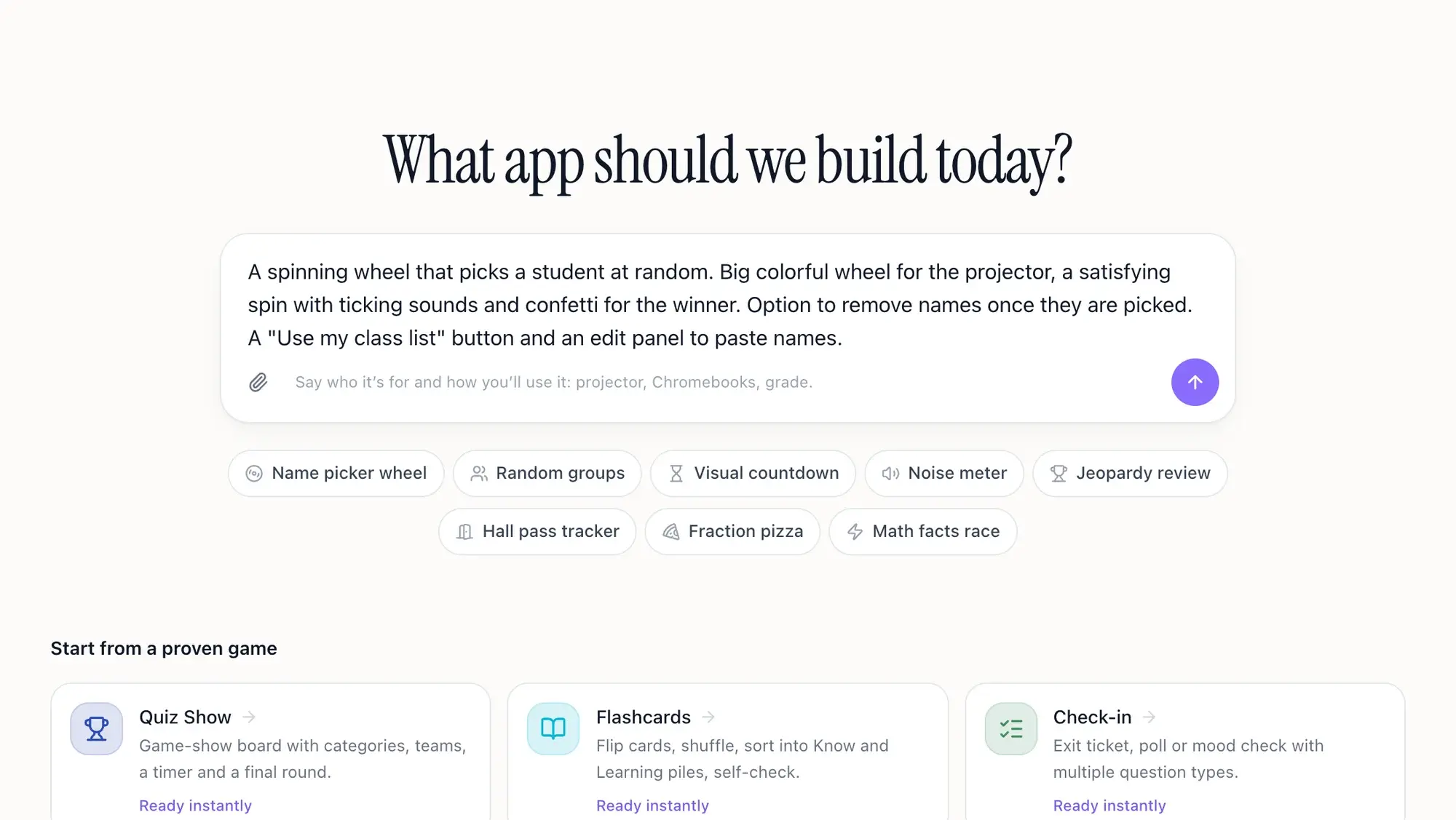
Describe it, or tap an idea
Say what you need, the grade and how you’ll use it (projector or Chromebooks). Or tap an idea like “Name picker wheel” and edit the prompt it fills in.
Watch it get built
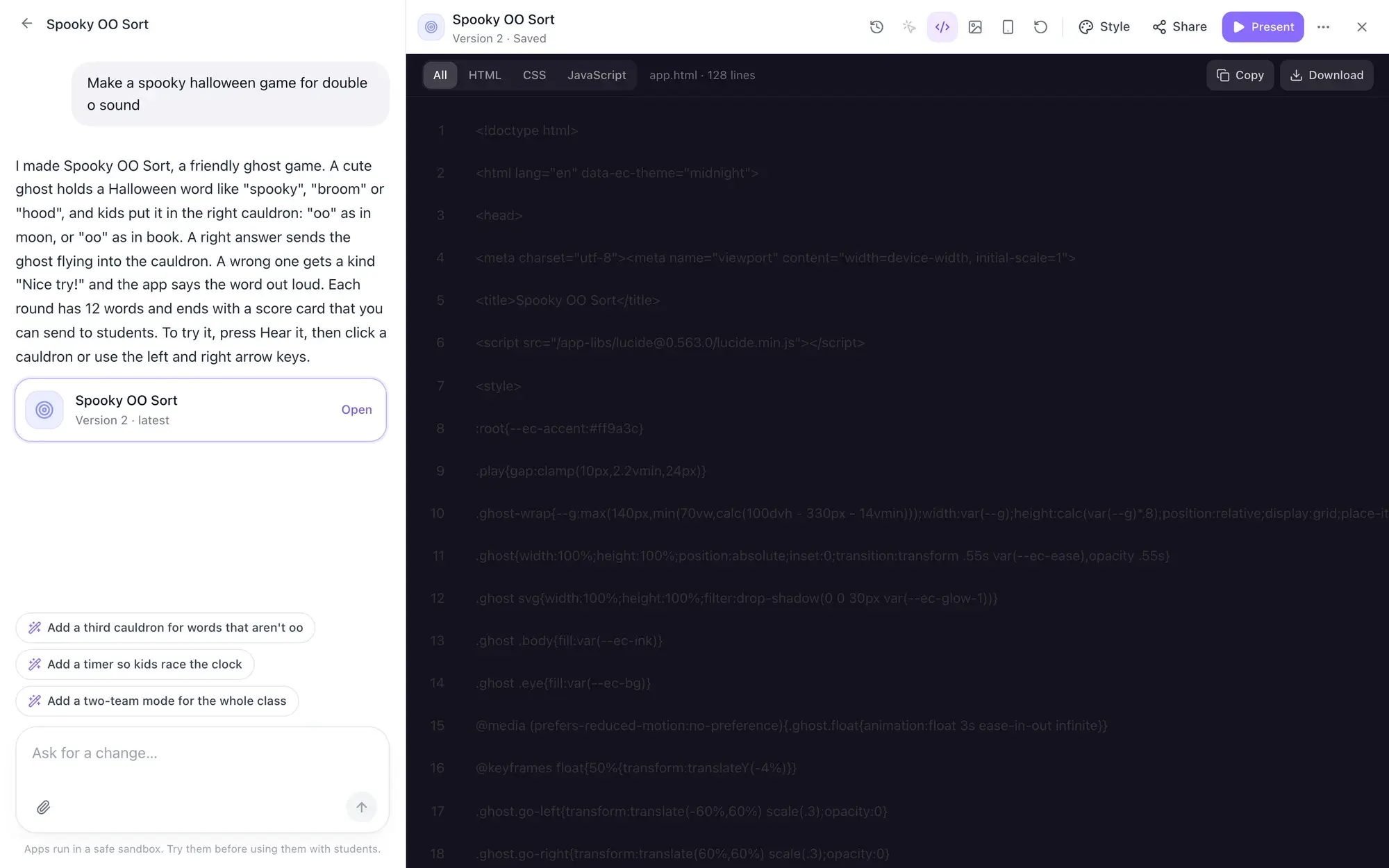
The builder plans the app and writes it while you watch, then opens it and tries the buttons. If something breaks, it fixes it on its own.
Change it, then use it
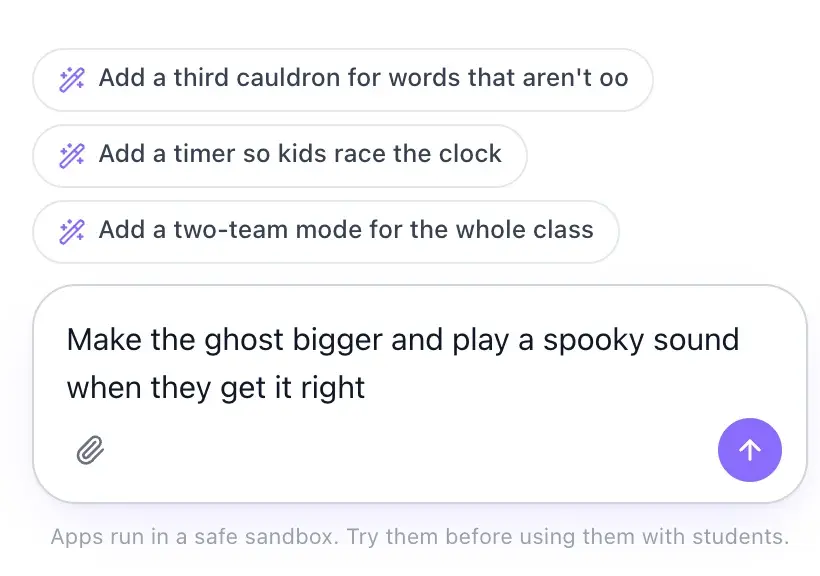
Ask for changes in plain words: “bigger”, “add a sound”, “remove names once picked”. Then present it full screen or turn on a student link.
Idea chips
Not sure what to ask for? Start from an idea
These are the idea chips under the builder’s prompt box. Tap one and its full prompt fills the box, ready for you to add your grade, your words or your class before you send it.
- Randomizers
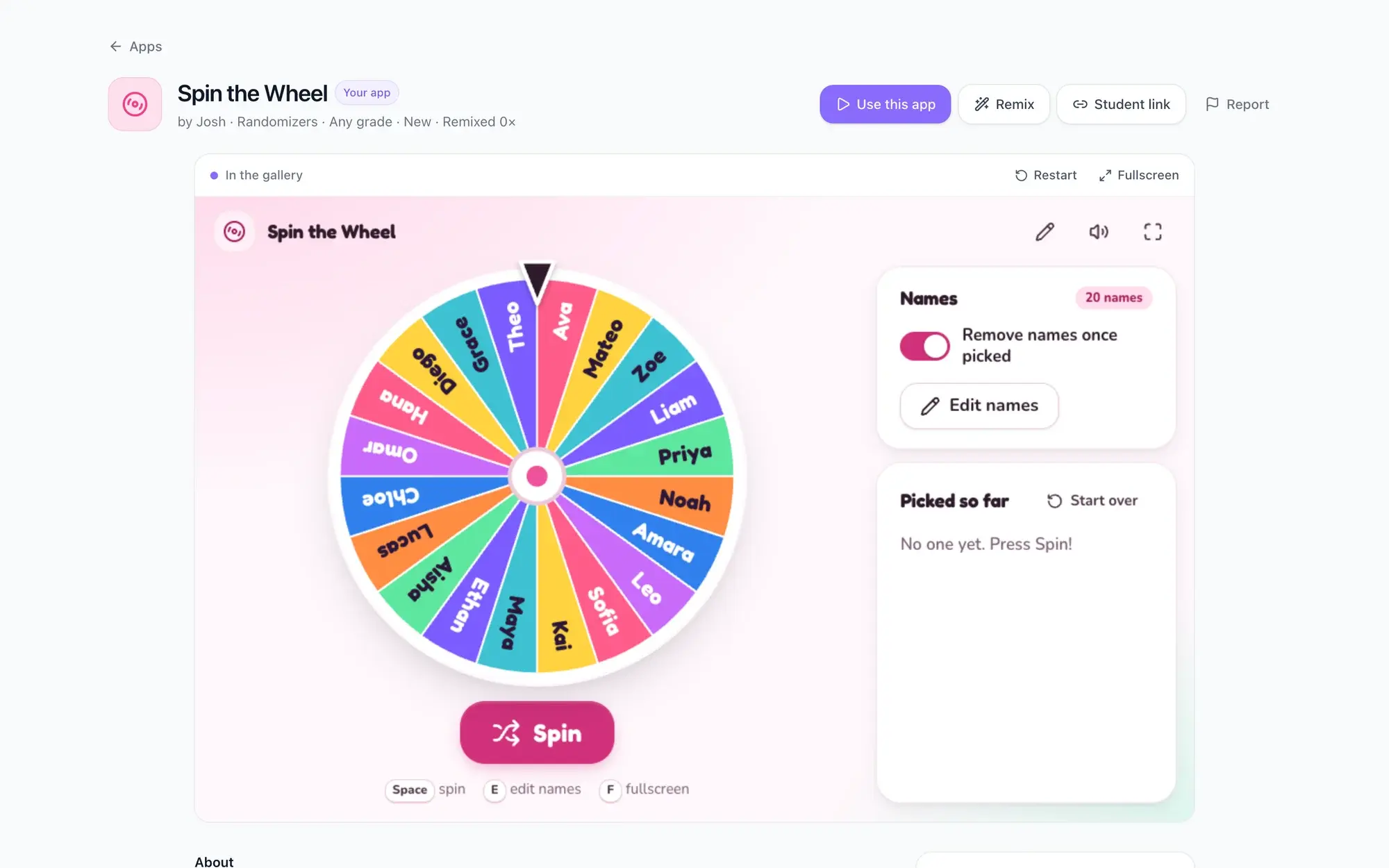
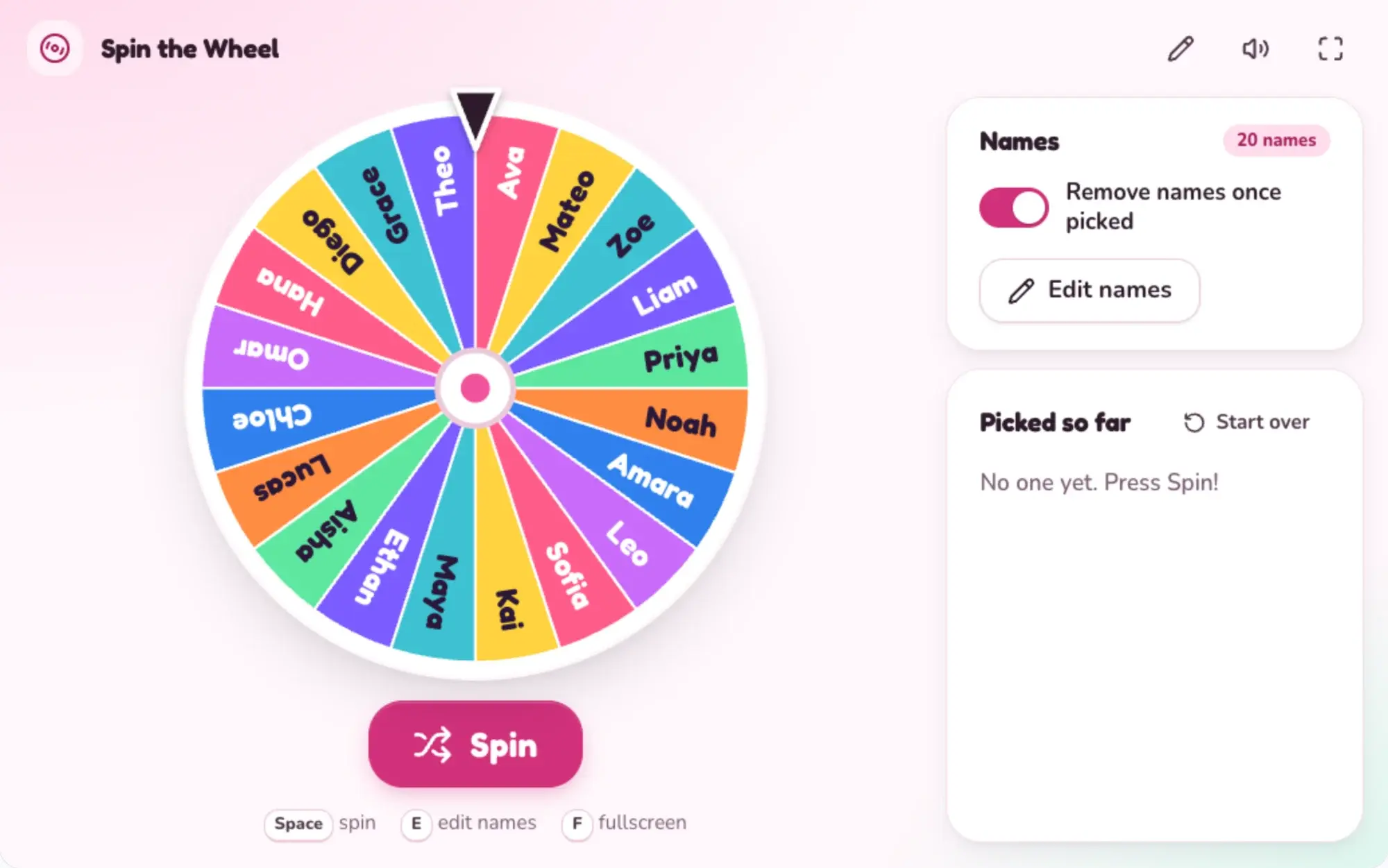
Name picker wheel
Ask for: A spinning wheel that picks a student at random.
- Randomizers
Random groups
Ask for: A random group maker: paste or load my class list, choose number of groups or students per group, and reveal the groups with a fun shuffle animation.
- Timers
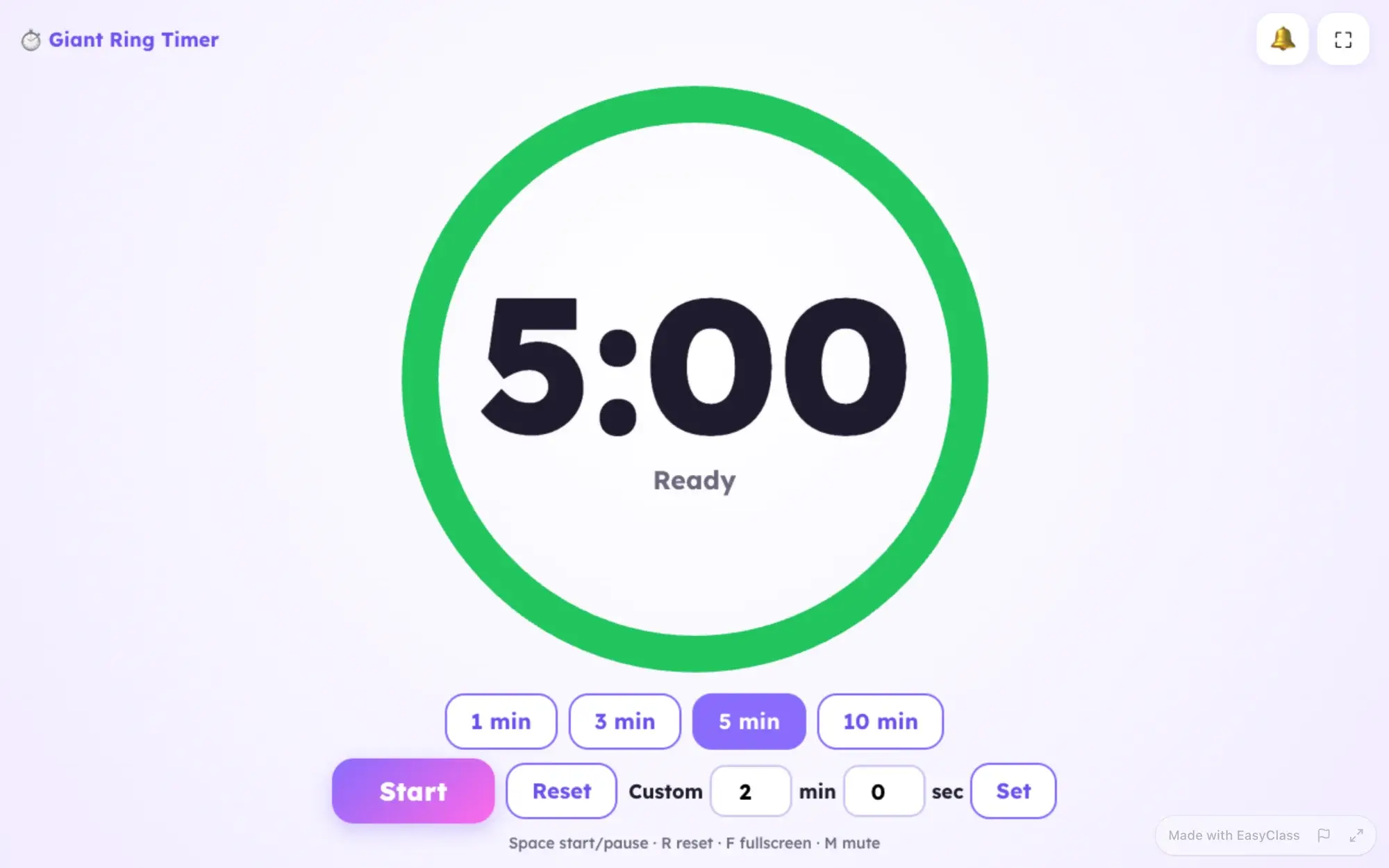
Visual countdown
Ask for: A giant visual countdown timer for the projector: a shrinking colorful ring, quick presets (1, 3, 5, 10 minutes), custom time, start/pause with Space, a gentle chime at the end and a calm "Time's up!" screen.
- Class management
Noise meter
Ask for: A classroom noise meter that listens to the microphone and shows a big friendly gauge (green, yellow, red) with an animal that gets nervous when it is too loud.
- Review games
Jeopardy review
Ask for: A Jeopardy-style review game for the projector: 5 categories x 5 questions, team scoreboard for up to 6 teams, click a tile to reveal the question, then the answer, then award points.
- Class management
Hall pass tracker
Ask for: A hall pass tracker for my laptop: tap a student to sign them out (bathroom, nurse, office, water), a running timer shows who is out and for how long, and a log of today's passes I can clear.
- Math & science
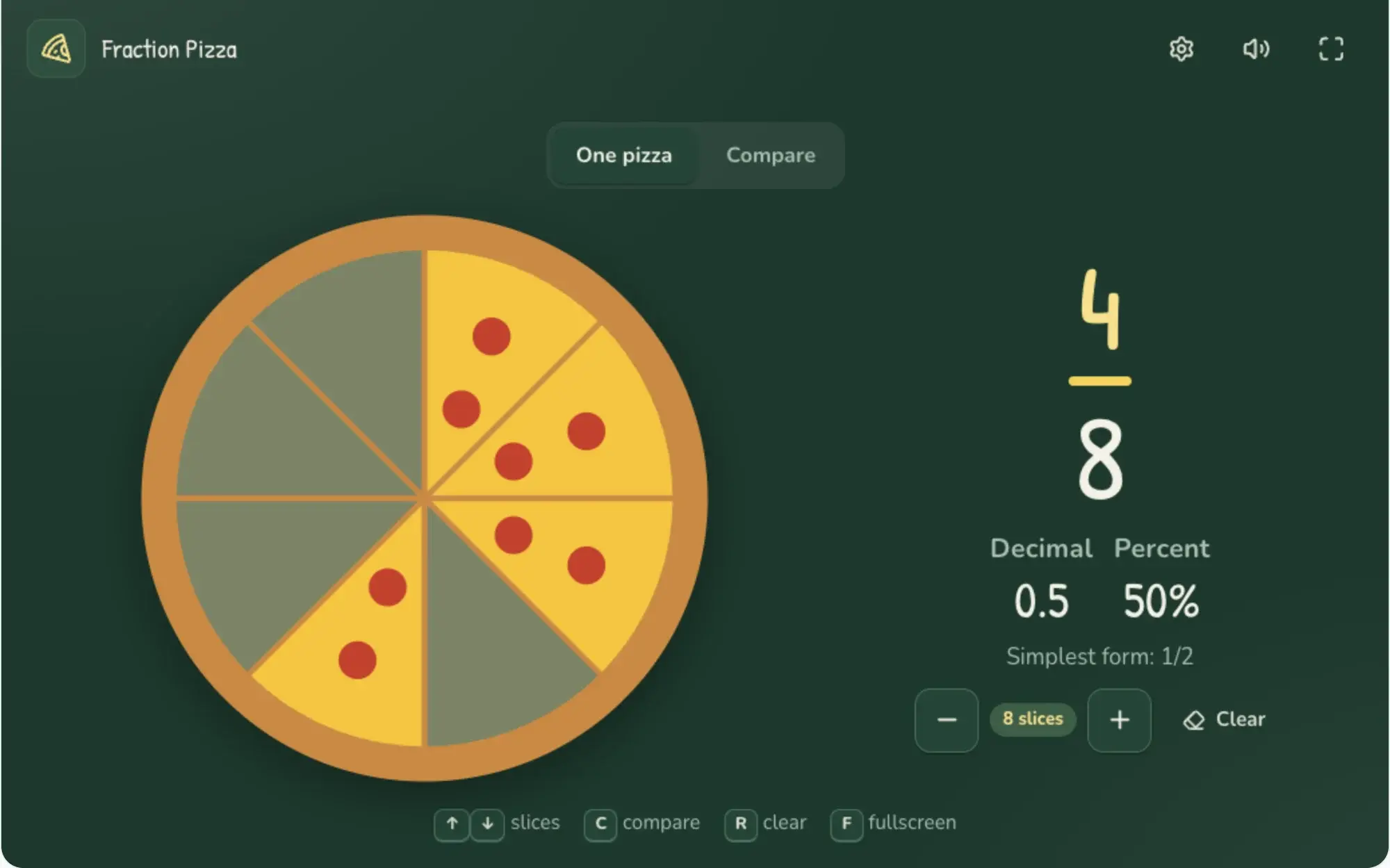
Fraction pizza
Ask for: An interactive fraction pizza: choose how many slices (2 to 12), click slices to shade them, and it shows the fraction, decimal and percent in big type.
- Math & science
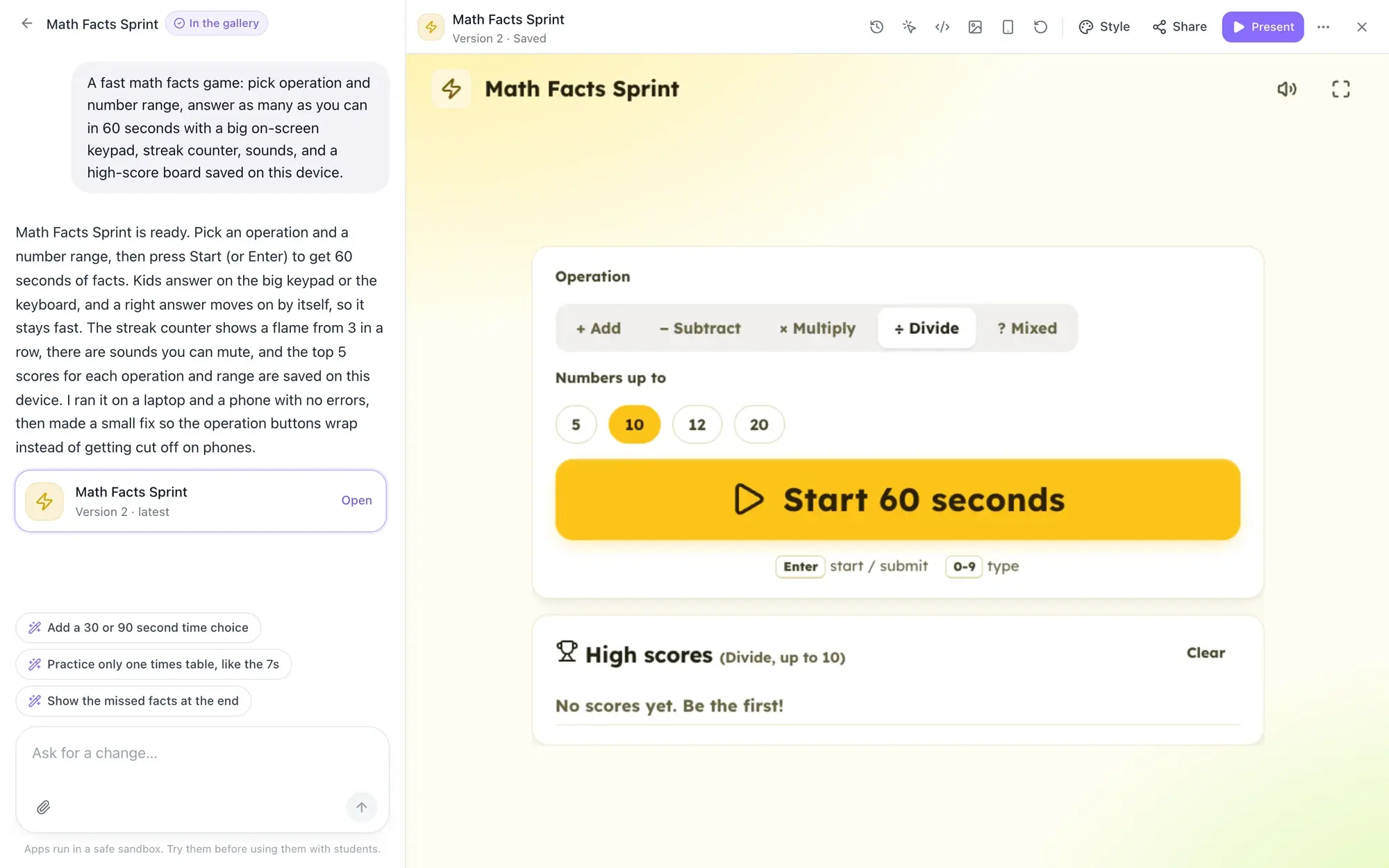
Math facts race
Ask for: A fast math facts game: pick operation and number range, answer as many as you can in 60 seconds with a big on-screen keypad, streak counter, sounds, and a high-score board saved on this device.
Then, while you watch
- PlanWrites a short plan of screens and buttons
- WriteWrites the app while you watch the code
- TestOpens it at projector, laptop and phone size and tries it
- PolishFixes what it found and saves the first version
Build
A no-code classroom app builder you talk to
Write one sentence and the builder takes it from there. You see the plan and the code being written, then the real app appears beside the chat. Apps are built to fit every screen from a phone to a projector. You don’t pick a model here; for chat and documents you can choose ChatGPT, Claude or Gemini.
- No forms, settings or templates to fill in
- Opens the app and tries it before handing it over
- Fixes its own errors once, automatically; later a one-click “Fix it” bar
Change
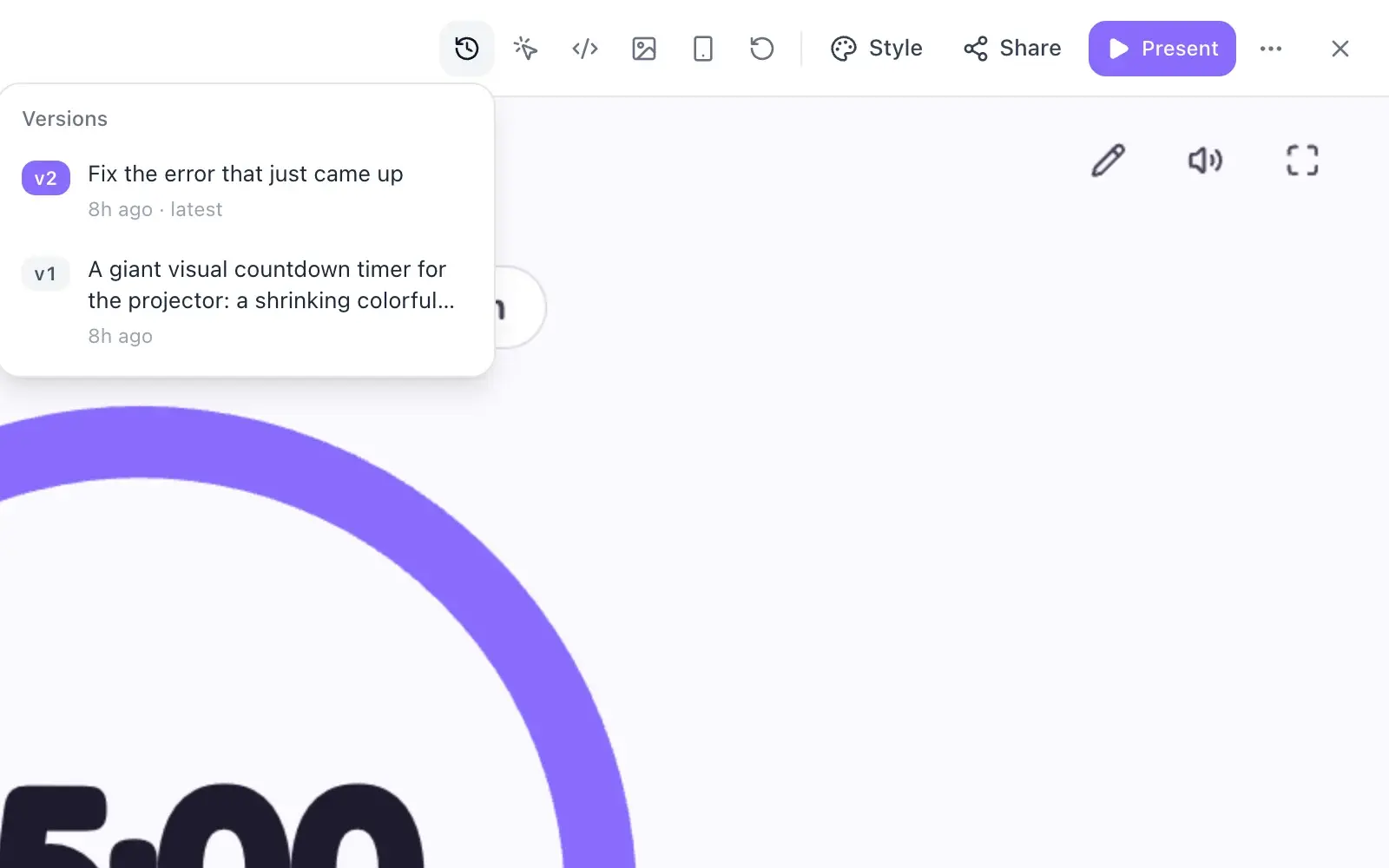
Change your app in plain words, with every version saved
Keep talking to the builder the way you would to a colleague: bigger buttons, a calmer color, a sound at the end, a second mode. Every answer saves a new version, so you can open an older one and restore it without losing anything.
- “Point at something”: click a part of the app, then say what to change
- Versions menu with one-click restore (restoring saves a new copy)
- Look at the code, copy it or download the app as one .html file
Review games
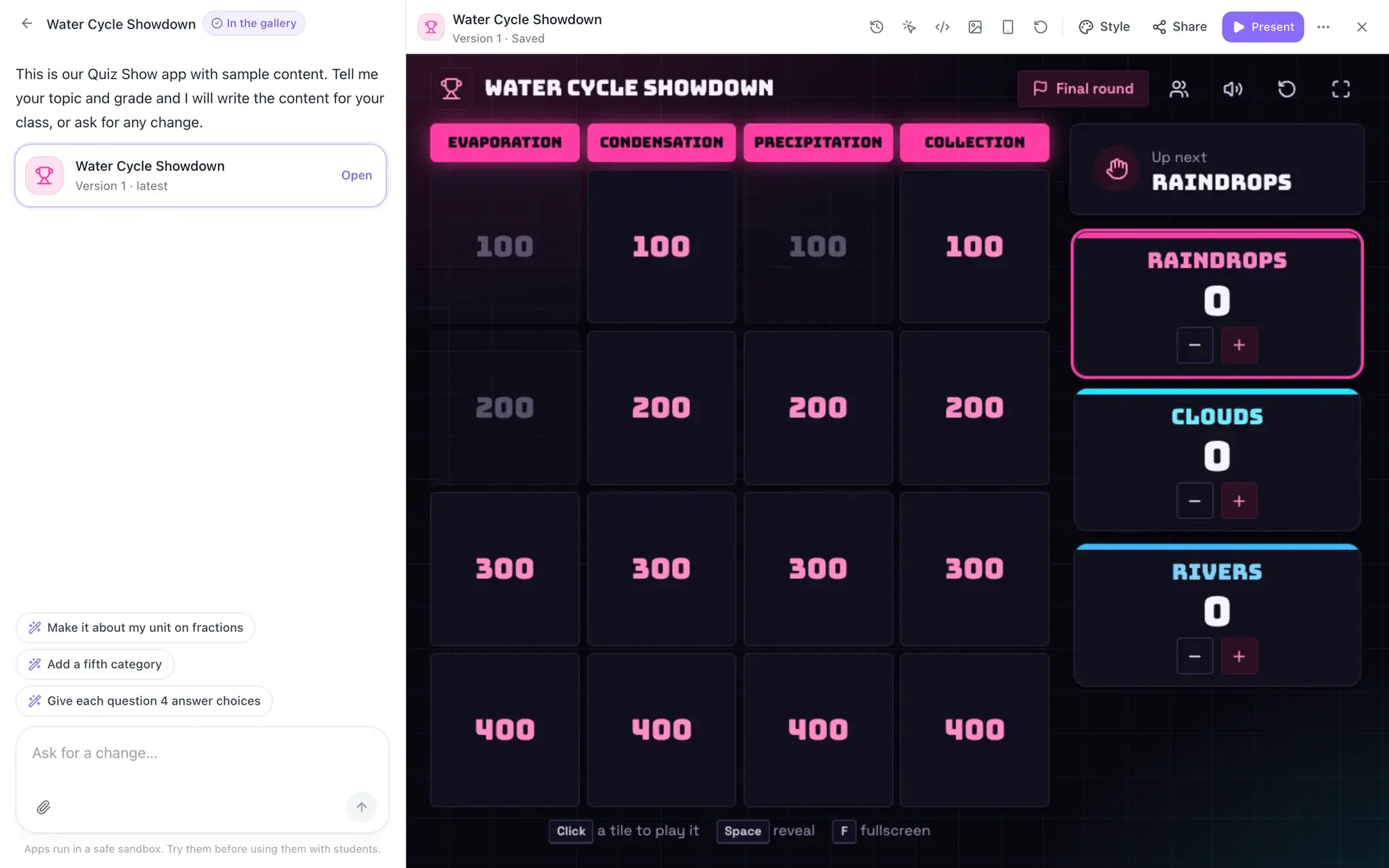
An AI review game maker, from your own content
Paste a quiz, a word list or a lesson and ask for a review game. Or start from a ready-made game that opens instantly with sample content: Quiz Show (categories, teams and a timer), Flashcards, or Check-in (exit tickets, polls and mood checks). Then ask the builder to swap in yours.
- Turn a worksheet or word list into a game
- Ask for an edit mode to change the questions yourself later
Share
Share an app with students by link, no accounts
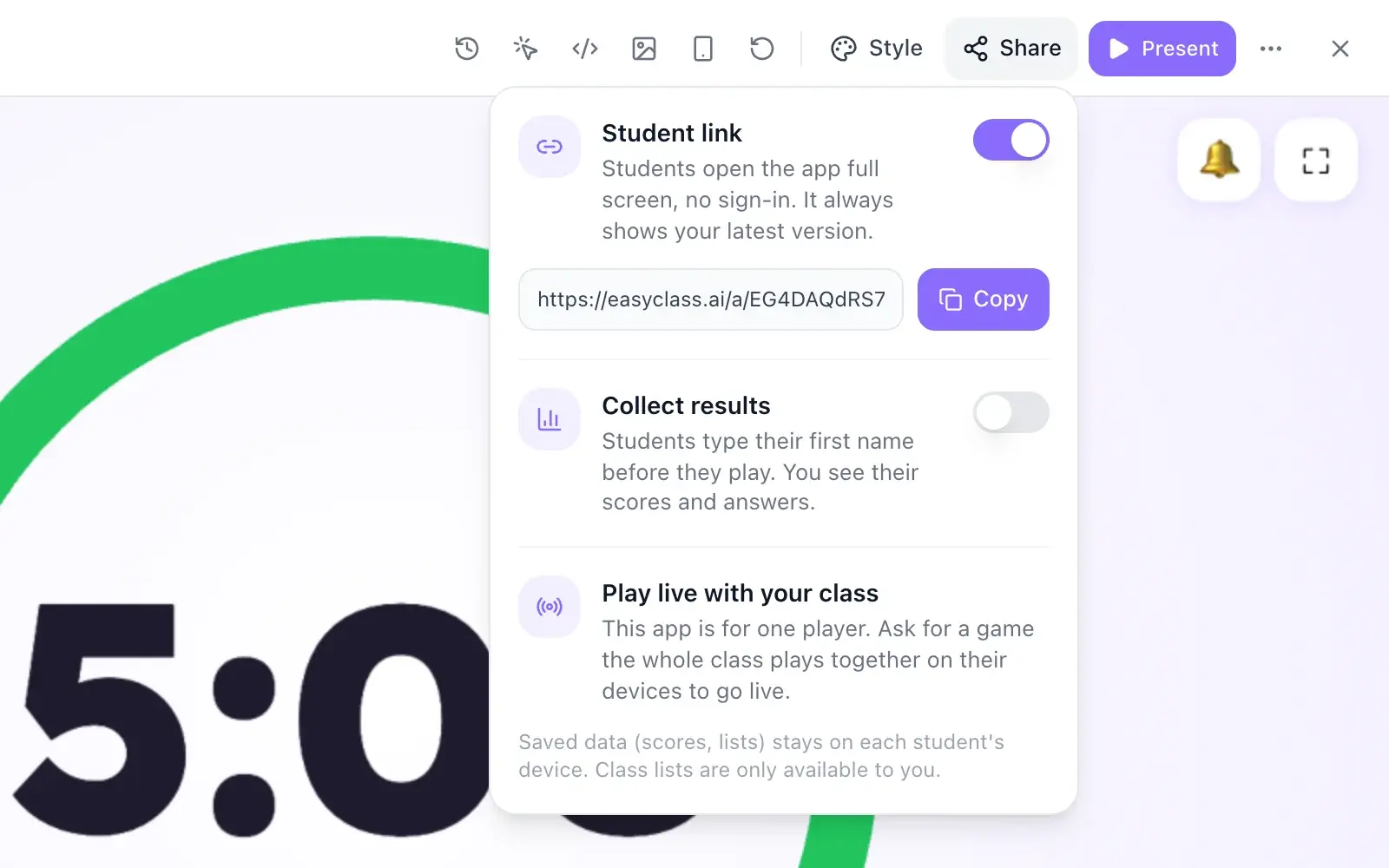
Turn on the student link and copy it. Students open the app full screen with no sign-in, and always get your latest version. Or press Present to put it on the projector. Apps built for live play can also go live: students join with a code on their own devices.
- Saved scores and lists stay on each student’s device
- Optional: collect results, where students type a first name and you see their scores
Gallery
Use or remix apps from a moderated teacher gallery
The Discover tab holds apps other teachers made and shared. Use one with your class, copy its student link, or remix it into your own copy, ready for changes. Every gallery app is reviewed by the EasyClass team before it appears, and you can submit your own.
- Submissions are checked for safety and reviewed by a person
- The gallery shows the approved version, never later edits
Classroom app ideas you can build today
Each of these is an idea chip in the builder: tap it and a full prompt you can edit fills in. Need a plain timer, noise meter or poll today? Classroom display boards already have them.
 Randomizers
Spin the wheel name picker
A big wheel for the projector with ticking sounds, confetti and an option to take names off once picked. Load your class list or paste names.
 Timers
Visual countdown timer
A shrinking ring with 1, 3, 5 and 10 minute presets, a custom time and a gentle chime when time is up.
- Review games
Vocabulary matching game
Students drag each word onto its definition, with feedback, a timer and a score. An edit mode takes this week’s list.
 Math & science
Fraction pizza
Pick 2 to 12 slices, shade them, and see the fraction, decimal and percent. A compare mode shows two pizzas.
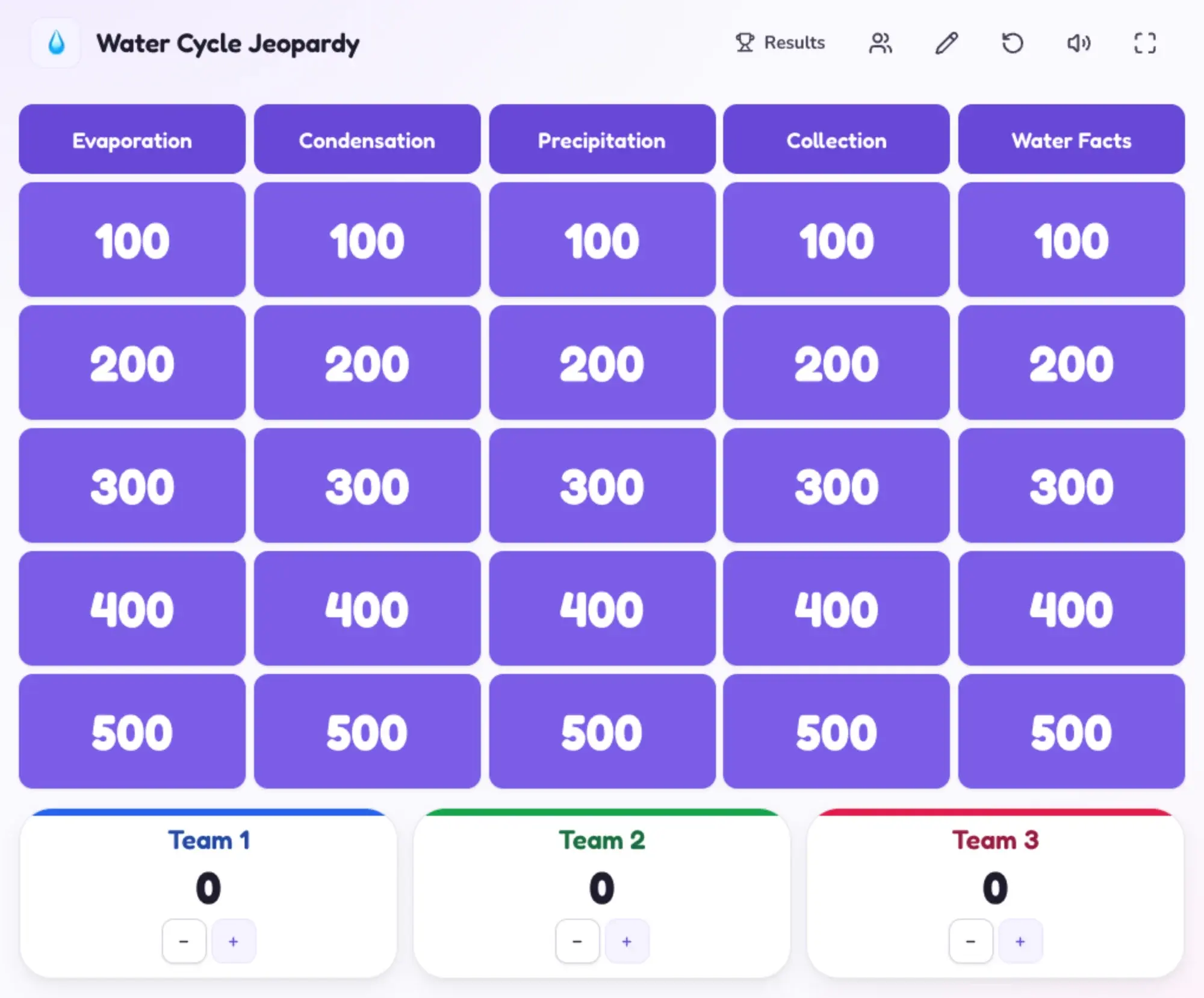 Review games
Game-show review board
Five categories of five questions, a scoreboard for up to six teams and an edit mode for your own questions.
- Class management
Hall pass tracker
Tap a student to sign them out. A timer shows who is out and for how long, with a log for the day.
Classroom apps for every grade
Say the grade in your request and the builder fits the words and steps to it.
K–2
- A calm breathing circle for brain breaks
- Sight word flashcards with Know and Learning piles
3–5
- Fraction pizza and a 60-second math facts race
- A writing prompt spinner with a 10-minute timer
6–8
- A science vocabulary matching game
- A game-show review board for a unit test
9–12
- A hall pass tracker for your laptop
- Flashcards for AP terms you can shuffle and self-check
Why build in EasyClass instead of a general AI chatbot
A chatbot can write the code. The hard part is everything after that.
| EasyClass Apps | A general AI chatbot | |
|---|---|---|
| Hosting | Every app is saved and runs in EasyClass. Nothing to publish | You copy the code to a website builder or file host yourself |
| Sharing with students | One student link, no sign-in, turn it off any time | Up to you: a public page, or a tool that needs accounts |
| Safety | Apps run locked down, can’t reach other sites, and links can be reported | The code runs wherever you host it, with whatever it asks for |
| Moderation | Gallery apps are scanned and reviewed by a person | None for what you share |
| Changes | Ask in plain words; every version saved and restorable | Paste new code back in and keep your own copies |
| Where it lives | Next to your worksheets, slides, boards and seating charts | In a chat thread you have to find again |
Safe for students by design
Every app runs in a locked sandbox, cut off from EasyClass and your account. It can’t read cookies, is blocked from contacting other websites and can’t open pop-ups. Student links need no accounts and collect nothing unless you turn on results. Read our privacy policy and data processing agreement.
- Apps are built to ask for first names only: no emails, addresses, birthdays or photos
- Your class list goes only to your own app in the builder, never to student links or the AI
- Anyone can report an app; a student link pauses after repeated reports
- Gallery apps are scanned for things like password boxes, then reviewed by a person
Questions teachers ask
What is vibe coding for teachers?
Vibe coding for teachers means building a small app by describing it in plain words instead of writing code. In EasyClass you type something like “a spinning wheel that picks a student”, watch it get built, then ask for changes until it fits your class. You never touch the code.
Do my students need an account to use an app?
No. Turn on the student link in Share and send it to your class. Students open the app full screen with no sign-in, on any device with a browser. The link always shows your latest version, and you can turn it off any time.
Is it free to build classroom apps with AI?
Yes, you can build apps on the free plan. Each new app or change you ask for uses one of your 15 free chat messages a month, and automatic fixes don’t count. Using, presenting and sharing apps you’ve already built is free. See pricing for unlimited building on Pro.
Can I make a classroom game with AI from my own questions?
Yes. Paste your quiz, word list or lesson into the builder and ask for a review game, or open Quiz Show, Flashcards or Check-in and ask the builder to put your content in. Ask for an edit mode and you can change the questions yourself later, without asking the AI.
Is it safe to share these apps with students?
Yes. Apps run in a locked sandbox that can’t reach your account, other websites or student data. They’re built to ask for first names only. Student links need no accounts and collect nothing unless you turn on results. Gallery apps are reviewed by a person, and any app can be reported.
Can I use apps other teachers made?
Yes. The Discover tab has apps teachers submitted to the gallery after our team reviewed them. You can use one with your class right away, copy its student link, or remix it into your own copy and change it by chatting. You can submit your own apps too.
Works well with
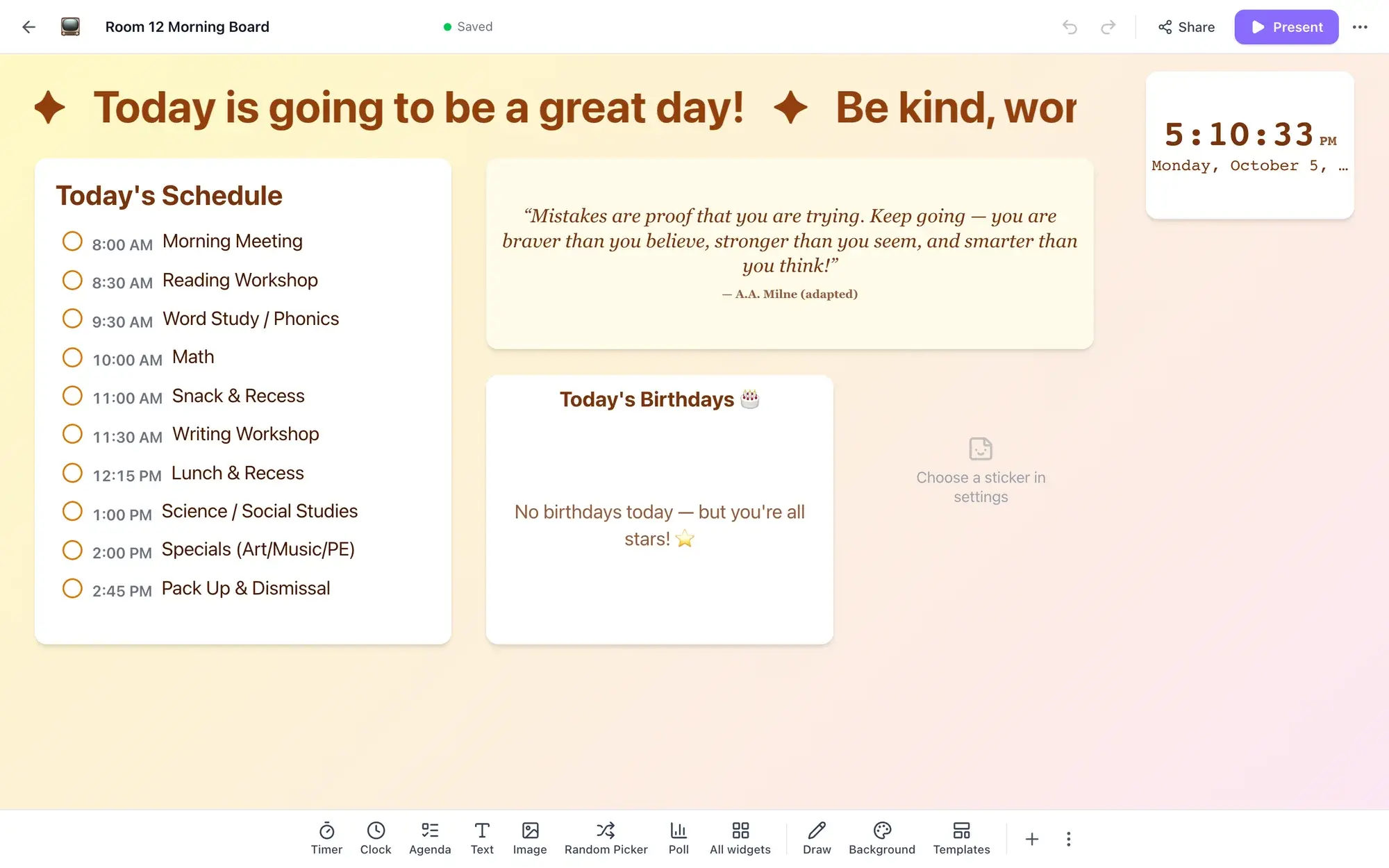 Display boardsTimers, polls, a noise meter and more on your classroom screen.
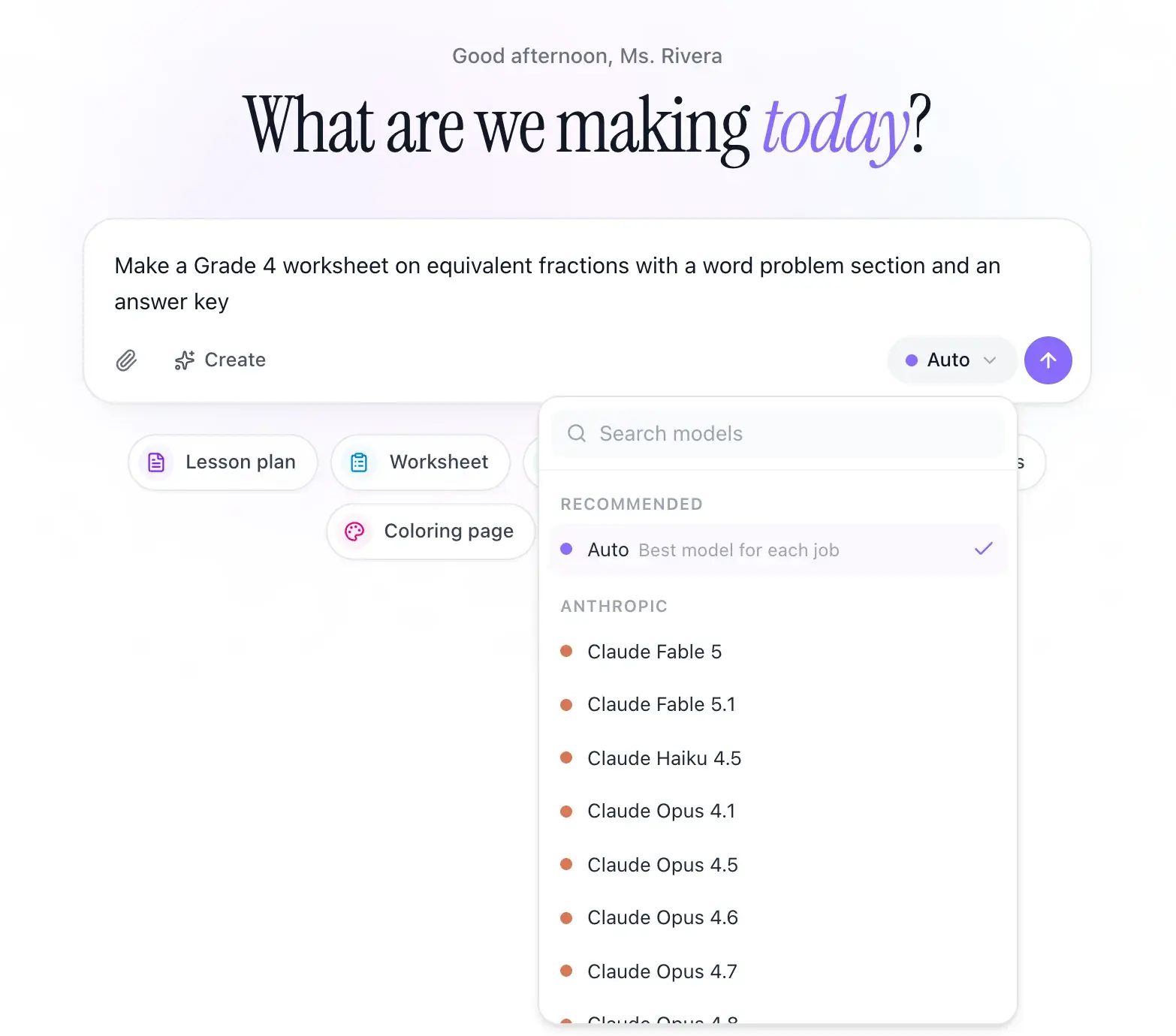 Any AI modelClaude, ChatGPT and Gemini in one place, with Auto to pick for you.
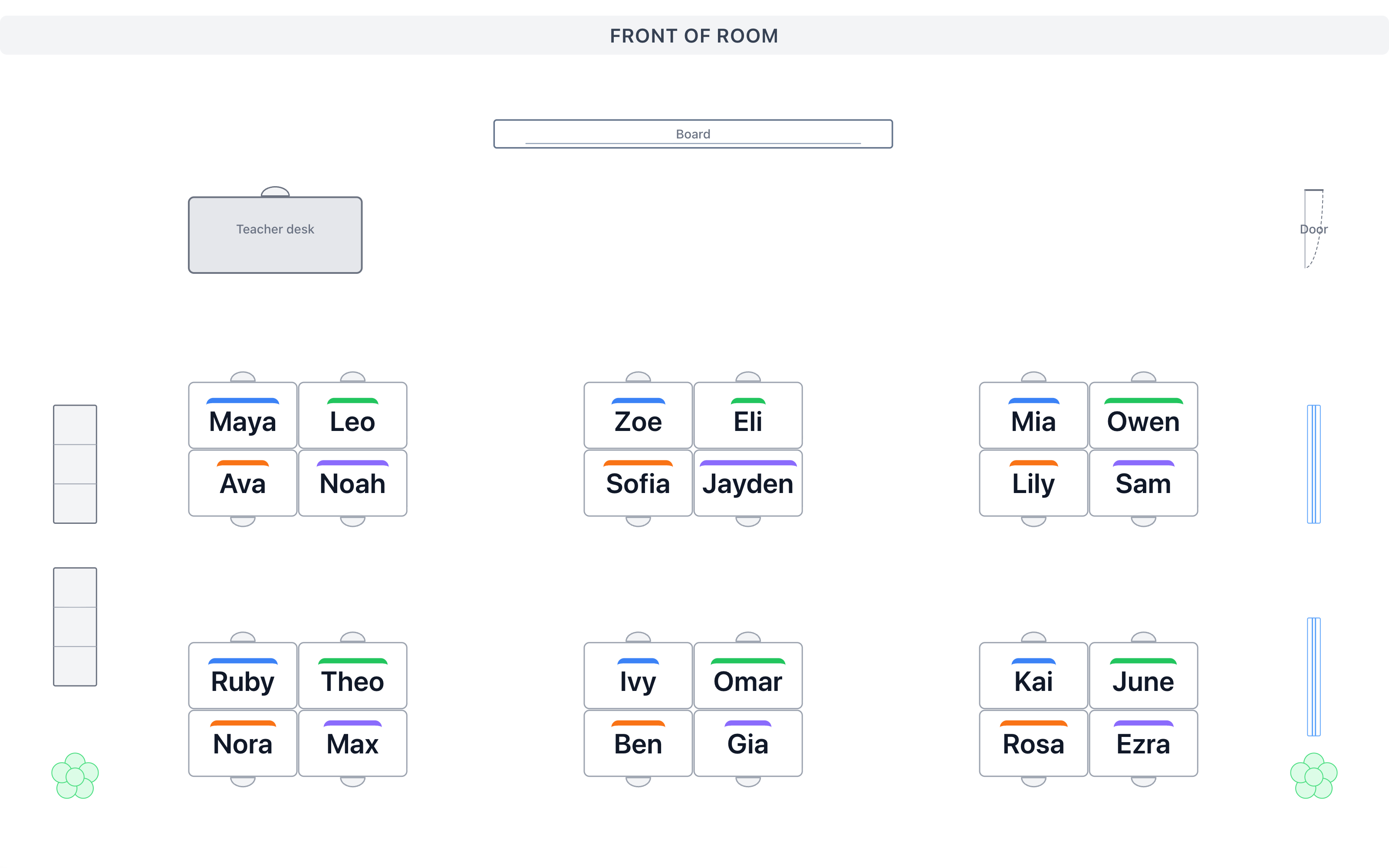 Seating chartsDrag names into seats or shuffle with your rules.
Updated

Build your first classroom app in a minute
Start with a name picker wheel or a review game. Change it until it fits, then put it on the projector or send a link.