If your classroom has ever flatlined mid-lesson… if your students lose steam after the warm-up… or if you’ve caught yourself saying, “Why am I working harder than my kids right now?” — it might be time to tap into one powerful teaching shift:
Gamification.
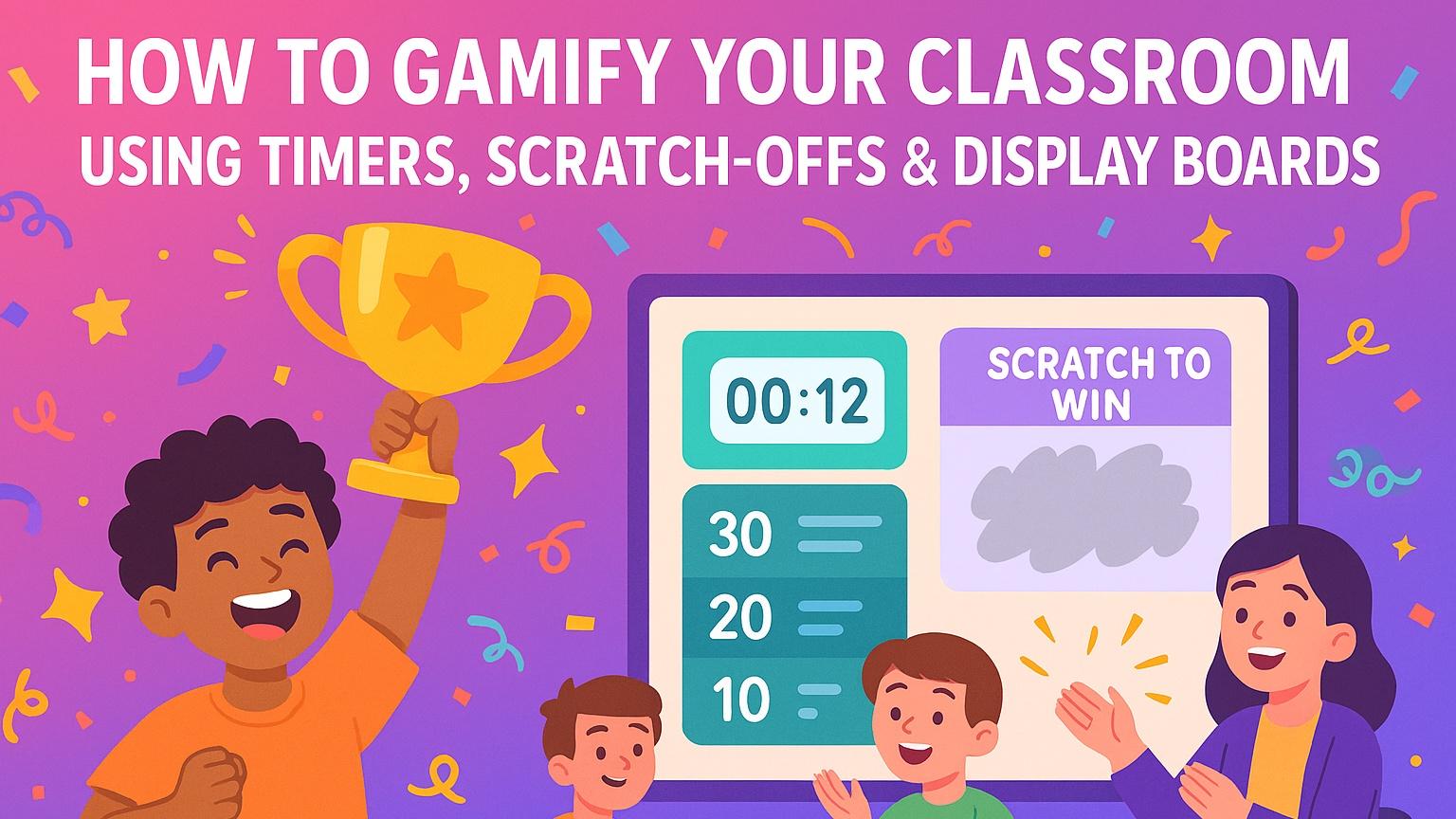
Gamifying your classroom doesn’t mean turning everything into elaborate games or spending hours prepping activities. At its core, gamification is simply using game-like elements — such as timers, points, scratch-offs, and visual boards — to make learning more engaging, motivating, and student-driven.
The best part? Gamification works especially well in upper elementary and middle school (grades 3–8) because students are old enough to understand incentive systems… and young enough to fully buy into them.
This guide will show you how to gamify your classroom using three low-prep tools that work across any subject:
✅ Timers
✅ Scratch-offs
✅ Display Boards
You’ll also get practical examples you can copy and run tomorrow — no extra prep required.
Why Gamification Works (and Why It’s Not “Just for Fun”)
Gamification isn’t about making school gimmicky. It’s about tapping into the brain’s natural desire for:
-
Challenge
-
Progress
-
Reward
-
Competition
-
Recognition
These game mechanics boost dopamine, which increases motivation, focus, and effort.
When you layer game elements into everyday tasks — like warm-ups, transitions, independent work, or review — students stay engaged because the process of learning becomes exciting.
Gamification works because it creates:
• Clear Goals
Students know exactly what they’re working toward.
• Instant Feedback
They see if they’re on track or falling behind.
• Low Stakes + High Excitement
Students feel safe to try — and want to participate.
• Intrinsic + Extrinsic Motivation
Effort becomes rewarding in itself, not just “for a grade.”
And if you’re thinking…
“But I don’t have time to turn everything into a game,”
you won’t need to. The strategies below are plug-and-play with tools you already use.
1. Timers: Turn Every Task Into a Challenge
Timers are one of the fastest ways to instantly gamify your classroom — and they take zero prep. The moment a timer appears, the energy in the room shifts.
Students move faster.
They focus more.
They take the task seriously.
Why Timers Work
Timers create urgency. Urgency creates movement. Movement increases engagement.
They also help students develop:
-
Time awareness
-
Focus endurance
-
Task commitment
Plus, timers reduce the “Are we done yet?” questions because students can see the time left.
Easy Ways to Gamify with Timers
⏱ Beat the Timer
Set a timer for clean-up, transitions, or warm-ups. If the class beats the time, they earn:
-
1 class point
-
1 star
-
A scratch-off (more on that soon)
🎯 Precision Challenge
Instead of “finish fast,” make it about accuracy within time.
“Solve as many as you can in 3 minutes — but only correct answers count!”
Students self-monitor speed and quality.
🤝 Partner Time Challenge
Give pairs a timed task:
-
Quiz each other for 2 minutes
-
Switch roles
-
Earn 1 point for every correct explanation
Where Timers Work Best
-
Transitions
-
Warm-ups
-
Partner work
-
Clean-up routines
-
Stations/rotations
-
Review games
Teacher Tip: Use consistent timer sounds. After a week, your class will respond automatically — like Pavlov’s bell… but academic.
2. Scratch-Offs: Add Surprise & Reward Without Sugar or Prizes
If you want a student to sprint to success, give them a mystery incentive.
Scratch-offs work because of the anticipation factor. The brain loves surprises — it creates a dopamine spike before students even see the reward.
Better yet, scratch-offs don’t need to be tied to candy or tangible prizes. In fact, non-item rewards actually work better long-term.
What to Put Under Scratch-Offs
Here are student-approved ideas that don’t cost you a dime:
| Reward Type | Scratch-Off Ideas |
|---|---|
| Class Privileges | Pick your seat, sit by a friend, 2-min brain break, choose the music |
| Academic Power-Ups | Skip 1 problem, phone-a-friend, double points, “shield” from cold call |
| Community Rewards | Class point, group point, reveal next clue in a mystery, unlock a hint |
| Fun Moments | Teacher vs. student challenge, meme reveal, joke of the day |
Students don’t need big rewards. They need fun, fast, and unexpected.
How to Use Scratch-Offs in Class
✅ “If We Hit ___, We Scratch!”
Set a goal. If the class meets it, you scratch the reward.
Examples:
-
Earn 3 discussion points
-
Beat the clean-up timer
-
Complete warm-up with 90% effort
🤫 Secret Scratch
YOU know the reward. They don’t.
Keep one scratch-off visible all class. Build suspense.
Scratch at the end if expectations were met.
🧠 Academic Scratch Challenge
Add scratch-offs to:
-
Reviews
-
Stations
-
Exit tickets
-
Morning work
Ex: Each group that completes a station earns one scratch.
Teacher Tip: Use scratch-offs sparingly. Scarcity keeps them exciting.
3. Display Boards: Your Gamification Command Center
Display Boards tie everything together — they make the gamified classroom run without you narrating every step.
Think of a Display Board as your visual game hub — the place students look for:
-
Expectations
-
Points
-
Timer
-
Progress
-
Rewards
Why Display Boards Amplify Gamification
Because they:
✔ Reduce repeated directions
✔ Build independence
✔ Keep the “game” visible and front-of-mind
✔ Make expectations concrete
✔ Hold students accountable
The key is consistency: if your Display Board becomes part of your routine, students engage automatically.
Gamified Display Board Ideas to Copy
🎮 Classroom Game Hub Board
Include:
-
Timer
-
Objective
-
Challenge of the day
-
Class vs. Teacher scoreboard
⭐ Participation & Discussion Points Board
Award points live as students contribute.
Add sentence stems for support:
-
“I agree with ___ because…”
-
“I’d like to add on to…”
-
“I respectfully disagree because…”
🚀 Mystery Goal Board
You set a hidden goal.
When students meet it → they scratch to reveal the reward.
🧩 Unit Quest Board
Turn a unit into a “mission.”
Example: Complete 5 challenges to “unlock the final boss review.”
How to Start Gamifying Your Classroom (Without Overhauling Everything)
You don’t need to “gamify your whole teaching.” Start simple.
Begin with ONE:
Choose one of these entry points:
| If you’re new to gamification… | Start With |
|---|---|
| Want immediate behavior shift | Timers |
| Want motivation + excitement | Scratch-offs |
| Want structure + engagement | Display Boards |
Then layer the others in.
After a week, stack:
-
Timer →
-
Scratch reward →
-
Display Board to run it all visually
Within 2 weeks, your class will feel completely different.
Common Mistakes to Avoid When Gamifying
❌ Over-rewarding (students should not earn something every 10 minutes)
❌ Punishing with game elements (keep it positive)
❌ Changing systems too often (consistency > novelty)
❌ Making it complicated (gamification should make your life easier)
If the game drains you — it’s not a game, it’s a second job.
Keep it light. Keep it fun. Keep it student-driven.
Final Thoughts: A Little “Game Magic” Goes a Long Way
Gamifying your classroom isn’t about adding more work — it’s about shifting how learning feels.
Timers make learning active.
Scratch-offs make it exciting.
Display Boards make it seamless.
Your students will think they’re “just playing games.”
But you’ll know the truth:
They’re building motivation, stamina, accountability, and ownership of learning.
If you want to take this further with done-for-you templates and tools that make gamified teaching effortless, EasyClass AI makes it simple to build Display Boards, add timers, and integrate engagement elements — but even without tech, you can start tomorrow.
Small shifts. Big energy.
Your classroom is about to level up.