If you’ve ever stood at your computer with Google Slides open, a YouTube tab playing, a timer pulled up, a random name picker running, and a behavior chart somewhere else, you already know the problem:
Teaching today requires too many tabs.
Display Boards were built to solve that.
They’re not another slide deck.
They’re not Canva with extra steps.
And they’re definitely not PowerPoint in disguise.
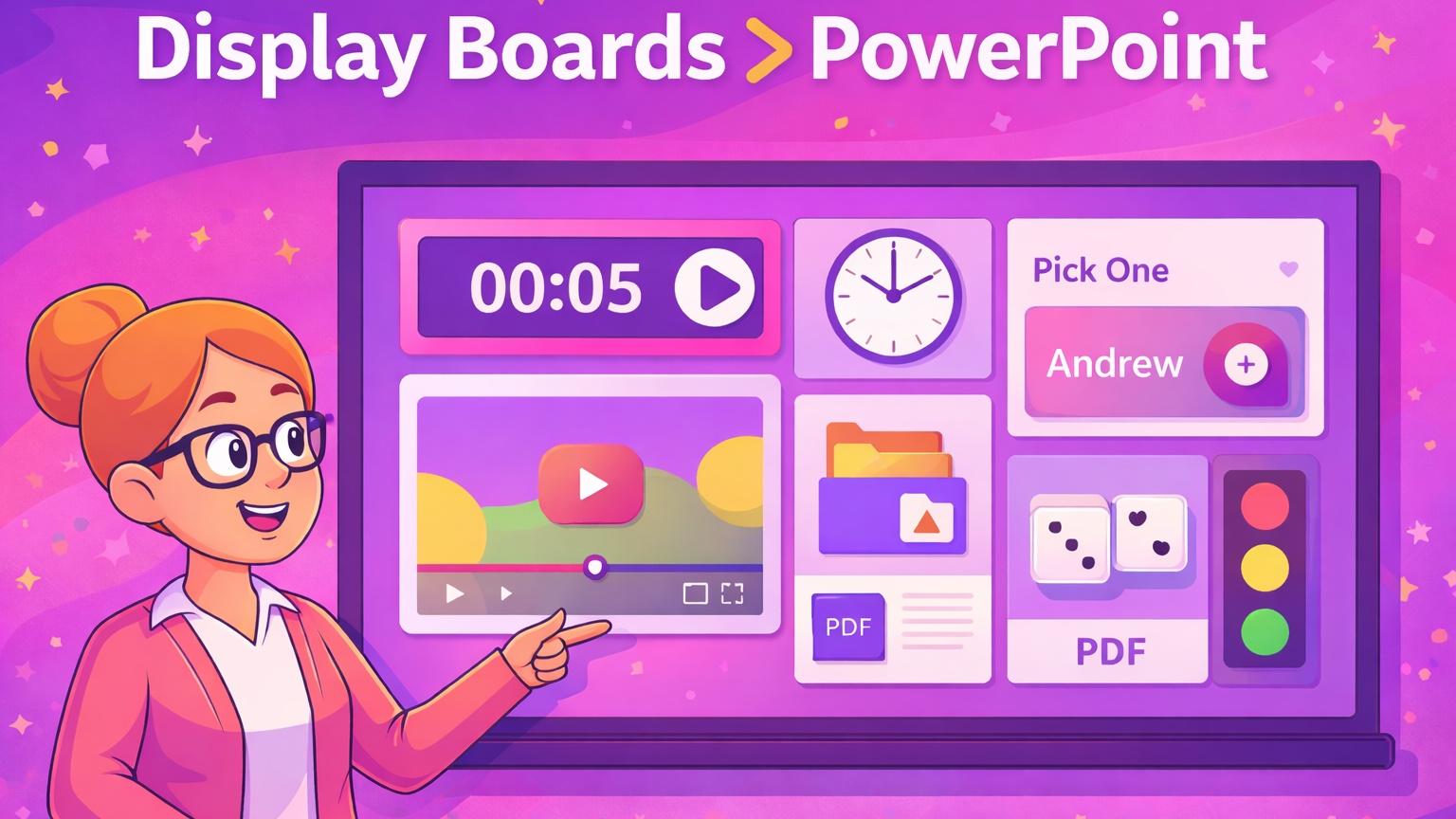
Display Boards are interactive classroom display pages designed to replace daily slides and centralize everything you use during instruction—without the learning curve.
What Are Display Boards?
Think of a Display Board as one flexible teaching canvas where you can:
-
Draw or write live
-
Embed YouTube videos
-
Display PDFs and visuals
-
Add interactive widgets (timers, polls, random pickers, behavior tools)
-
Control the entire lesson from one screen
All without switching platforms.
Instead of juggling 10 tools, you use one board.
Why Display Boards Are Better Than PowerPoint or Google Slides
Let’s be honest:
Slides were never designed for real classrooms.
Here’s where Display Boards win—every time.
1. They’re Built for Teaching, Not Presenting
PowerPoint and Slides assume:
-
You’re talking at people
-
Content is static
-
Interaction is optional
Display Boards assume:
-
You’re managing a room full of students
-
Transitions matter
-
Engagement drops fast
Everything on a Display Board is teacher-controlled, live, and adjustable in real time.
2. No More Tab Chaos
With Display Boards, you can place all of this on one screen:
-
A clock or timer
-
A YouTube video
-
Your agenda or notes
-
A random name picker
-
A behavior management tool
No more:
-
“Hold on, let me pull that up.”
-
Losing student attention while you click around
-
Switching between platforms mid-lesson
It’s one board. One screen. One flow.
3. Drag-and-Drop Widgets (No Tech Confidence Required)
Display Boards are intentionally simple.
You don’t need:
-
Design skills
-
Slide animations
-
Fancy formatting
You just:
-
Open a board
-
Drag a widget
-
Teach
This is why tech-shy teachers actually like them—and tech-confident teachers use them faster.
The Most Useful Display Board Widgets (And Why Teachers Love Them)
Here are the widgets that make Display Boards actually work in classrooms.
Timer & Clock
Perfect for:
-
Bell ringers
-
Centers
-
Transitions
-
Independent work
Students can see the time, which cuts down on constant questions.
YouTube Video Embed
Instead of switching tabs, you can:
-
Embed videos directly on the board
-
Pause, play, and discuss without leaving your lesson
This is especially helpful for:
-
Mini lessons
-
Review clips
-
Brain breaks
Random Name Picker
This removes:
-
Accidental bias
-
Calling on the same students
-
“I didn’t get picked” arguments
It keeps participation fair and visible.
Traffic Light (Behavior Management)
This widget quietly does what verbal reminders can’t.
-
Green = you’re good
-
Yellow = check yourself
-
Red = we need to reset
It’s visual, consistent, and doesn’t interrupt instruction.
Dice Roller & Fun Widgets
Great for:
-
Review games
-
Math practice
-
Quick decision-making
The goal isn’t flash — it’s engagement without chaos.
How Teachers Use Display Boards Daily
Display Boards are flexible enough to work across K–12, depending on the subject.
Morning Meeting
-
Agenda
-
Timer
-
Greeting or question
-
Embedded video or prompt
Everything students need to start the day is already on the board.
Review & Instruction
-
Notes or drawings
-
Embedded videos
-
Dice or picker for review questions
No slide hopping. No prep overload.
Behavior Management
-
Traffic light
-
Sound level
-
Visual expectations
These tools support classroom management without constant verbal reminders.
Can Display Boards Replace Daily Slides?
Yes — and that’s the point.
Display Boards:
-
Replace daily slides
-
Can be duplicated and reused
-
Are displayed teacher-side (no student accounts needed)
You build once, reuse often, and tweak as needed.
Are Display Boards Hard to Learn?
No — and that’s intentional.
If you can:
-
Drag and drop
-
Click play on a video
-
Start a timer
You can use Display Boards.
They’re designed for real teachers with real time constraints, not tech demos.
Display Boards Are a Pro Feature (Here’s Why That Matters)
They:
-
Replace multiple tools
-
Reduce prep time
-
Improve classroom flow
They’re not an add-on. They’re a system.
Try Display Boards With Our Free Trial
If you’ve ever thought:
-
“There has to be an easier way to do this.”
-
“Why do I need five platforms just to teach one lesson?”
-
“Slides just aren’t cutting it anymore.”
Display Boards were built for you.
Try Display Boards with our free trial and see how much smoother your classroom can run when everything lives in one place.