

Worksheets, quizzes and lesson plans
AI worksheet generator for ready-to-print pages and answer keys
EasyClass AI is an AI worksheet generator for K–12 teachers. Describe what you need in a chat and get a worksheet, multiple choice quiz, lesson plan or reading passage laid out on real pages, with an answer key, ready to print or save as a PDF.
Free plan · No credit card · Works in any browser
- MakesWorksheets, quizzes, lesson plans, reading passages, games and more
- GradesK–12, with type and wording set for the grade
- Answer keysOn their own last page
- ExportPDF, Word or straight to your printer
Ready to print, not ready to fix
Most AI tools hand you a wall of text. Then the real work starts: pasting it into a document, fixing the spacing, finding a picture, making room for answers and writing the key. By the time it prints, the time you saved is gone.
EasyClass makes the page itself. Each document starts from a layout built for that job, like a quiz in two parts, a labeled diagram or a one-page lesson plan. Questions get lines to write on, math problems get exact visuals, and the answer key comes on its own page. You print it, or you ask for a change in plain words.
How the worksheet generator works
One chat makes every kind of classroom document. You never fill in a form.
Say what you need
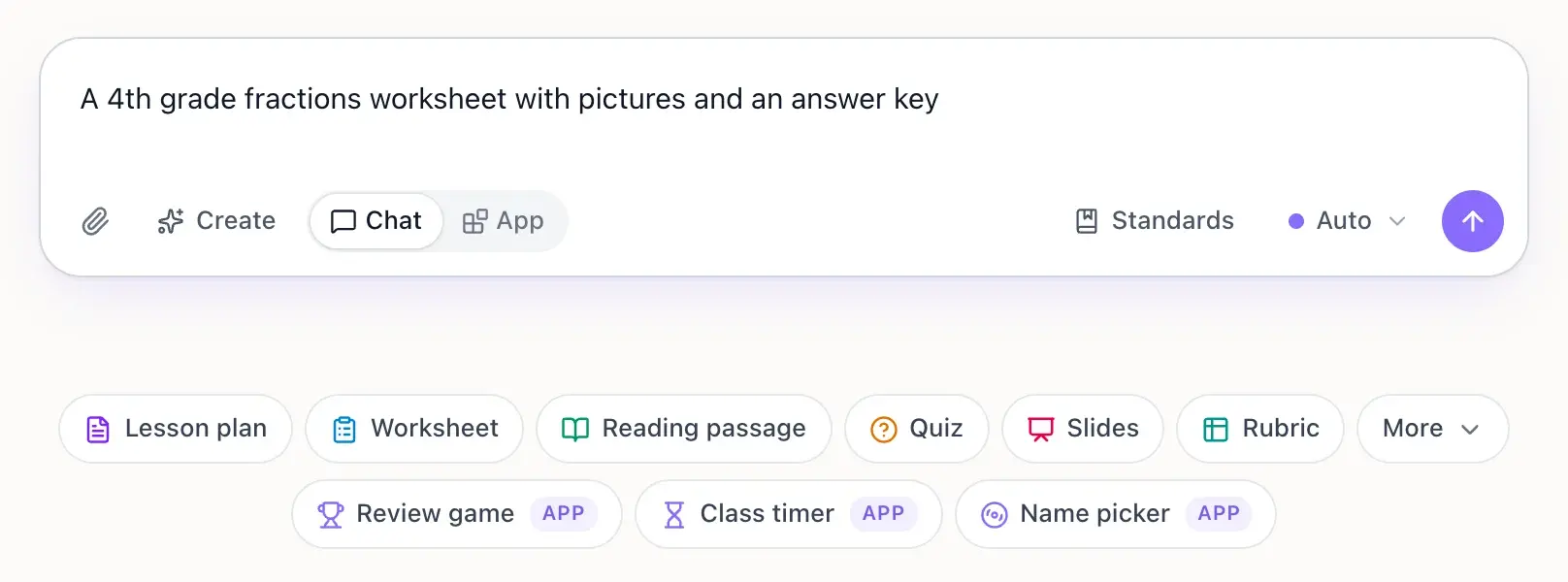
Type it the way you would tell a colleague: "a 4th grade fractions worksheet with pictures" or "a 10 question quiz on the water cycle with an answer key". You can attach your own notes, a PDF or a photo of a page to work from.
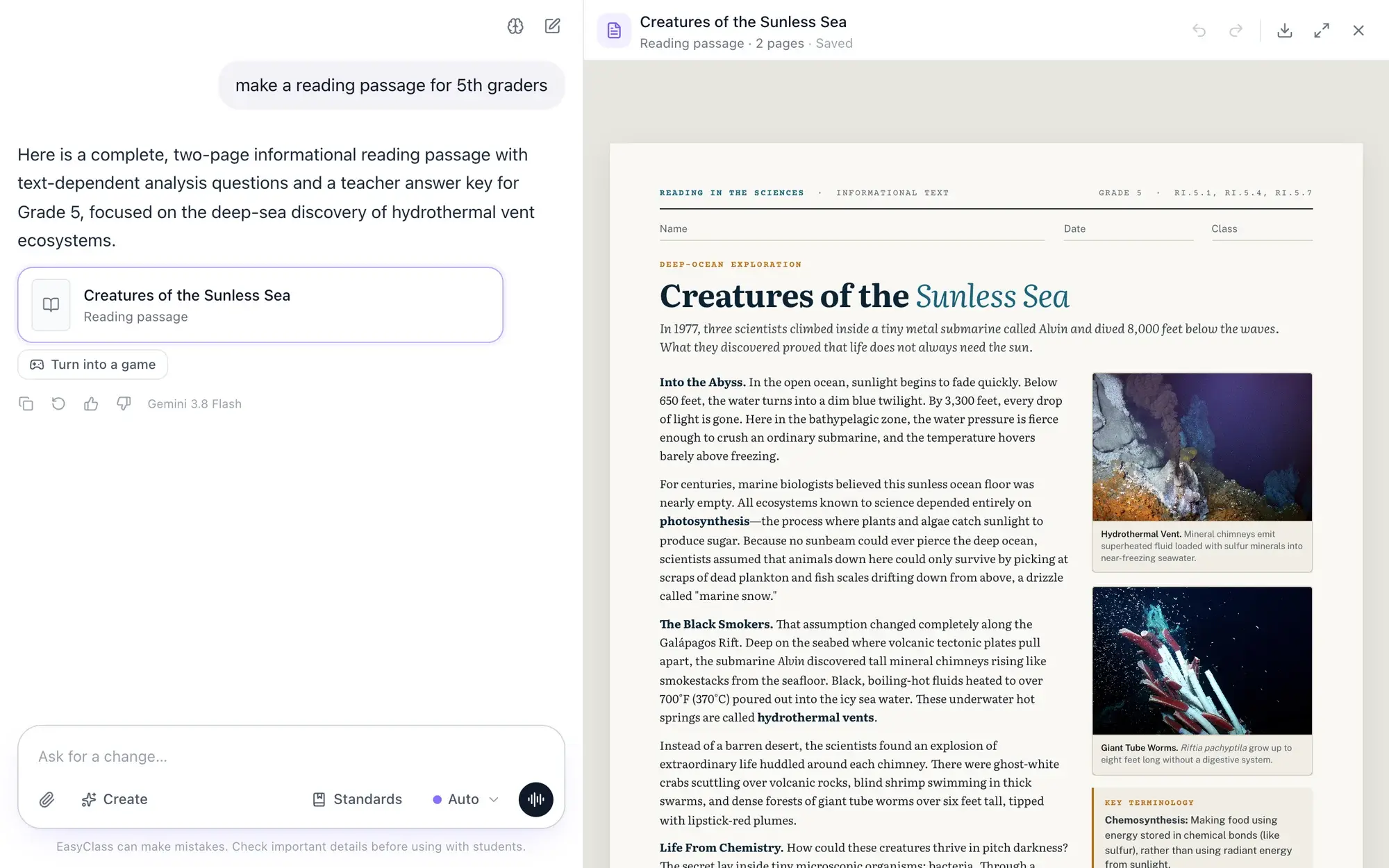
Watch it build beside the chat
The document appears page by page in a canvas next to the chat, on US Letter pages with room to write. It picks a layout that fits the task and sets the type for the grade.
Change it, then print
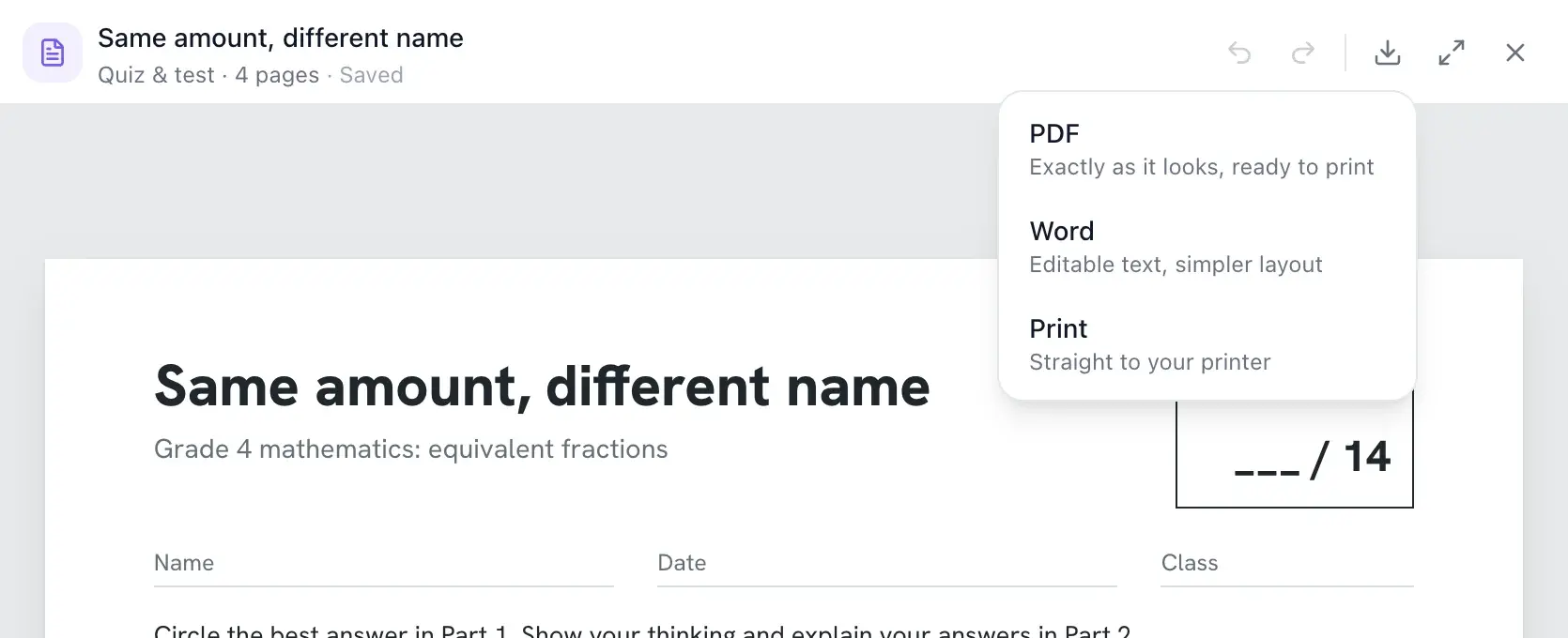
Click any question or paragraph to make it easier or harder, add a visual or reword it. When it looks right, print it, download a PDF or Word file, and find it later in your library.
One request, the whole packet
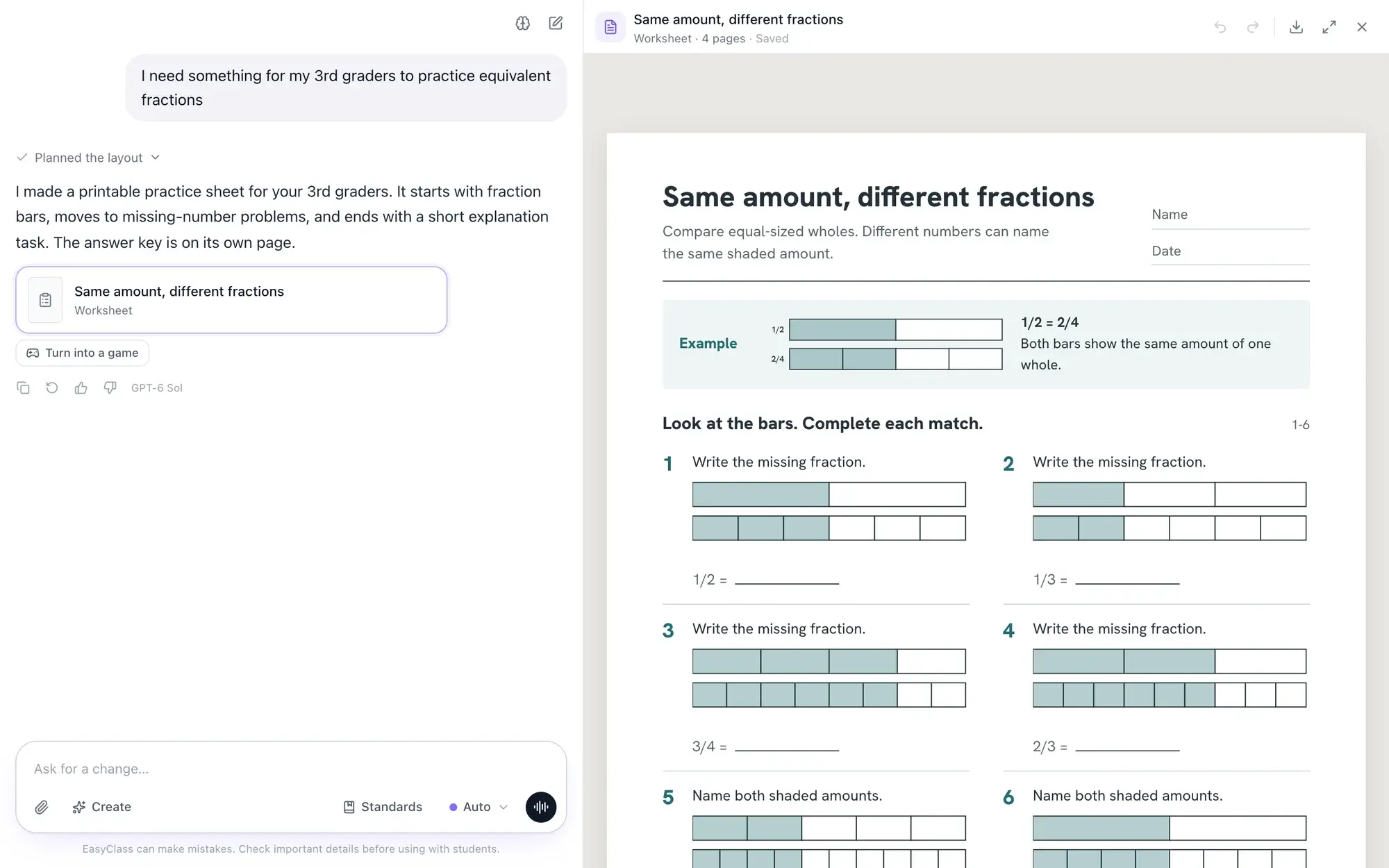
One sentence in, a printable worksheet out
A real request from our own library. EasyClass planned the layout, drew every fraction bar and put the answer key on its own last page. Nothing here was retyped or fixed by hand.
I need something for my 3rd graders to practice equivalent fractions
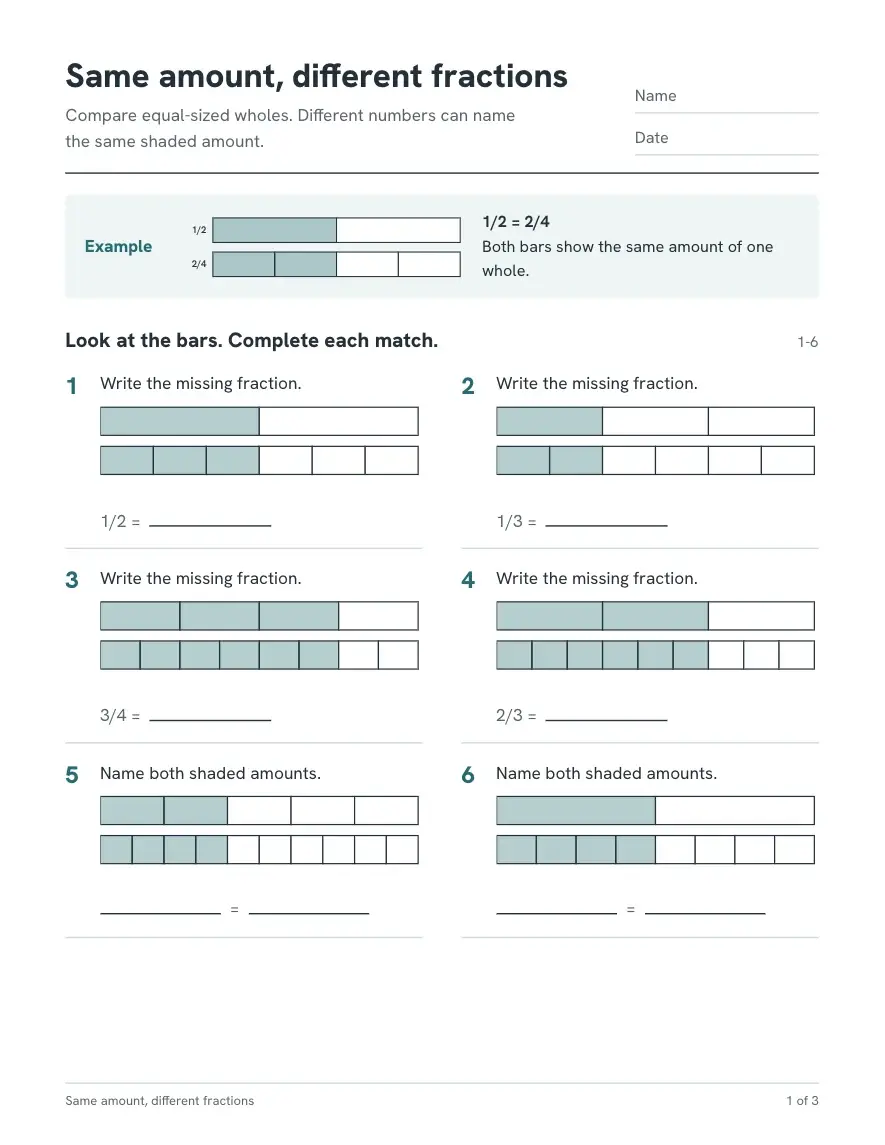
Page 1A worked example, then six fraction bar matches
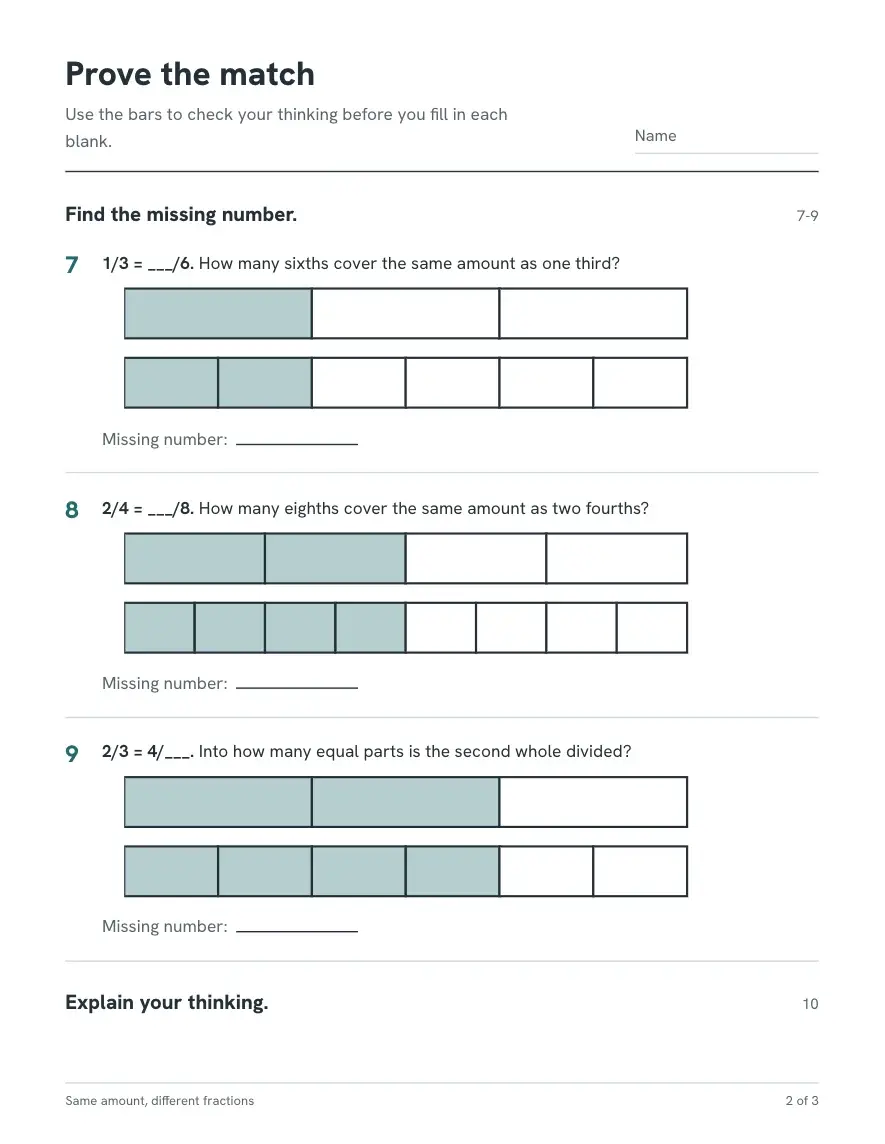
Page 2Prove the match with fraction bars
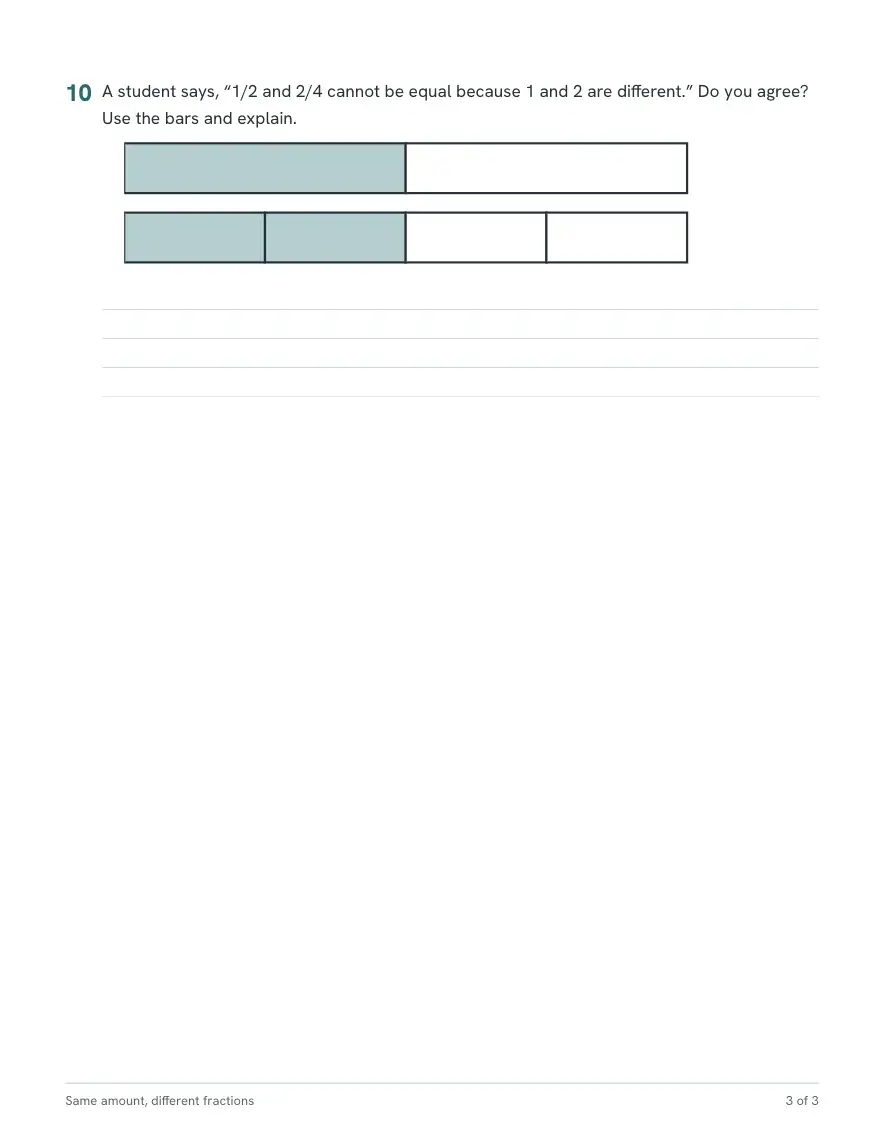
Page 3Explain your thinking, with lines to write on
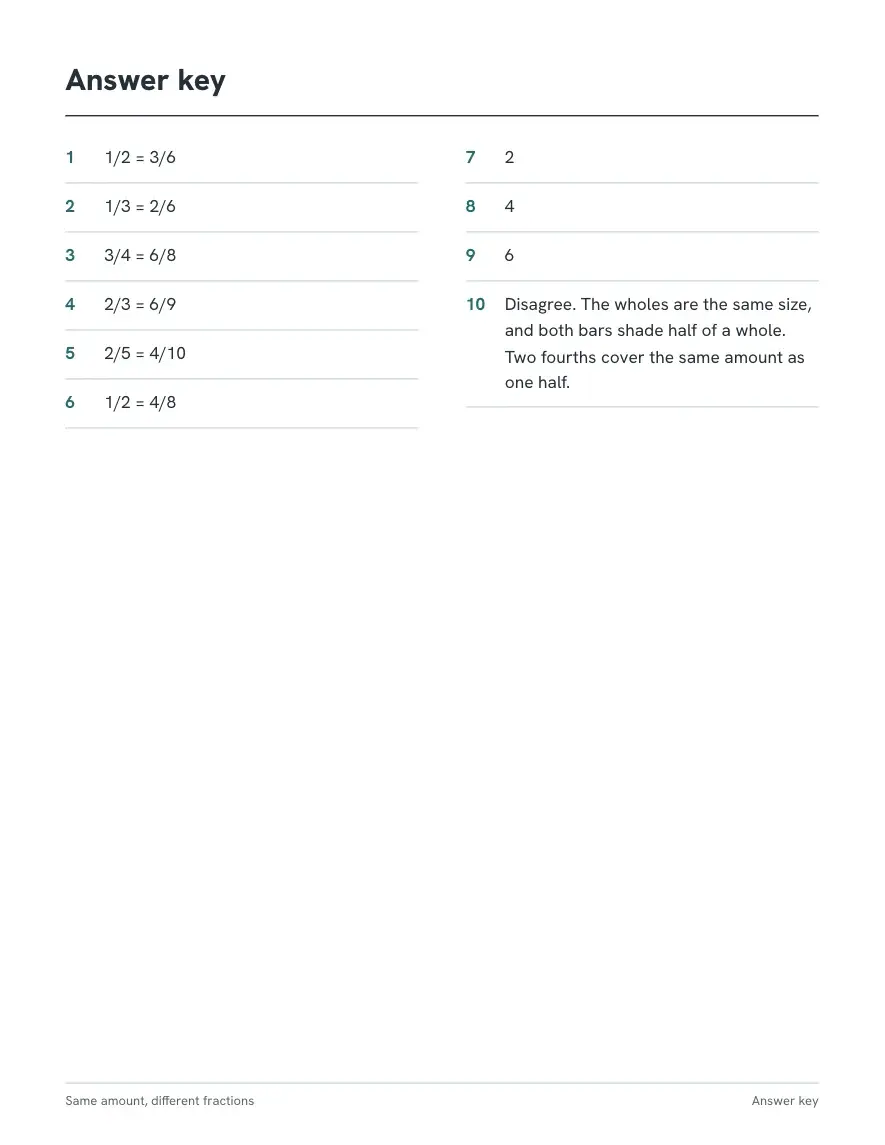
Answer keyOn its own page, so you can print without it
Quizzes and tests
Multiple choice quiz maker with answer keys
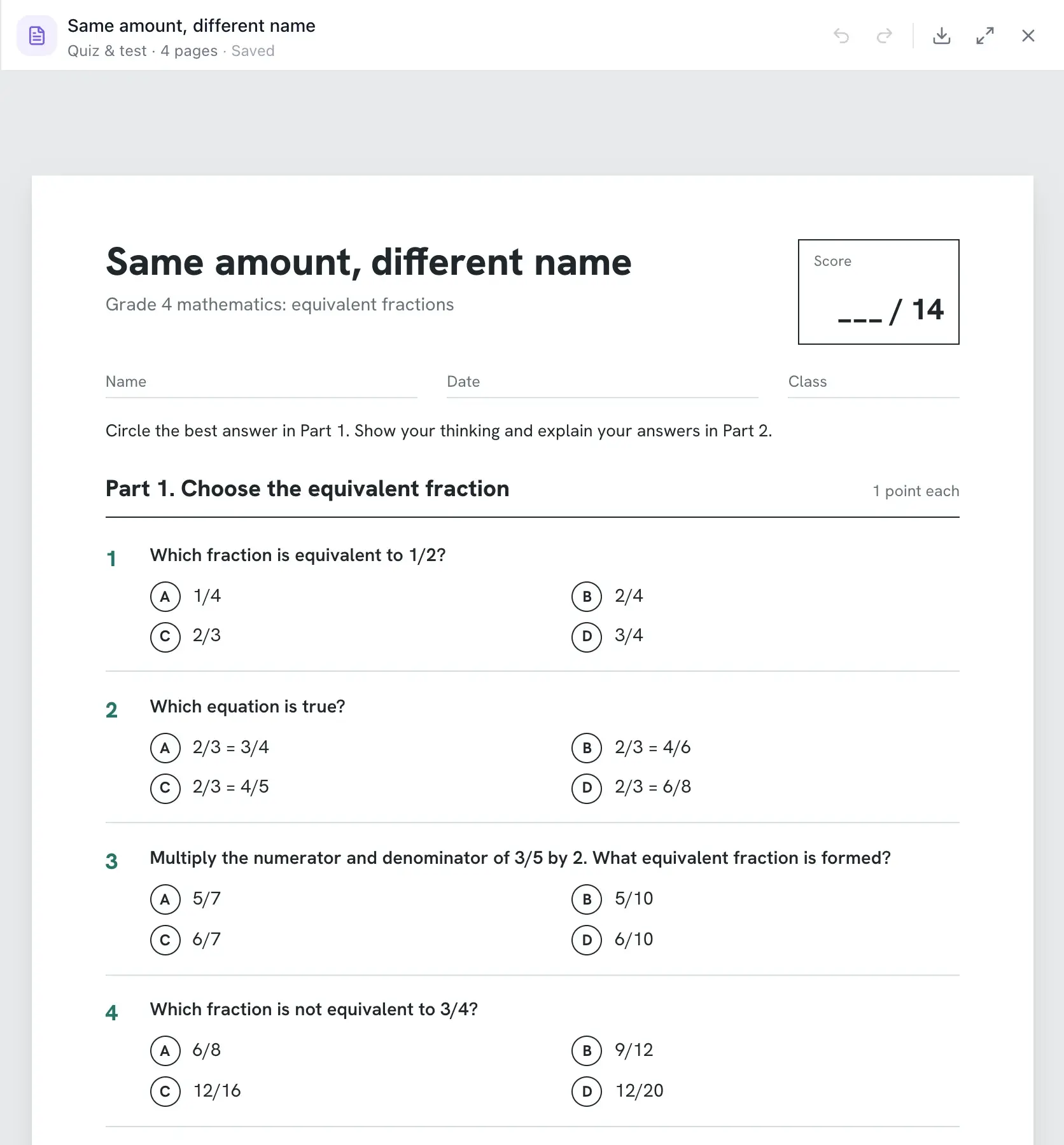
Ask for a quiz on any topic and grade and get a printable test in two parts. Part 1 is multiple choice: each question has four choices and exactly one right answer, and the right letter moves around so students cannot guess a pattern. Wrong choices are common mistakes, not jokes, so the results show you what students actually misunderstand. Part 2 has two or three short-answer questions with lines to write on. Every part has its points, the first page has a score box, and the answer key sits on its own last page. For example, "a 7th grade quiz on ratios, 10 questions" can give you eight multiple choice questions, one of them read from a small chart, then two short answers that ask students to explain a unit rate, and a key with the letters and a scoring note for each written answer. Need a quicker check? Ask for exit tickets printed two or four to a page with cut lines.
- Multiple choice and short answer, with a figure where it helps
- Points per part and a score box at the top
- Answer letters and scoring notes on the last page
- Make a quiz from your own notes, PDF or a photo of a textbook page
Lesson plans
Lesson plans that match the worksheet
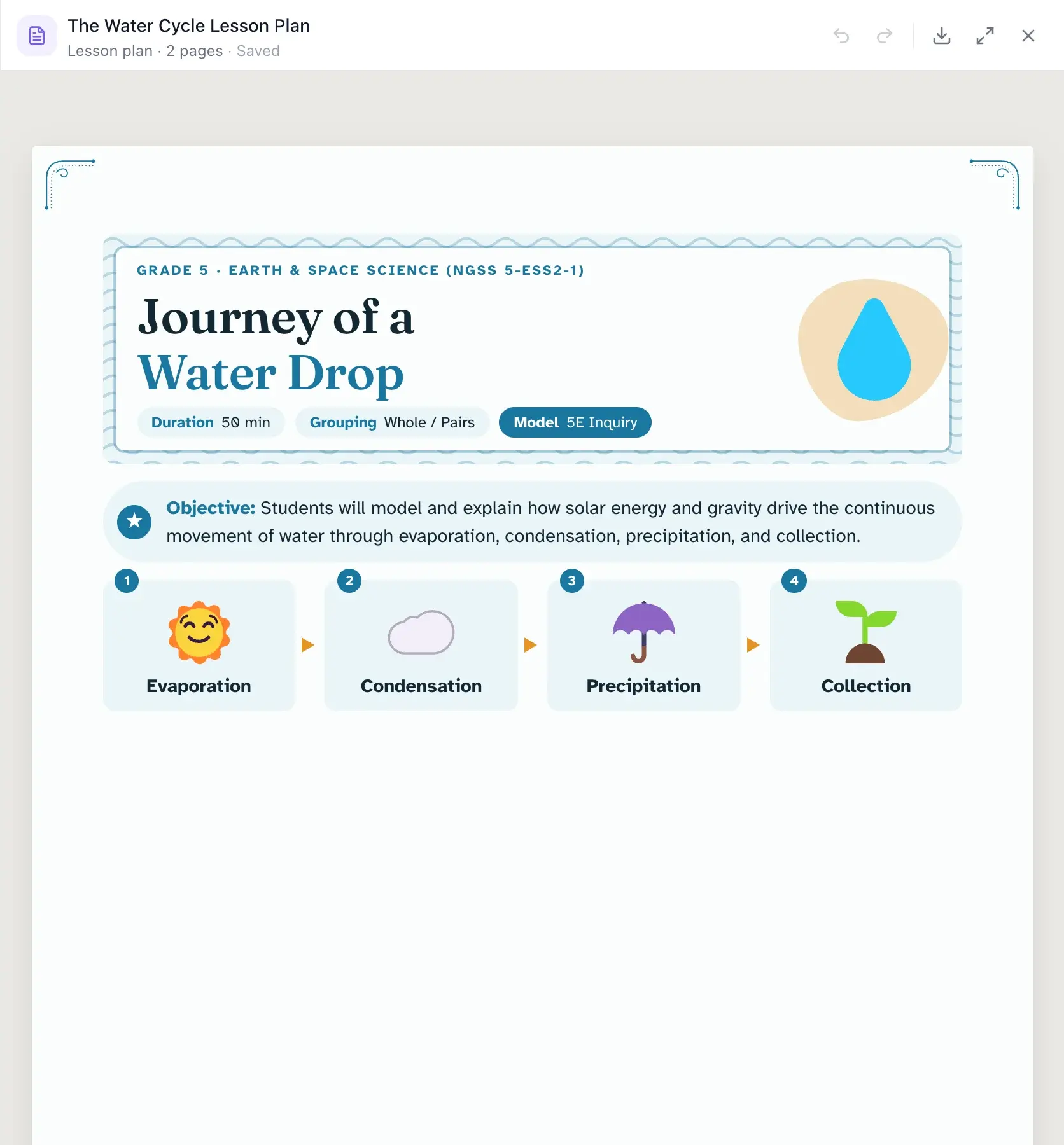
Describe the lesson, the class and how long you have. You get a one-page plan with a measurable objective, "I can" success criteria, materials, a timed lesson flow, differentiation and the exact exit ticket question. It can also make a 5E lesson, a weekly plan, a unit overview or sub plans a substitute can follow cold. See the AI lesson plan generator for every lesson plan layout.
- One-page plans with minutes that add up
- 5E, weekly, unit and sub plan layouts
- Make the worksheet and slides for the same lesson in the same chat
Reading passages
Reading passage generator with comprehension questions
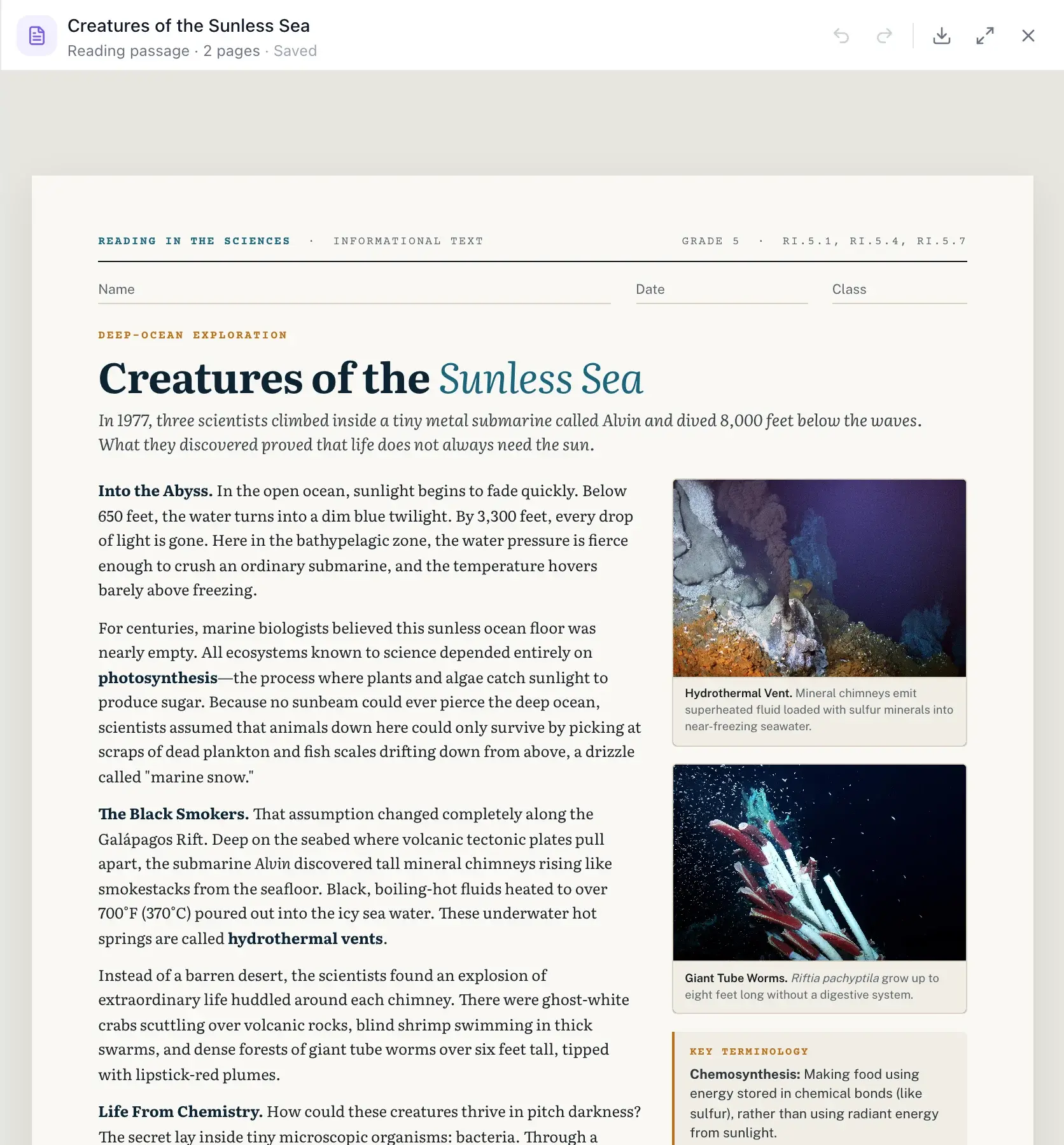
Get an original passage written for your grade and topic, with comprehension questions that send students back to the text. Choose the shape that fits the lesson: a short one-page passage with five questions, a magazine-style nonfiction article with vocabulary, paired passages to compare, a poem with line numbers to annotate, or a K–2 read-aloud story with simple questions.
- Questions that ask for evidence from the text
- Vocabulary glossed beside the passage
- Short warm-ups up to close reading for high school
Print and answer keys
Print or download as PDF, with answer keys
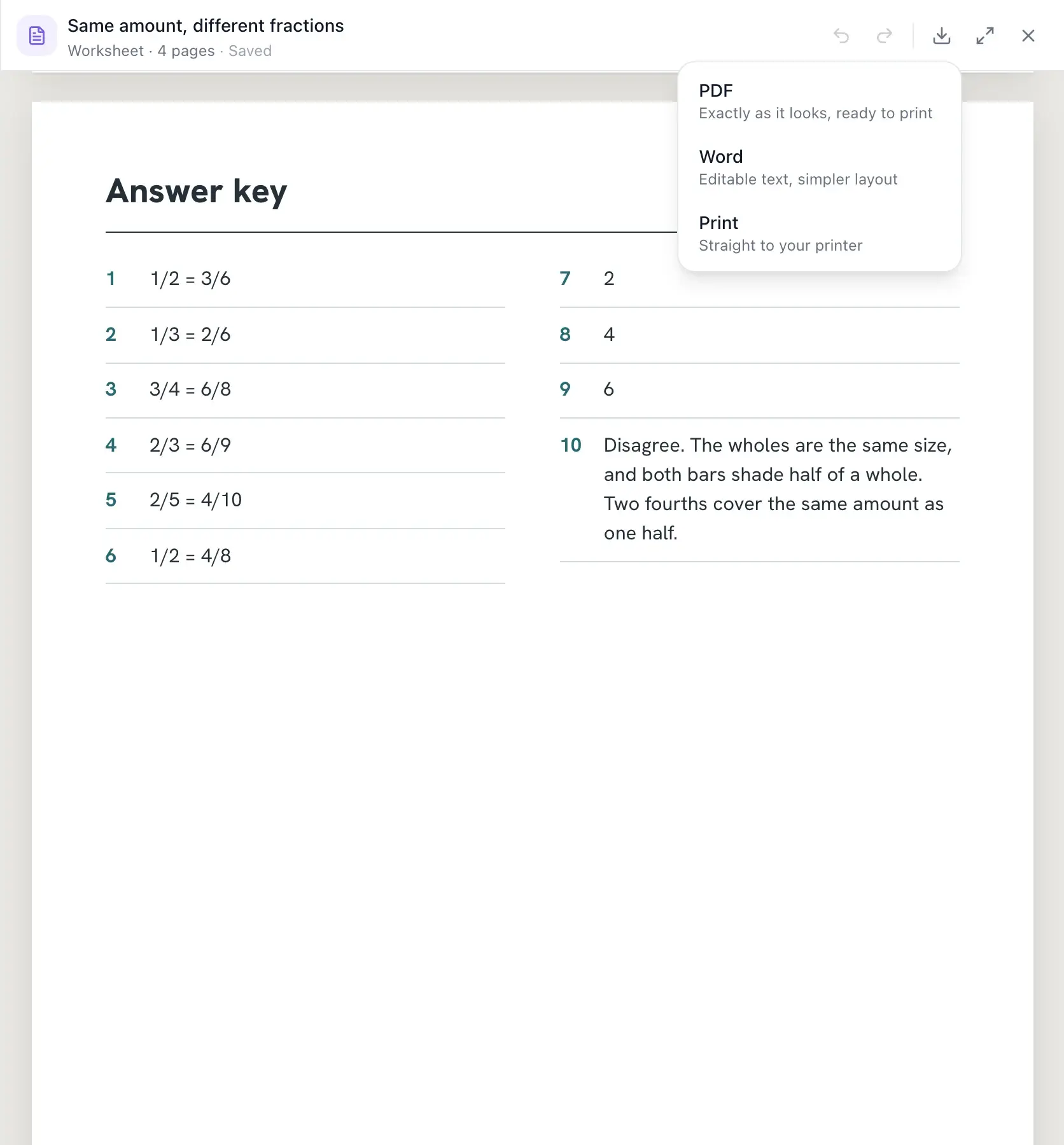
Worksheets, quizzes and activities end with a compact answer key on its own page, so you can print the student pages and keep the key. Download a PDF that looks exactly like the screen, a Word file if you want to edit the text, or send it straight to your printer. For math problem sets, code works out the numbers and the key, so they match.
- PDF, Word or print from the same menu
- Answer key on a separate last page
- Pages that still read clearly in black and white
Beyond worksheets
Word searches, bingo, task cards and coloring pages
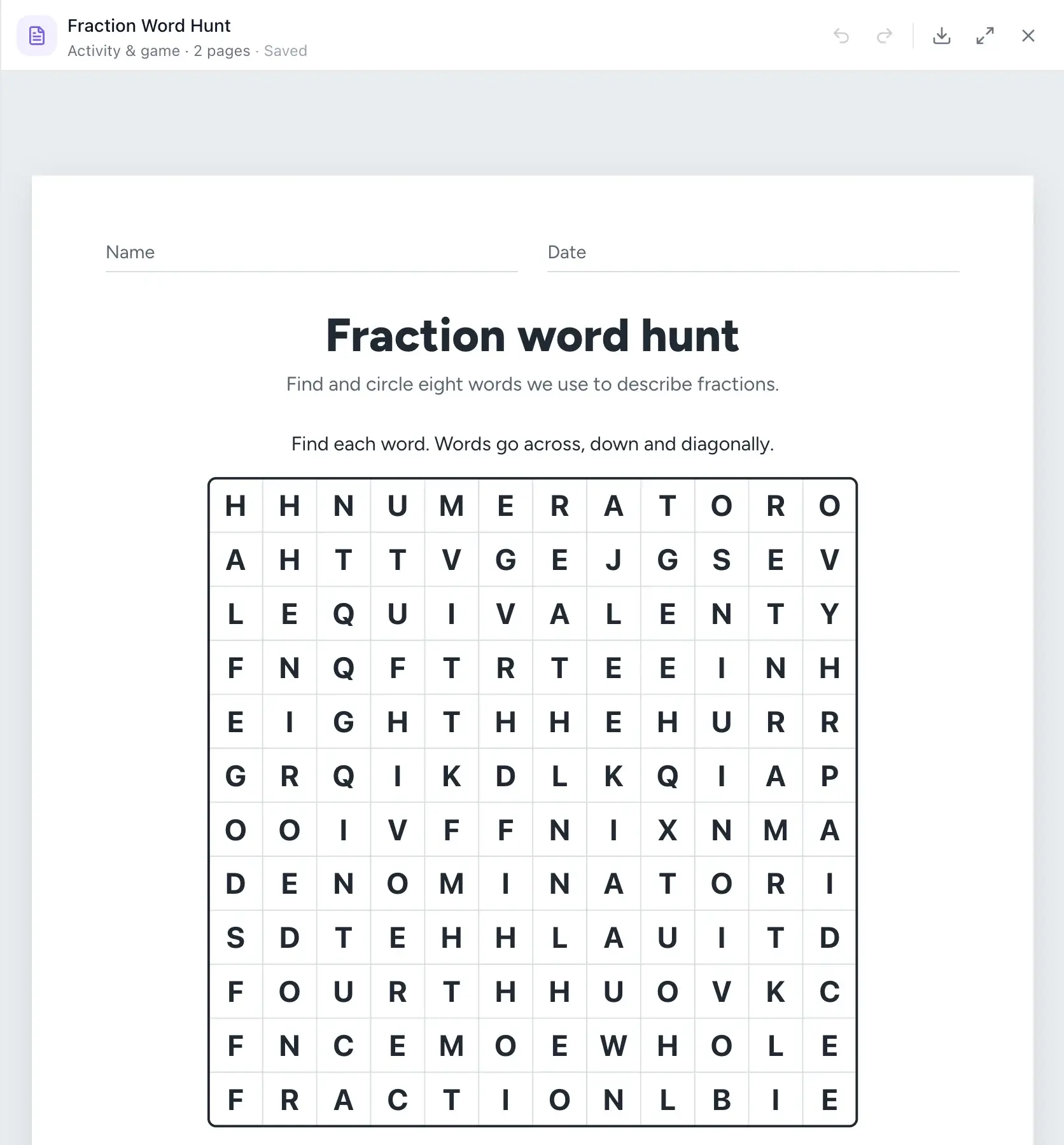
The same chat makes the printables that fill the rest of the week. Word searches and crosswords are built by code from your vocabulary list, with a key. Bingo comes with a different card for every student and a caller sheet. Ask for task cards, a graphic organizer, a study guide, a rubric, a parent letter or a black-and-white coloring page with line detail set for the grade.
- Crosswords, word searches, mazes and bingo
- Task cards, stations and choice boards
- Rubrics, study guides, class newsletters and posters
Your library
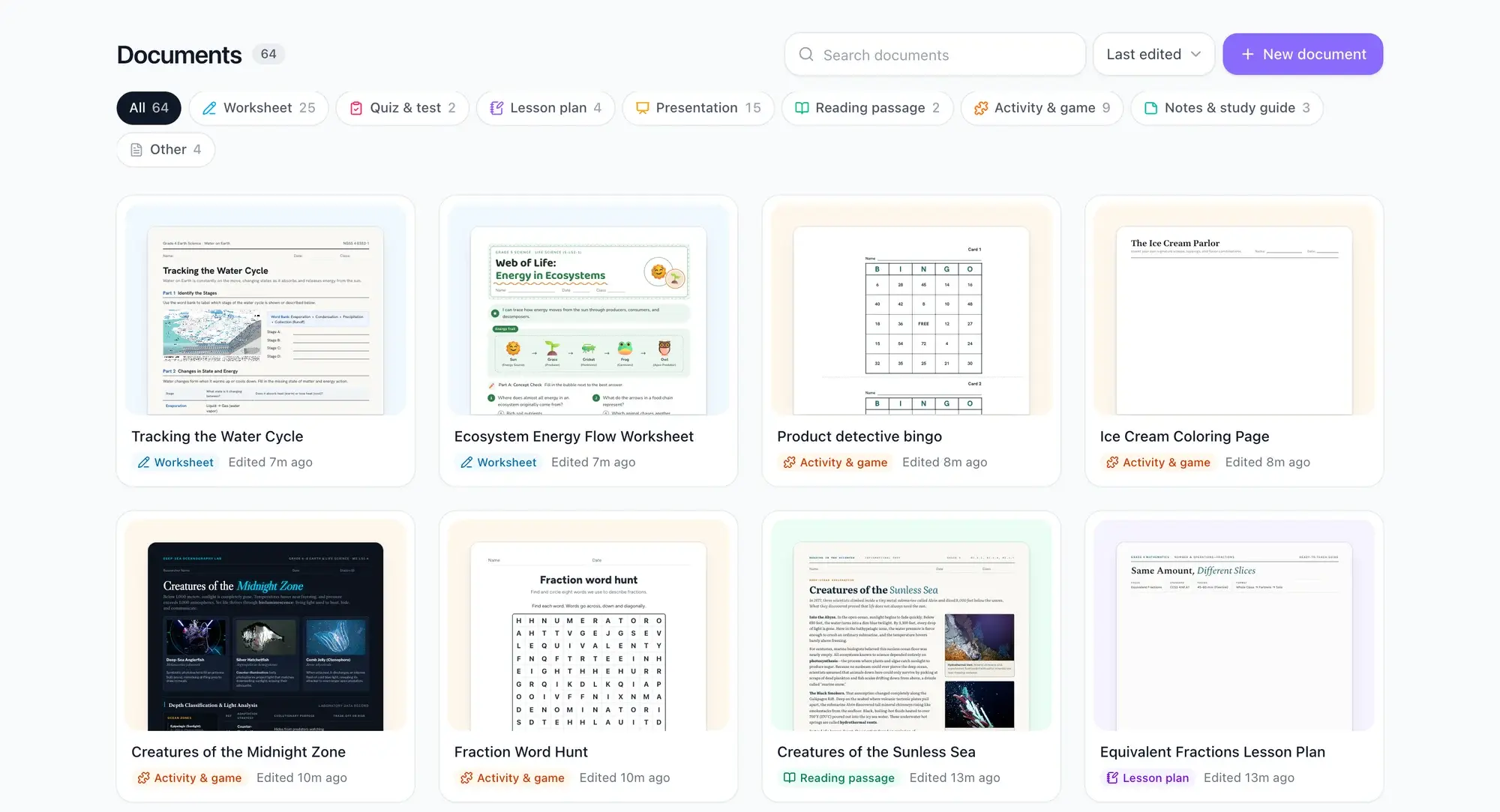
Every document saved and sorted by type
Everything you make lands in your documents library. Filter by worksheet, quiz, lesson plan, presentation, reading passage and more, search by name, and open any document to keep working on it. Ask for a new version next year and EasyClass already knows your grade and subjects, because it remembers your class.
- Filters for each document type
- Search, sort, rename and recategorize
- Open any document and keep editing in the chat
More things to make in the same chat
Each one comes from a single request, with an answer key where there are answers to check.
Word searches
Give it your word list and code builds the grid, hides the words and prints the key, so every word is really there.
Math word problems
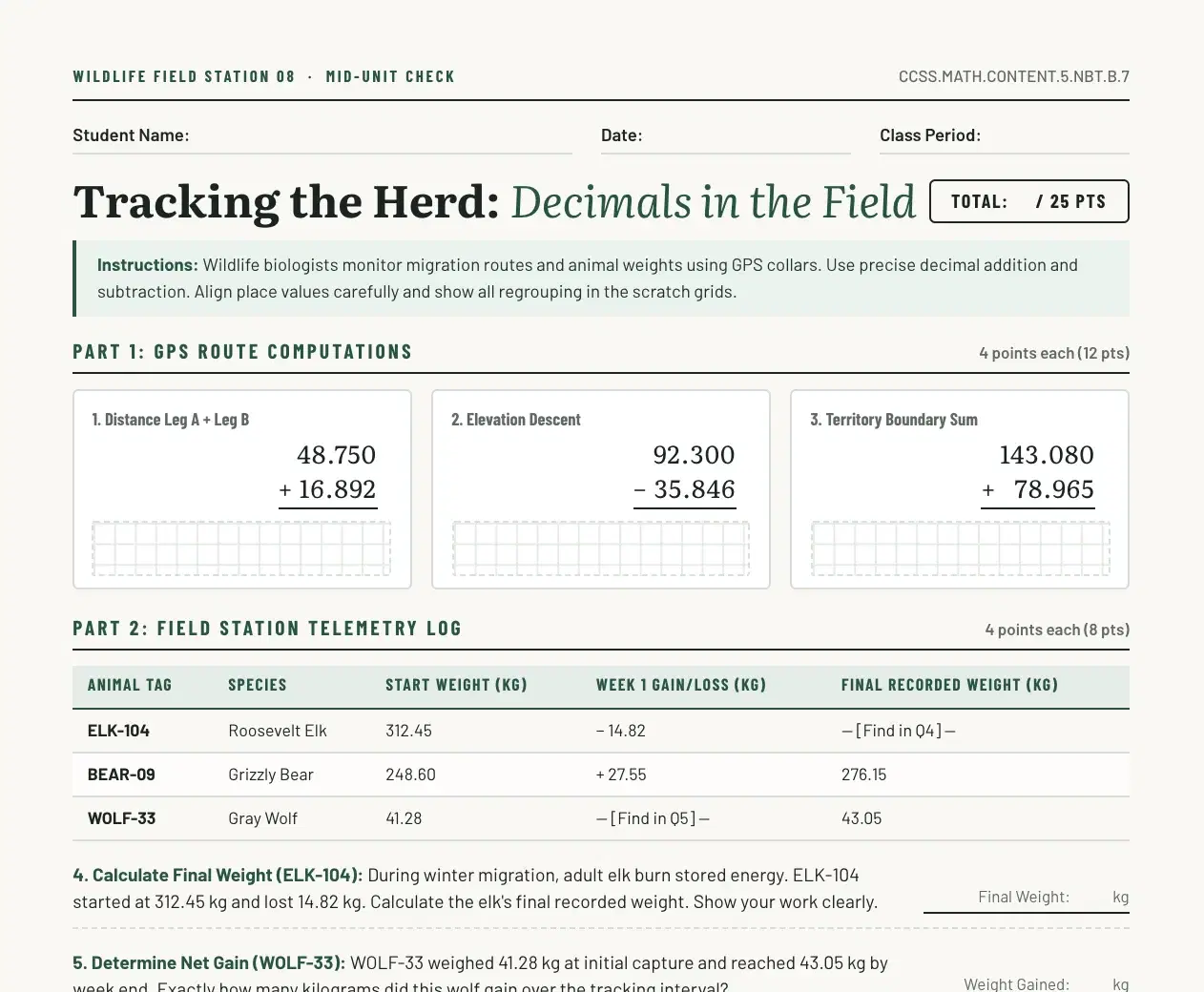
Ask for a set of word problems for a skill. Code works out the numbers and the answers, and bar models can show the problem.
Exit tickets
One to three quick questions on today’s lesson, printed two to four to a page with cut lines and a key.
Warm-ups and bell ringers
A short one-page passage with five quick questions, or a quick check for the first minutes of class.
Reading comprehension questions
Paste or attach a text, or ask for a new passage, and get questions that send students back to the text for evidence.
Vocabulary lists
Turn a word list into a matching and use-it-in-context worksheet, a Frayer model, flashcards or a word wall.
Examples of what teachers make
Real documents made in EasyClass, each from one request in the chat.
 Worksheet
Fractions practice with pictures
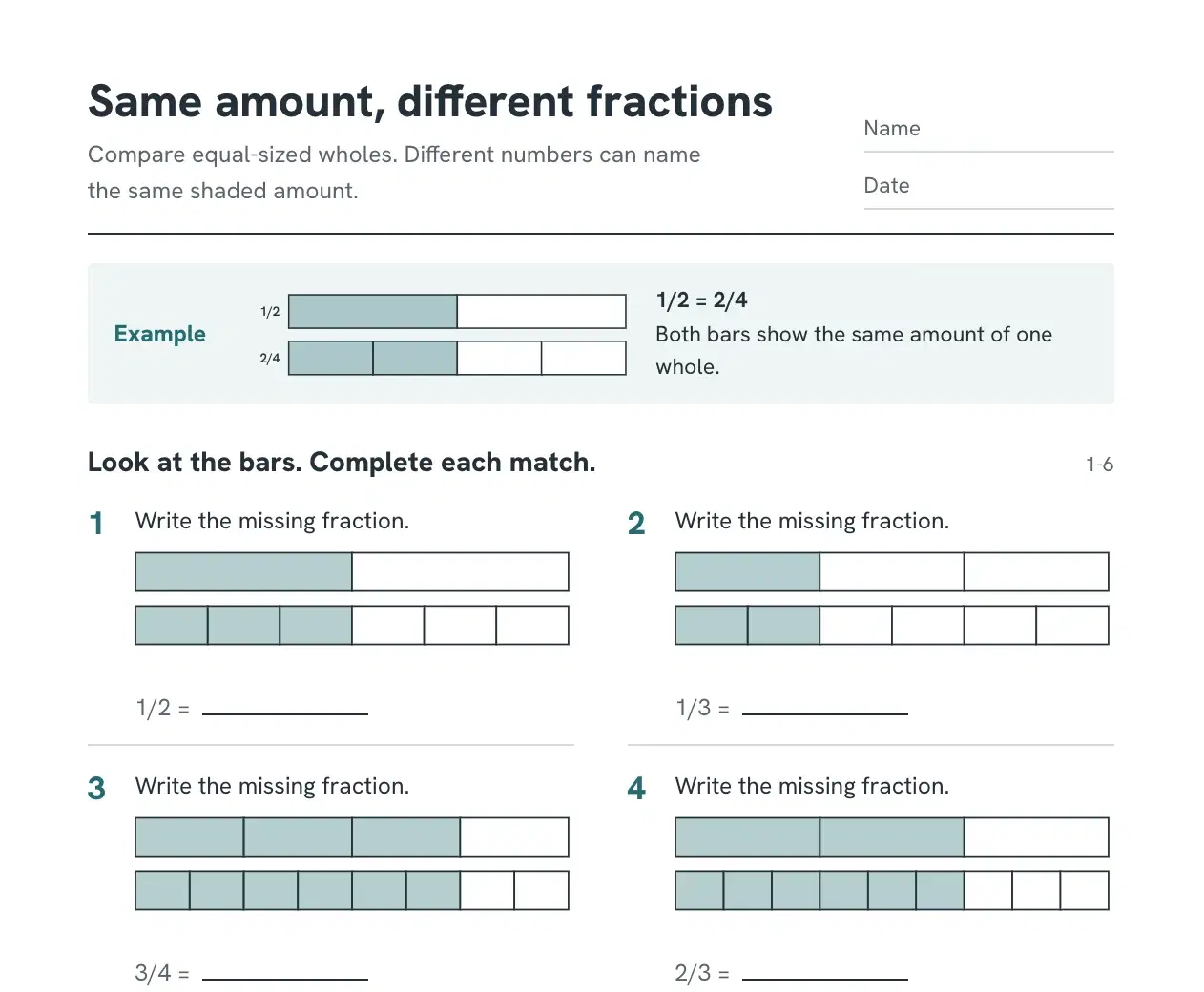
"A 4th grade worksheet on equivalent fractions with fraction bars." Twelve problems, each with its own exact visual, and a key on the last page.
 Quiz
QuizStates of matter unit quiz
"A 6th grade quiz on states of matter, 10 questions with an answer key." Multiple choice in Part 1, short answers in Part 2, points and a score box.
 Lesson plan
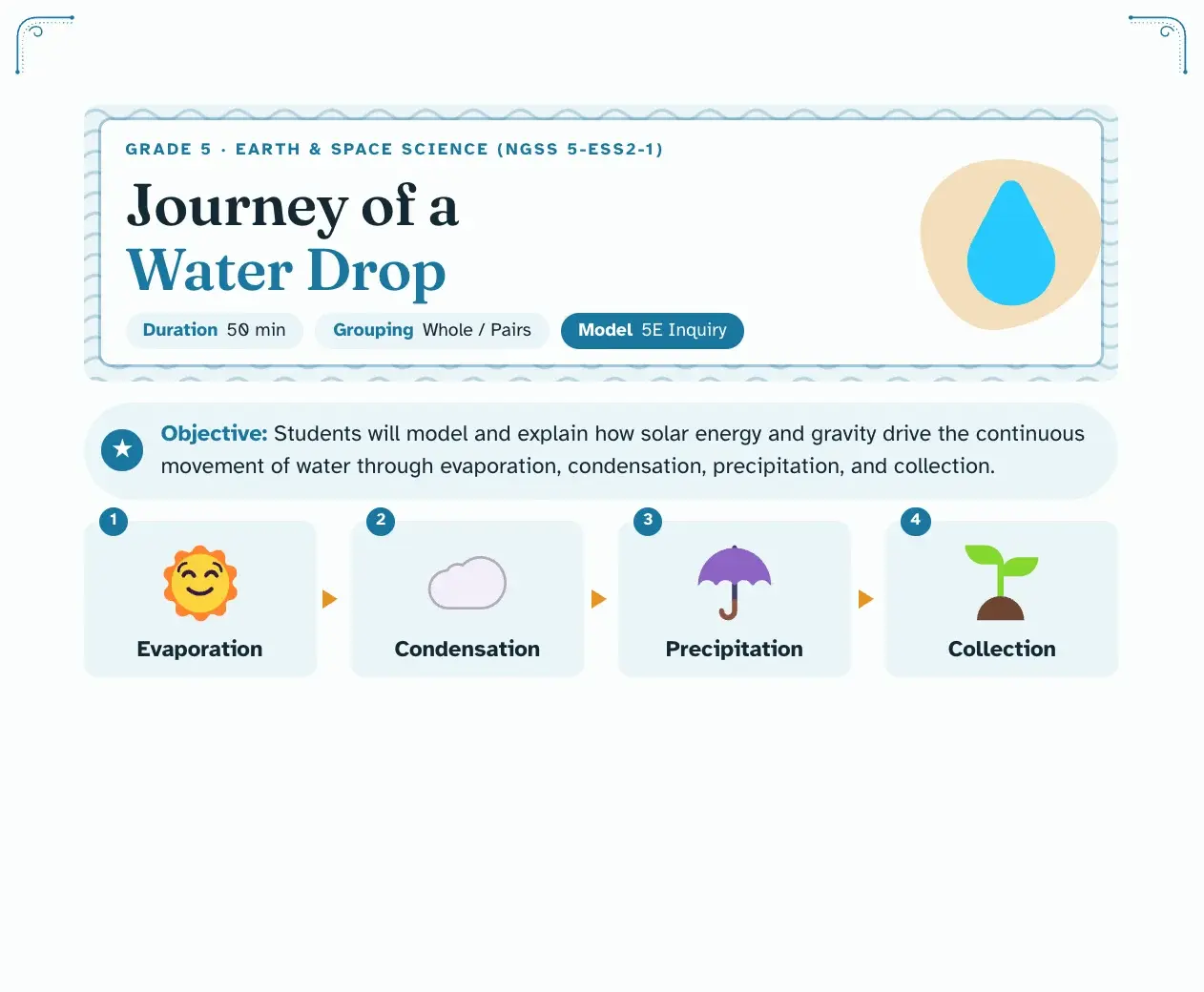
One-page science lesson
"A 45 minute lesson on the water cycle for 3rd grade." Objective, success criteria, a timed flow, support and extension, and an exit ticket. More in the AI lesson plan generator.
 Reading passage
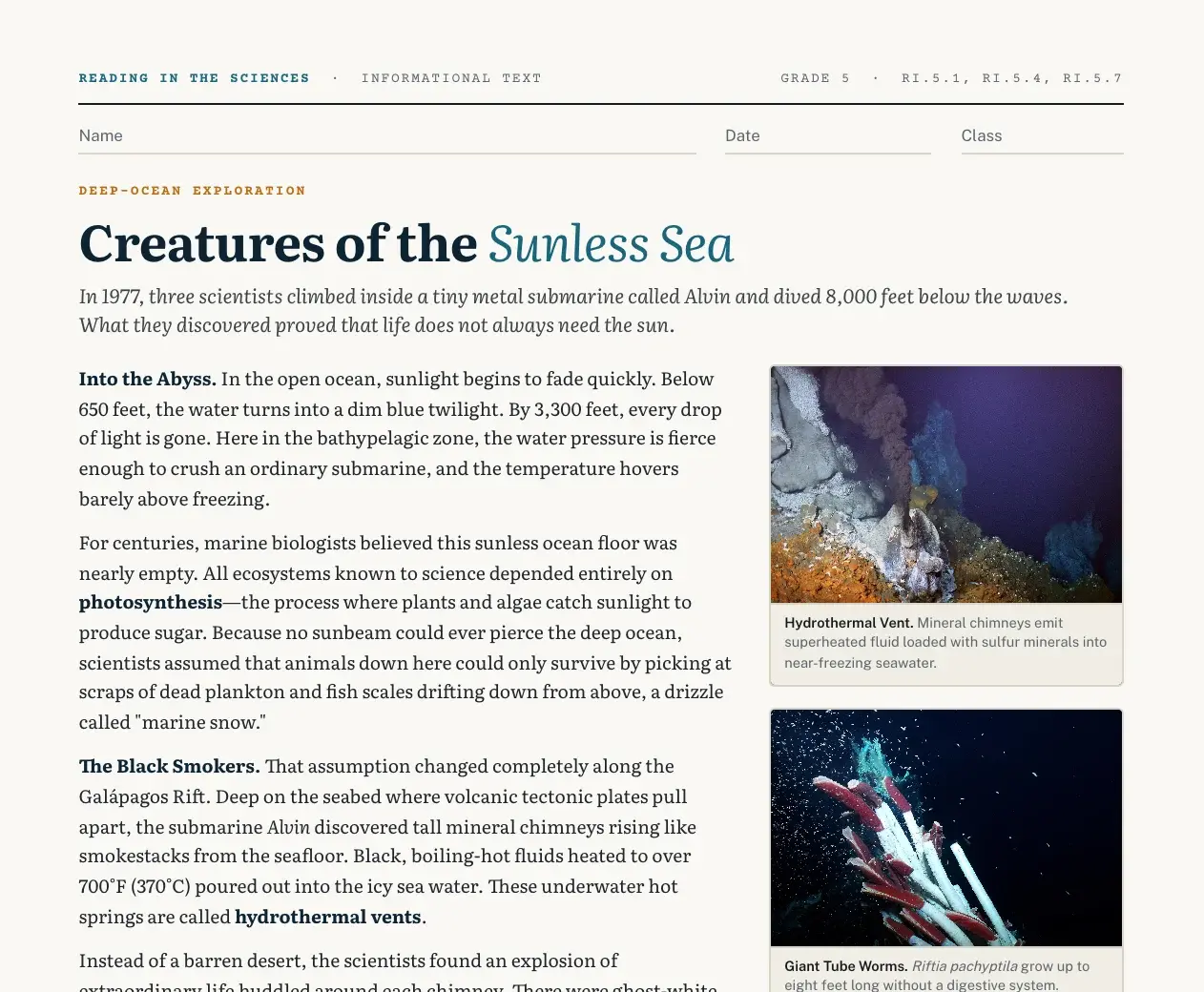
Nonfiction article with questions
"A reading passage about honeybees for 5th grade." A magazine-style article with vocabulary and comprehension questions that ask for evidence.
 Activity
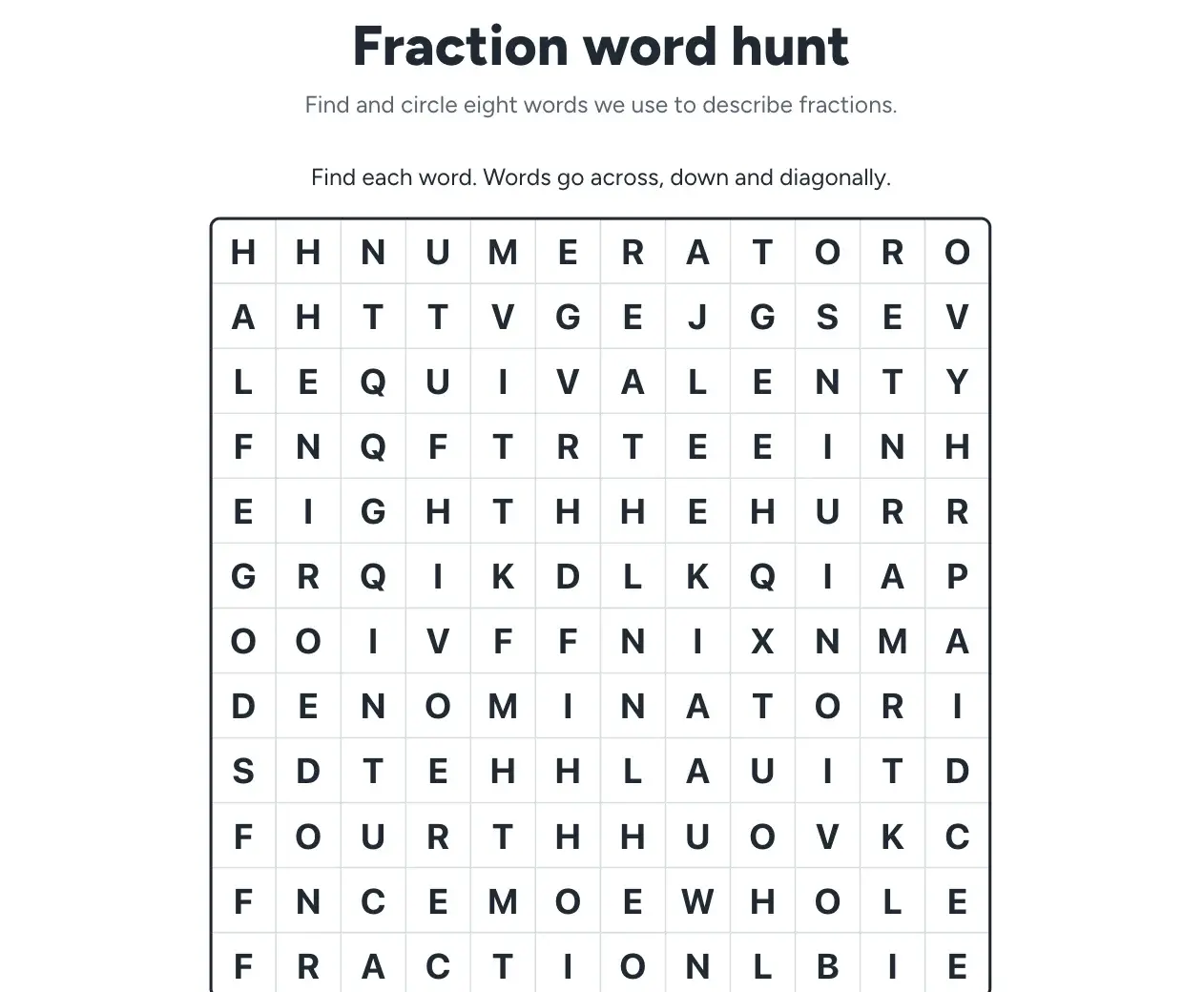
Vocabulary crossword
"A crossword for our ecosystems vocabulary." The grid, the numbered clues and the key are built from your word list.
 Coloring page
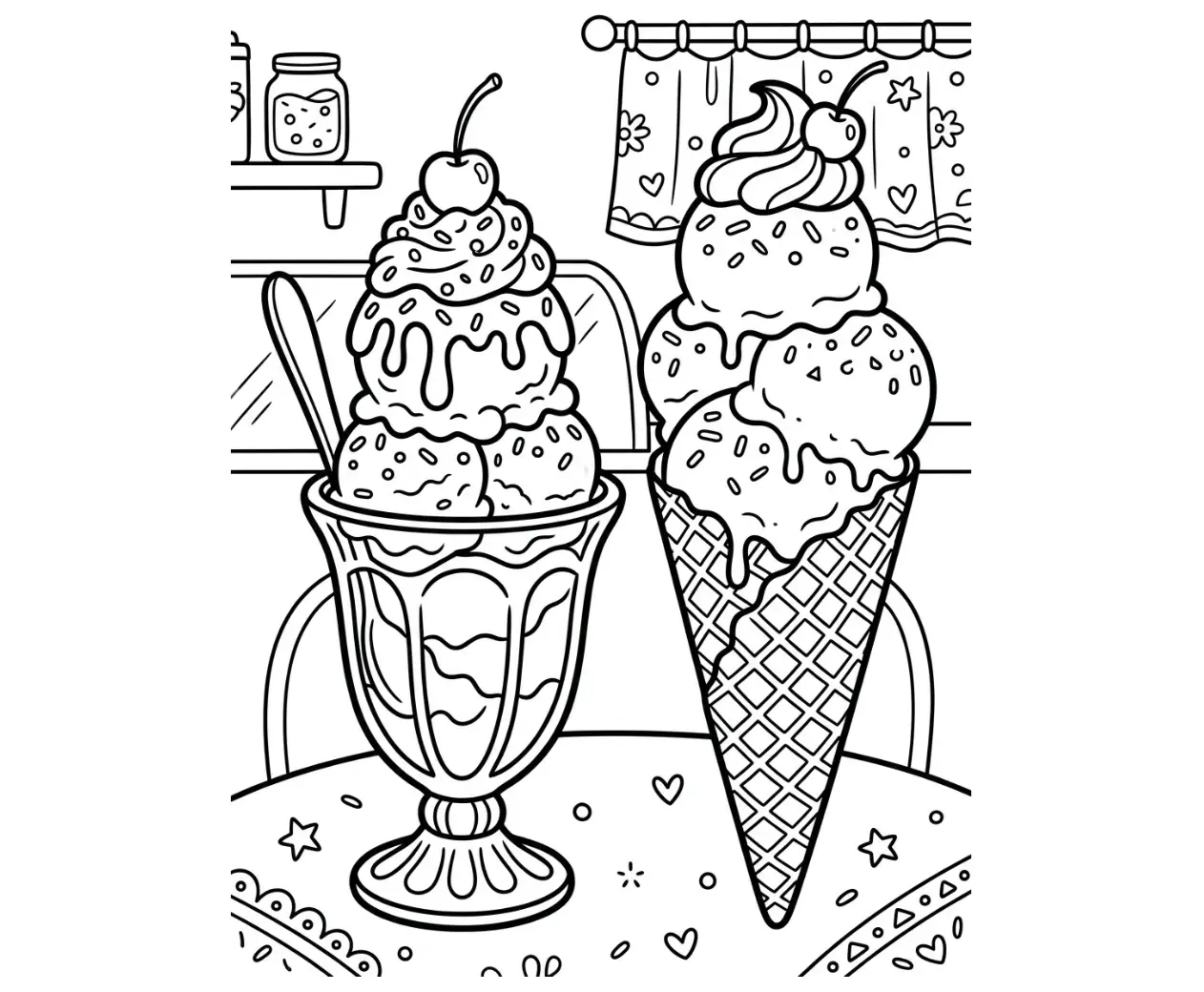
Printable coloring page
"A coloring page of a butterfly life cycle for kindergarten." Bold black-and-white line art with large shapes, ready to print.
Worksheets and quizzes for every grade
Tell it the grade once and the wording, type size and task types follow. Here is what teachers ask for at each level.
Grades K–2
- Trace, count and circle pages with big type and few words
- Decodable read-aloud stories with sight words
- Coloring pages with thick lines for small hands
- Number line and ten frame practice
Grades 3–5
- Math fact drills in forms A and B so neighbors differ
- Labeled diagrams for the water, rock and plant life cycles
- One-page reading passages with five questions
- Spelling scrambles, bingo and task cards for centers
Grades 6–8
- Unit quizzes with multiple choice and short answers
- Worked examples for equations and unit rates
- Primary source and data analysis worksheets
- Cornell notes and study guides before a test
Grades 9–12
- Close reading of speeches, essays and poems
- Lab investigations with data tables and graphs
- Unit plans, syllabi and rubrics for essays and projects
- Review slide decks to go with the worksheet
How it differs from a general chatbot
A chatbot can write questions. EasyClass makes the finished document.
| EasyClass | A general chatbot | |
|---|---|---|
| What you get | Laid-out pages with room to write | Text to paste and format yourself |
| Answer key | On its own last page | Mixed into the answer, if you ask |
| Visuals | Exact math visuals, diagrams and photos | Mostly text |
| Changing one part | Click it and say what to change | Ask again and compare versions |
| Printing | PDF, Word or print in one click | Copy into a document first |
| Finding it later | A library sorted by type | Somewhere in your chat history |
You stay in charge of what students see
Nothing reaches students until you print it, download it or hand it out. You can read and edit every question first. You never need to enter student names to make a worksheet, and EasyClass memory keeps only a short class profile, never individual student details. Read our privacy policy.
- Every document is yours to read and edit before it is used
- No student names needed to make materials
- Coloring pages pass a child-safety filter
- Your documents stay in your own library
Questions teachers ask
Is the AI worksheet generator free?
Yes, you can make worksheets on the free plan. It includes 3 chat messages a month, and one message can make a whole worksheet, quiz or lesson plan with its answer key. You need a free account, with no credit card. If you need more, see pricing for the paid plan.
Does the quiz maker make answer keys?
Yes. Quizzes, worksheets and activities end with an answer key on its own last page, so you can print the student pages without it. Quiz keys list the correct letter for each multiple choice question and a scoring note for each short answer, saying what a full-credit answer includes. For math problem sets, word searches and crosswords, code builds the key, so it matches the page.
What kinds of quiz questions can it make?
It makes multiple choice questions with four choices and one right answer, and short-answer questions with lines to write on. Some multiple choice questions can use a figure, such as a chart, a number line, a diagram or a photo. Tell it how many questions you want and how many points; a 5 question quiz fits on one page, and longer tests add pages.
Can I print it or download a PDF?
Yes. Open the download menu on any finished document and pick PDF, Word or Print. The PDF looks exactly like the screen and is sized for US Letter paper. The Word file keeps the text editable with a simpler layout, which helps if you want to change things in your own editor.
What grade levels and subjects does it cover?
It covers kindergarten through grade 12 in any subject. Tell it the grade and it sets the reading level, type size and task types: big type and few words for K–2, clear and warm for 3–5, precise for middle school, and primary sources and evidence for high school. Math, ELA, science, social studies and languages all work.
Can I edit a worksheet after it is made?
Yes. Click any question, paragraph or picture and say what to change, or use one click to make that part easier or harder. Everything else stays where it was, and you can undo any change. For a bigger change, like a new grade level or a Spanish version, just ask in the chat.
Can I make a quiz from my own material?
Yes. Attach a PDF, a Word file, a text file or a photo of a textbook page to the chat, then ask for a quiz, worksheet or reading questions based on it. EasyClass uses your material as the source, so the questions match what you taught. Check the result before you print, as with any AI.
Are the lesson plans aligned to standards?
Lesson plans include a standards section, and they use the codes you name, such as a Common Core or state standard. Tell it which standard the lesson covers for the best result. AI can still get a code or its wording wrong, so check the codes against your own list. Our AI lesson plan generator page has more on plans.
Works well with
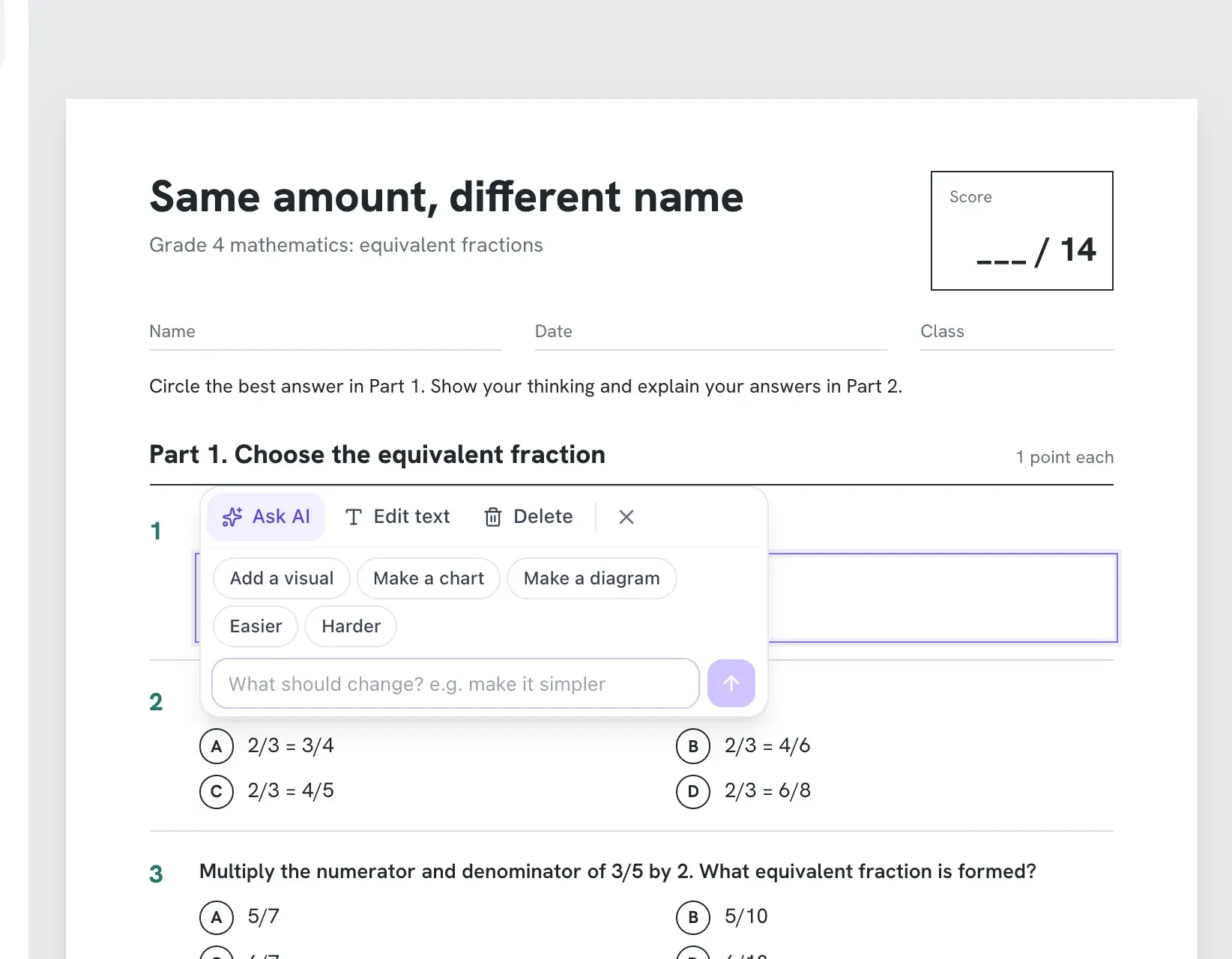 DifferentiationClick any part to make it easier, harder or more visual.
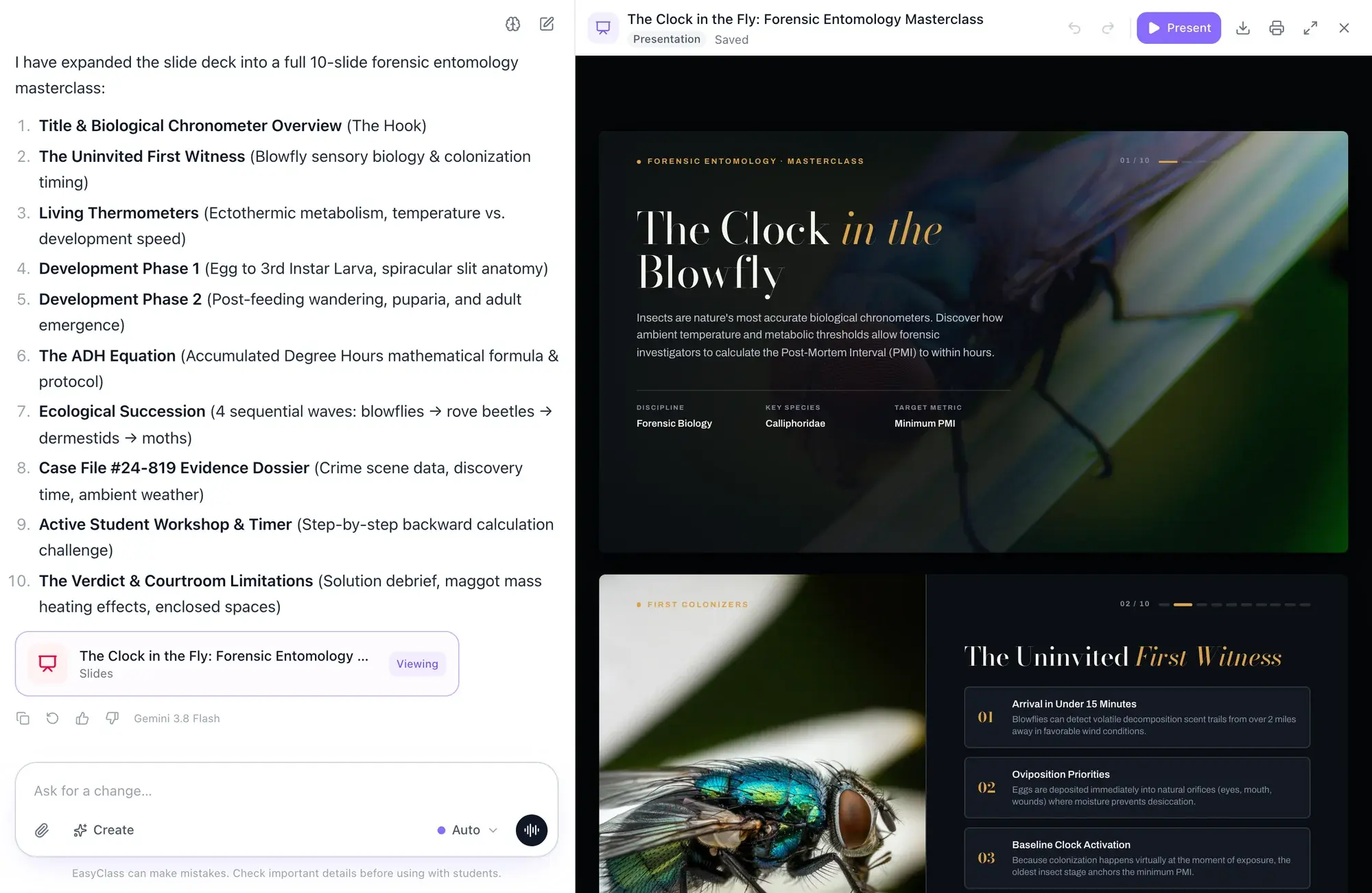 SlidesLesson slide decks with pictures and diagrams, ready to present.
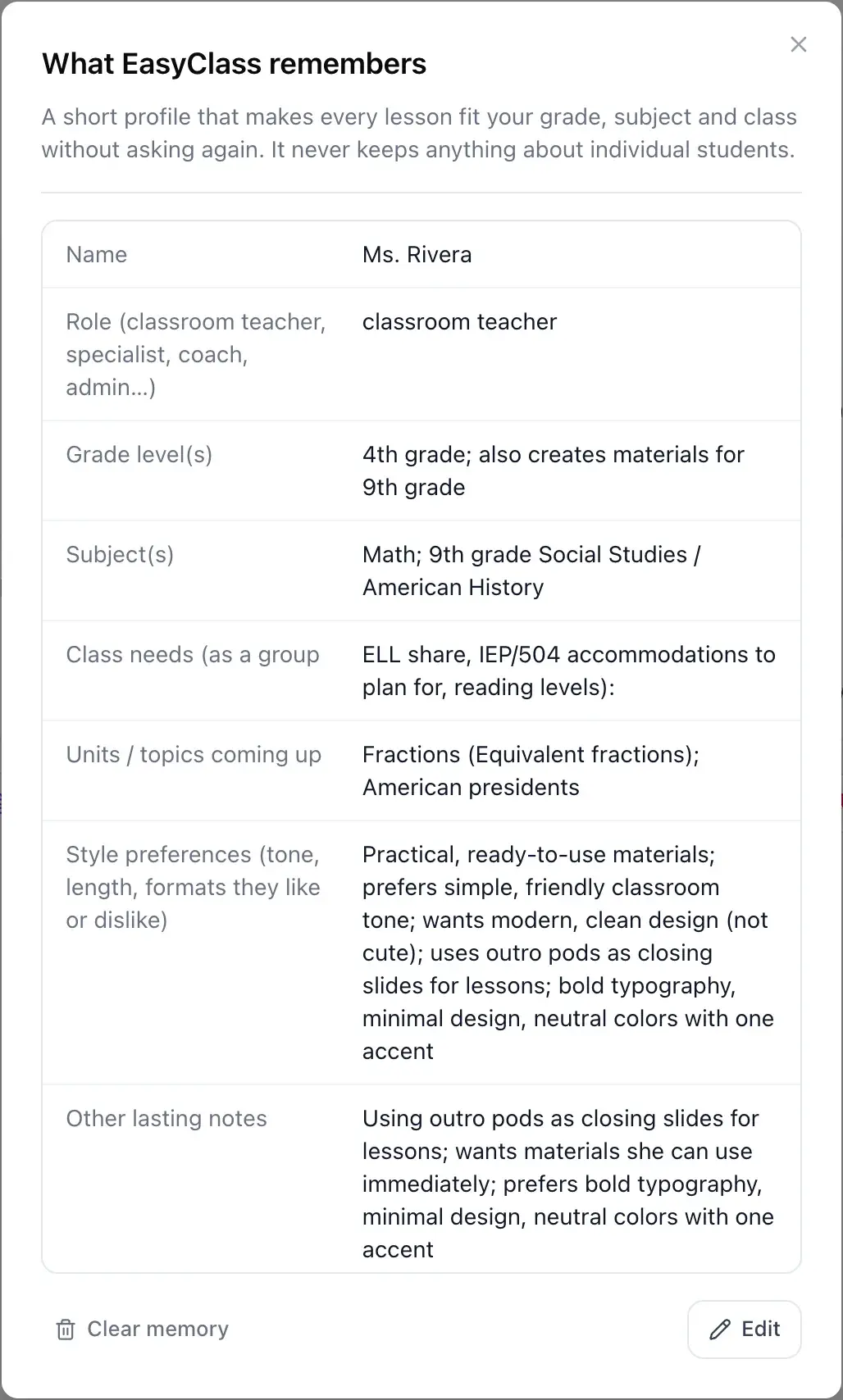 MemoryIt remembers your class, never your students’ details.
See all EasyClass features8 best free AI lesson plan generators for teachersThe 5-step AI lesson planning workflow
Updated

Make tomorrow’s worksheet tonight.
Describe it in a sentence, print it with the answer key, and get your evening back.